 AIAI in Cybersecurity: What It Does Well and Where It FailsAI in cybersecurity explained: where AI threat detection and security automation help, where models fail, how attackers use AI phishing and what to ask vendors.
How to Add a Chatbot to Your Website in 5 Steps
Add a chatbot to your website in five steps: choose its job, set KPIs, map users and flows, build and install the script, then target and improve it.
To add a chatbot to your website, decide what the bot is for, pick a platform that fits that job, write and test the conversation flows, paste the platform's script into your site (or install its plugin), and then measure how it performs. Most website chatbots today are installed with a short JavaScript snippet, so the technical step is small. The work that decides whether the bot helps or annoys visitors is the planning before it and the tuning after it.
Below are the five steps in order, with the questions to answer at each one.
Step 1: Decide what the chatbot is for
A chatbot that tries to do everything usually does nothing well. Pick one main job first and add more later.
Customer support bots
Support bots answer common questions at any hour: delivery times, returns, opening hours, account issues, how to use a feature. They reduce repeat emails and calls so your team can spend time on harder cases. Before you build one, list:
- The questions customers ask most often, taken from your inbox, call logs and live chat history
- Which questions need account data, such as order status, and which are general
- What happens outside office hours when no human can take over
- How the bot hands a conversation to a person, and what context it passes along
Lead generation bots
Lead bots qualify visitors and collect contact details. They work best on high intent pages such as service, pricing and contact pages, where visitors already have a question about buying. Decide whether the bot's goal is to inform, to qualify and book a call, or to capture an email for follow up. Each goal leads to a different conversation design.
AI assistants
Many platforms now let you connect a large language model to your own content, so the bot answers in natural language from your help pages, product data or policies. This handles a much wider range of questions than scripted flows, but it needs guardrails: a clear list of approved sources, rules for what the bot must not answer, and a fallback to a human when it is unsure.
| Bot type | Best for | Main risk |
|---|---|---|
| Rule based (buttons and scripted flows) | Simple FAQs, booking, lead capture | Feels rigid when visitors go off script |
| AI assistant on your content | Varied questions across many pages | Wrong or invented answers without guardrails |
| Hybrid with live chat handoff | Support teams with staffed hours | Slow handoff if nobody is watching the queue |
Step 2: Set the goals and KPIs
Decide how you will judge the bot before you build it, so you can tell whether changes help. Useful questions are: what counts as success for one conversation, what you will measure, and which business result it should move.
Typical KPIs include:
- Resolution rate: conversations finished without a human
- Handoff rate: conversations passed to a person, and why
- Goal completions: forms submitted, calls booked, orders tracked
- Drop off points: the step where visitors abandon the chat
- Satisfaction: a simple thumbs up or down at the end
Connect chatbot events to your analytics tool so a lead from the bot shows up next to leads from forms and calls.
Step 3: Understand who will use it
Write a short profile of the typical visitor who opens the chat. What were they trying to do? Which page are they on? Are they on a phone? A visitor on a pricing page wants a different opening line from one on an order tracking page.
From there, give the bot a consistent voice that matches your brand, and map the main conversation flows. Keep each flow short. Offer buttons for the common paths and a free text option for everything else. Always include a visible way to reach a person.
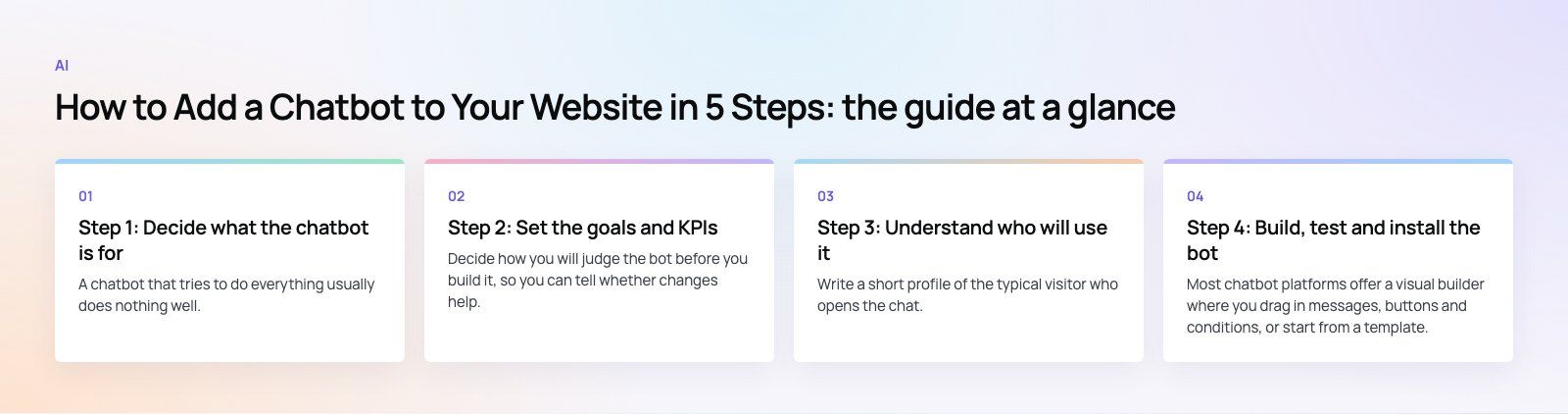
Step 4: Build, test and install the bot
Build the flows
Most chatbot platforms offer a visual builder where you drag in messages, buttons and conditions, or start from a template. While building, set:
- Colors, fonts and the launcher icon so the widget matches your site
- The greeting for each page or audience
- Button actions, form fields and where collected data is sent, for example your CRM
- Fallback replies when the bot does not understand
Test every path
Use the platform's preview mode and click through every branch: every button, every form field, every handoff. Then try to break it. Type misspellings, ask off topic questions and leave halfway through. If it is an AI assistant, ask questions it should refuse and check that it does. Test on desktop and on several phones, because the chat window can cover important buttons on small screens.
Install it on your website
Installation is usually the quickest step:
- Copy the embed code from your chatbot platform. It is normally a short script tag with your account ID.
- Add it to every page. On a custom site, place it in the shared layout, usually just before the closing body tag or in the head as the vendor instructs. On WordPress, use the vendor's plugin or a header and footer script plugin. On Shopify, many chat tools install as an app embed that you switch on in the theme editor.
- Load it carefully. Chat widgets can add noticeable weight to a page. Load the script asynchronously or after the page becomes interactive so it does not slow your main content.
- Check consent. If the widget sets cookies or collects personal data, it must respect your cookie banner and privacy policy.
If your site runs on WordPress and you need the bot tied into forms or a CRM, our WordPress development team handles that kind of integration.
Step 5: Target, measure and improve
Once the bot is live, set targeting rules so it appears at the right moment. Common triggers are page URL, time on page, scroll depth, returning visitor and exit intent. A bot that pops open on every page within two seconds tends to annoy people. One that opens on the pricing page after a visitor has read for a while feels helpful.
Then review the numbers weekly at first:
- Which flows complete and which lose people
- Questions the bot could not answer, which tell you what to add next
- Leads or bookings from the bot and their quality
- Effect on page speed, especially on mobile
Read real transcripts as well as charts. They show where wording confuses people far faster than any metric.
Privacy, accessibility and speed
Three things are easy to forget and expensive to fix later.
- Privacy: tell visitors what the bot collects, store transcripts securely and set a retention period. If you serve visitors in Europe, the EU data protection rules apply to chat data too. Other markets have their own laws, so check the ones where your customers live.
- Accessibility: the widget should work with a keyboard and screen readers and have enough color contrast. The WCAG guidelines are the standard reference.
- Speed: measure your page before and after installing the widget. If it hurts your Core Web Vitals, delay loading until a visitor interacts. Our Core Web Vitals service covers this kind of tuning.
Common mistakes to avoid
- Hiding the human option, which frustrates people with urgent problems
- Asking for an email before answering anything
- Letting an AI assistant answer from the open web instead of your own approved content
- Launching and never reading the transcripts
- Running the same greeting on every page
A chatbot works best when it is part of a wider plan for support and lead handling. If you want a bot that feeds qualified leads straight into your CRM, our sales automation team can design the flows and integrations, and our web development team can make sure it loads cleanly on your site. Codeeo is rated 4.7 from 23 Google reviews, and you can contact us to talk through your use case.
Frequently asked questions
Usually not.
Most chatbot platforms give you a short script to paste into your site, or a plugin for WordPress and an app for Shopify, plus a visual builder for the conversations. Coding becomes necessary when you want the bot to read live data such as order status, write to your CRM in a custom way, or run a custom AI assistant.
AIAI in Cybersecurity: What It Does Well and Where It FailsAI in cybersecurity explained: where AI threat detection and security automation help, where models fail, how attackers use AI phishing and what to ask vendors. AIMobile App Security Basics in the Age of Generative AIMobile app security basics for app owners: OWASP MASVS controls, secrets handling, AI feature risks such as prompt injection, testing steps and UAE rules.
 AIAI Coding Assistants: What Changed Since the Early ToolsHow the AI coding assistant moved from autocomplete to agents, and what that means for code quality, security and cost on the software projects you pay for.
Tell us what the business needs. We will tell you what to build first.
Schedule a free consultation and get a written recommendation, with costs, before you commit to anything.
Get in touchPROVEN RESULTS
4.7 / 5verified reviews on Google