 E-CommerceGenerative AI in Online Retail: Uses That Pay BackGenerative AI ecommerce uses ranked by payback and risk: product descriptions, AI search and support assistants, plus Arabic quality checks for UAE stores.
Shopify Amazon Integration: How to Sell on Both Without Overselling
How to connect Shopify to Amazon Seller Central: integration options, setup steps, FBA, pricing rules and the sync mistakes that cause overselling.
A Shopify Amazon integration connects your Shopify store to Amazon Seller Central so products, stock, prices and orders move between the two without retyping. Shopify keeps the master catalog, Amazon becomes another sales channel, and a connector app handles the sync. Done well, it lets you sell on Amazon without running a second business on the side.
This guide covers how the connection works, what to sync, how to set it up, and the mistakes that cause oversold stock and suspended listings.
Why connect Shopify and Amazon at all
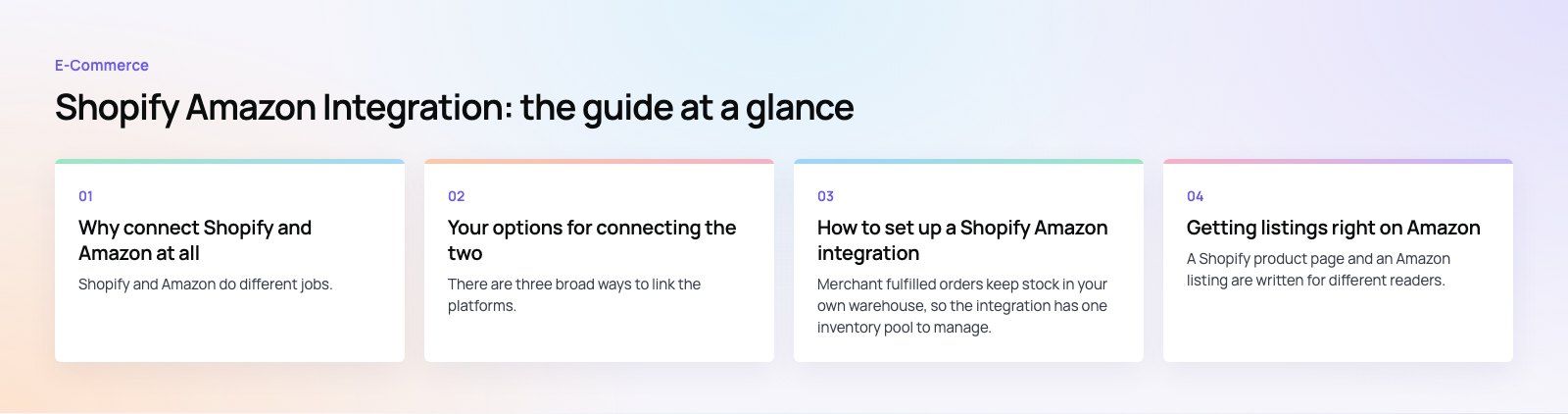
Shopify and Amazon do different jobs. Your Shopify store is where you own the brand, the customer relationship and the email list. Amazon is where a large number of shoppers already start their product searches. Selling on both gives you reach without giving up control of your own site.
The problem is that running two catalogs by hand breaks quickly. A product sells out on Amazon while Shopify still shows it in stock. A price change goes live on one channel and not the other. Orders arrive in two dashboards and someone has to copy tracking numbers across. An integration exists to remove that manual work.
What the integration should handle
- Listings: pushing Shopify products to Amazon and matching them to existing Amazon catalog pages (ASINs) where they already exist.
- Inventory: one stock number, shared across both channels, updated after every sale.
- Prices: rules for how Amazon prices relate to Shopify prices, since fees differ.
- Orders: Amazon orders pulled into Shopify so fulfillment, reporting and accounting happen in one place.
- Tracking: shipping confirmations sent back to Amazon on time, which matters for your seller metrics.
Your options for connecting the two
There are three broad ways to link the platforms. Which one fits depends on catalog size, how many marketplaces you sell on, and how much custom logic you need.
| Approach | Best for | Trade offs |
|---|---|---|
| Shopify Marketplace Connect | Stores that want Amazon, eBay, Walmart or Target Plus managed from inside Shopify | Built by Shopify; less flexible for unusual pricing or bundle rules |
| Third party connector apps | Sellers who need specific features such as FBA routing or advanced repricing | Quality varies; check reviews, support and how often the app syncs |
| Custom integration via APIs | Large catalogs, ERP driven stock, multi warehouse setups | Most control, but needs development and ongoing maintenance |
Shopify's own Marketplace Connect app lists Amazon, eBay, Walmart and Target Plus as supported marketplaces as of October 2026, with product, inventory, order and tracking sync. For many stores that is the sensible place to start. If your stock lives in an ERP or warehouse system rather than Shopify, a custom build through the Shopify and Amazon Selling Partner APIs often makes more sense, because the source of truth is not Shopify at all.
How to set up a Shopify Amazon integration
- Get your Amazon account ready. You need a professional seller account in the Amazon marketplace you want to sell in, with tax and bank details verified. Some categories and brands need approval before you can list.
- Clean your Shopify catalog first. Every variant needs a unique SKU and, for most categories, a barcode such as a GTIN. Missing or duplicate SKUs are the single biggest cause of sync errors.
- Install and connect the app. Install your chosen connector from the Shopify App Store and authorize it with Seller Central.
- Match or create listings. If your products already exist on Amazon, link them to the existing ASINs. If they do not, the app creates new listings using your Shopify data plus Amazon's required attributes for the category.
- Set price and stock rules. Decide whether Amazon prices match Shopify, carry a markup to cover fees, or follow a separate price list. Set a stock buffer so the last few units are not sold twice.
- Choose fulfillment. Either you ship Amazon orders yourself, or you send stock to Amazon's warehouses and let Fulfillment by Amazon (FBA) handle it.
- Test with a small set. Push five or ten products, place test orders where possible, and check that stock, orders and tracking all behave before you sync the full catalog.
Fulfilled by you or by Amazon
Merchant fulfilled orders keep stock in your own warehouse, so the integration has one inventory pool to manage. FBA moves stock into Amazon's network, which means you now have two pools: what Amazon holds and what you hold. Your connector needs to understand that split, or Shopify will show units for sale that are sitting in an Amazon warehouse. Some sellers also use Amazon's Multi Channel Fulfillment to ship Shopify orders from FBA stock, which adds another rule to configure.
Getting listings right on Amazon
A Shopify product page and an Amazon listing are written for different readers. Shopify pages can tell a brand story. Amazon listings are judged by its own search engine and by shoppers comparing several sellers on one screen.
- Titles: follow the category style guide. Brand, product type, key attribute, size or quantity. Keep marketing language out of the title.
- Bullet points: lead with the facts shoppers compare: materials, dimensions, compatibility, what is in the box.
- Images: Amazon has strict main image rules, usually a pure white background with the product filling the frame. Your lifestyle photos from Shopify may only be usable as secondary images.
- Attributes: fill every required and recommended field for the category. Empty attributes hurt filtering and search.
Most connectors let you override title, description and images for Amazon without changing the Shopify product. Use that rather than forcing one version to serve both.

Pricing and margins across both channels
Amazon charges referral fees on each sale, plus FBA fees if you use it, plus advertising if you run Sponsored Products. Shopify has its own payment and app costs. The point is not to quote numbers, which change, but to model your margin per product per channel before you decide on a pricing rule.
Three common approaches work:
- Same price everywhere. Simple and fair to customers, but your Amazon margin is thinner.
- A percentage markup on Amazon. Recovers fees, but watch Amazon's pricing policies and competing offers on the same ASIN.
- Separate price lists. Most control, best handled through the connector or an ERP.
Be careful with automated repricing tools. They can race prices down against other sellers and quietly erase your margin. Always set a floor price.
Common mistakes that break the sync
Inventory drift
One issue we often see is stock that slowly stops matching between channels. It usually starts with someone editing stock directly in Seller Central, a bundle product that consumes several SKUs, or returns that are restocked in one system only. Pick one system as the source of truth, lock manual edits elsewhere, and reconcile counts on a schedule.
Sync delays during busy periods
Many apps sync on an interval rather than instantly. On a quiet day that is fine. During a sale it can mean overselling. Check how often your connector updates stock and keep a buffer on fast moving items.
Late shipping confirmations
If tracking numbers do not flow back to Amazon quickly, your late shipment rate rises and your account health suffers. Test this path specifically, including split shipments and partial fulfillments.
Ignoring returns
Amazon returns follow Amazon's rules and timelines. Decide how returned items are inspected and restocked, and make sure the restock reaches the shared inventory number.
Measuring whether Amazon is worth it
Once the integration runs, track a small set of numbers per channel: contribution margin after fees and ads, sell through rate, return rate and customer service load. Amazon often brings volume, but it does not give you the customer's email or a chance to sell to them again. Some brands use Amazon mainly for discovery and push repeat buyers to their own store with packaging inserts that stay within Amazon's rules.
If your stock, orders or accounting live in other systems too, plan the integration as part of the wider setup rather than a single app install. Our Shopify development team builds and fixes marketplace connections, and our custom software work covers API integrations when an off the shelf app is not enough. You can see a Shopify build in the EGO Sustainable case study, browse our retail and ecommerce work, or talk to us about your setup. Codeeo has delivered 200+ projects across the UAE and the US.
Frequently asked questions
Shopify offers its own Marketplace Connect app, which as of October 2026 lists Amazon, eBay, Walmart and Target Plus.
It syncs products, inventory, orders and tracking from inside the Shopify admin. Third party connectors exist too, and some sellers with complex catalogs or ERP driven stock choose a custom API integration instead of an app.
E-CommerceGenerative AI in Online Retail: Uses That Pay BackGenerative AI ecommerce uses ranked by payback and risk: product descriptions, AI search and support assistants, plus Arabic quality checks for UAE stores. E-CommerceConnecting WooCommerce to ERP, CRM and Shipping Without DuplicatesPlan a WooCommerce ERP integration that avoids duplicates: data ownership rules, idempotent order sync, CRM matching and UAE shipping, with Odoo and Dynamics.
 E-CommerceEnterprise Ecommerce Platform Selection: Requirements Before DemosChoose an enterprise ecommerce platform by setting integration, multi entity, data residency and order management requirements before any vendor demo starts.
Tell us what the business needs. We will tell you what to build first.
Schedule a free consultation and get a written recommendation, with costs, before you commit to anything.
Get in touchPROVEN RESULTS
4.7 / 5verified reviews on Google