 Web DevelopmentWordPress VIP or Self Hosted Enterprise WordPress in the UAEWordPress VIP or self hosted enterprise WordPress in the UAE: compare data residency, hosting SLA, cost drivers and code review rules, plus key setup notes.
The 5 Stages of Website Development, Explained Step by Step
The five stages of website development explained: planning, design, development, content and optimization, and testing and launch, with common mistakes.
The five stages of website development are planning and discovery, design and wireframing, development, content and optimization, and testing and launch. Each stage produces something the next one depends on: goals and a sitemap, then approved designs, then a working build, then real content, then a tested, live site. Skipping or rushing any stage usually shows up later as rework, delays or a site that does not do its job.
This guide explains what happens in each stage, what you should have at the end of it, and the mistakes that most often derail website projects.
The five stages at a glance
| Stage | Key activities | What you should have at the end |
|---|---|---|
| 1. Planning and discovery | Goals, audience research, competitor review, scope, sitemap | A written brief, sitemap and project plan |
| 2. Design and wireframing | Wireframes, visual design, platform choice | Approved designs for key page types |
| 3. Development | Front end, back end, CMS setup, integrations, responsive build | A working site on a staging server |
| 4. Content and optimization | Copy, images, SEO, speed, accessibility | A complete, optimized site ready for testing |
| 5. Testing and launch | QA, security, launch, monitoring, maintenance plan | A live site and a plan for keeping it healthy |
Stage 1: Planning and discovery
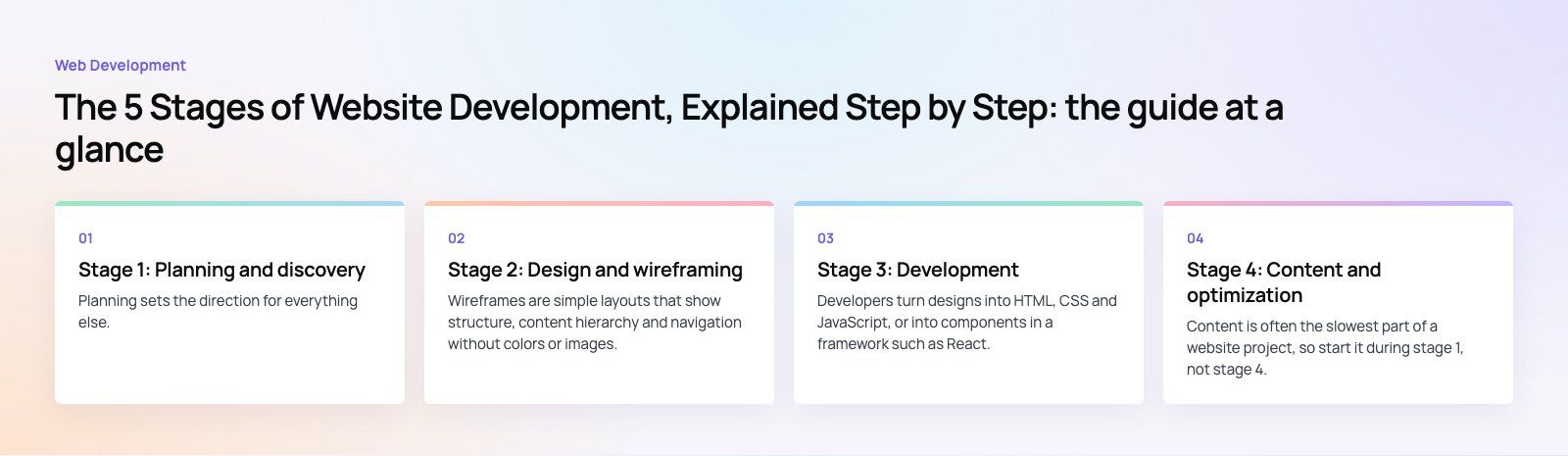
Planning sets the direction for everything else. Most of the expensive problems in website projects trace back to decisions that were never made here.
Define the purpose and goals
Write down what the site must achieve in measurable terms: enquiries, bookings, online sales, job applications or support requests. Identify the main audiences and what each one needs to do on the site. A clear goal makes later decisions about design, features and content much easier.
Research the audience and competitors
Look at the sites your audience already uses. Note what they do well, where they frustrate users, and how they describe their offer. Talk to a few customers if you can. Check what people search for in your market so that your page structure reflects real demand.
Agree the scope and sitemap
List every page type and feature, then separate what is essential for launch from what can follow. Turn this into a sitemap that shows how pages relate. Plan the URL structure now, especially if you are replacing an existing site, because changing URLs without redirects loses search traffic. If you are redesigning, a site migration plan belongs in this stage, not the week before launch.
Build the project plan
Set milestones, owners and review dates for each stage. Name the person on your side who can approve designs and content, because slow approvals are one of the most common causes of delay.
Stage 2: Design and wireframing
Wireframes first
Wireframes are simple layouts that show structure, content hierarchy and navigation without colors or images. They let you test whether a visitor can find what they need before anyone spends time on visual polish. Review wireframes for the home page, a key service or product page, and any page with a form or checkout.
Visual design
Once the structure is agreed, designers apply your brand: typography, color, imagery, icons and components. Good design is consistent, readable and built from reusable components so the site stays coherent as it grows. Professional UI and UX design pays off most on the pages that drive conversions.
Design for accessibility and mobile
Design mobile layouts alongside desktop, not afterwards. Check color contrast, text size, focus states and form labels against the WCAG guidelines. Fixing accessibility in design is far cheaper than fixing it in code.
Choose the platform
The platform decision depends on who will edit the site, how often, and what it must do. WordPress suits content led sites with frequent updates. Shopify or WooCommerce suit online stores. A headless CMS with a framework such as Next.js suits sites that need high performance or content shared across web and apps. Custom builds suit unusual workflows. Choose based on the next few years of needs, not just launch.
Stage 3: Development
Build the front end
Developers turn designs into HTML, CSS and JavaScript, or into components in a framework such as React. The front end must match the designs closely, work across browsers, and adapt cleanly to every screen size.
Set up the CMS and back end
Content types, fields, templates and editor permissions are configured so your team can update the site without a developer. Back end work covers forms, user accounts, search, payments and anything else that needs server logic.
Integrate other systems
Most business sites connect to something: a CRM, email marketing tool, booking system, payment gateway or analytics. Each integration needs testing with real data.
Work on staging
All development should happen on a staging environment, with version control and regular demos. Seeing working pages early lets you catch misunderstandings while they are still cheap to fix. Good web development teams share progress weekly rather than revealing everything at the end.
Stage 4: Content and optimization
Write and gather content
Content is often the slowest part of a website project, so start it during stage 1, not stage 4. Write clear, specific copy for each page that answers what visitors need to know. Collect photos, case studies, team details and legal pages. Placeholder text left in designs hides problems with layout and length.
Optimize for search
Each page needs a unique title, meta description and headings that reflect what people search for. Add internal links between related pages, alt text on images, an XML sitemap and structured data where it fits. Google's SEO starter guide is a reliable reference for the basics. A technical SEO review before launch catches indexing problems early.
Optimize speed
Compress and correctly size images, load scripts only where they are needed, use caching and a CDN, and choose capable hosting. Measure against Core Web Vitals, which reflect loading speed, responsiveness and visual stability. Core Web Vitals work is easier before launch than after.
Stage 5: Testing and launch
Test thoroughly
- Functional testing: every form, link, search, filter and checkout path.
- Cross browser and device testing: current versions of major browsers on desktop, tablet and phone.
- Usability testing: a few real users completing key tasks.
- Accessibility testing: keyboard navigation, screen reader checks and contrast.
- Content review: spelling, broken images, placeholder text and legal pages.
Secure the site
Enable HTTPS, use strong passwords and two factor authentication for admin accounts, limit admin access, keep the CMS and plugins updated, add a firewall where appropriate, and set up automatic backups stored off the server.
Launch
Plan the launch for a quiet period. Point the domain, apply redirects from old URLs, submit the sitemap to search engines, and confirm analytics and conversion tracking are firing. Check the live site again immediately after launch.
Maintain and improve
A website is never finished. Schedule updates, backups, security checks and content reviews. Watch analytics and search data, then improve the pages that matter most to your goals.
Common mistakes across the stages
- Starting design before the goals and sitemap are agreed.
- Leaving content until development is finished.
- Choosing a platform because it is familiar rather than because it fits.
- Forgetting redirects when replacing an old site.
- Testing only on the developer's own browser.
- Having no owner for the site after launch.
Codeeo has delivered 200+ projects across the UAE and the US with a team of 80+ across Dubai, Riyadh and Karachi. If you are planning a new site or a redesign, our web development team can take you through all five stages, or start with a website audit to see where your current site stands.
Frequently asked questions
The five stages are planning and discovery, design and wireframing, development, content and optimization, and testing and launch.
Planning sets goals, scope and the sitemap. Design turns that into wireframes and visual layouts. Development builds the working site. Content and optimization add real copy, search optimization and speed improvements. Testing and launch check everything, put the site live and set up ongoing maintenance.
Web DevelopmentWordPress VIP or Self Hosted Enterprise WordPress in the UAEWordPress VIP or self hosted enterprise WordPress in the UAE: compare data residency, hosting SLA, cost drivers and code review rules, plus key setup notes. Web DevelopmentWhat a WordPress Maintenance SLA Should CoverWhat WordPress maintenance services should cover in writing: core and plugin updates, security, backups, multilingual publishing support and response times.
 Web DevelopmentWordPress Release Management: Staging, QA and RollbackA WordPress deployment workflow that releases safely: Git based builds, a staging site that mirrors live, smoke tests to run and a rollback plan written first.
Tell us what the business needs. We will tell you what to build first.
Schedule a free consultation and get a written recommendation, with costs, before you commit to anything.
Get in touchPROVEN RESULTS
4.7 / 5verified reviews on Google