 E-CommerceGenerative AI in Online Retail: Uses That Pay BackGenerative AI ecommerce uses ranked by payback and risk: product descriptions, AI search and support assistants, plus Arabic quality checks for UAE stores.
TikTok Shopify Integration: How to Set It Up and Sell
How to connect TikTok to Shopify: catalog sync, the TikTok Pixel, ads and TikTok Shop, with setup steps, tracking advice and mistakes to avoid.

TikTok Shopify integration connects your Shopify store to TikTok through the official TikTok app in the Shopify App Store. Once connected, you can sync your product catalog, install the TikTok Pixel for tracking, run TikTok ads from your own products and, in markets where TikTok Shop is open to sellers, sell directly inside TikTok while managing orders and inventory in Shopify. Setup takes an afternoon; getting results depends on your content.
This guide explains what the integration does, how to set it up step by step, how to track performance properly, and the mistakes that stop it from paying off.
What the TikTok and Shopify integration actually does
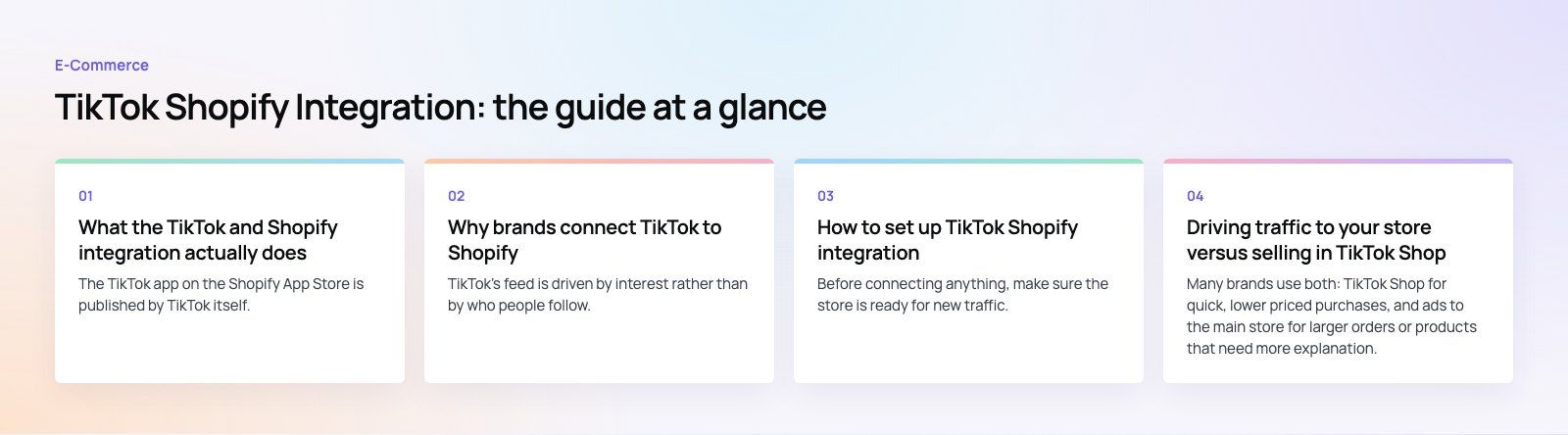
The TikTok app on the Shopify App Store is published by TikTok itself. It brings several separate features together under one connection:
- Catalog sync. Products, prices, images and stock levels flow from Shopify to TikTok, so ads and shoppable content always reflect what you actually sell.
- TikTok Pixel and event tracking. The app installs the pixel on your store in a few clicks, so TikTok can see page views, add to carts and purchases that come from its traffic.
- Ad creation. You can build TikTok ads from your own images and videos and point them at your product pages.
- TikTok Shop sync. Where TikTok Shop is available, products can be sold in videos and LIVE streams, with orders and inventory handled in the Shopify admin.
The important distinction is between driving traffic to your Shopify store and selling inside TikTok. Ads and the pixel work for traffic to your store. TikTok Shop lets people buy without leaving the app, but it is only open to sellers in certain countries, so check TikTok Shop's seller registration for your market before planning around it.
Why brands connect TikTok to Shopify
Reach people who do not know you yet
TikTok's feed is driven by interest rather than by who people follow. A small brand with no following can still have a video shown to a large audience if it holds attention. That makes the platform unusually good for discovery, especially for visual products that are easy to demonstrate.
Content that sells by showing
Short video suits products that benefit from being seen in use: fashion, beauty, home goods, gadgets, food. A fifteen second clip of a product solving a problem often does more than a polished banner.
Creator and customer content
User generated content, where real customers or creators film themselves using a product, tends to feel more trustworthy than brand advertising. With the integration in place, that content can link directly to the product page or the TikTok Shop listing.
Better data for every channel
Even if TikTok is not your main sales channel, the pixel tells you which products and videos bring visitors who actually buy. That insight is useful for creative decisions across all your marketing.
How to set up TikTok Shopify integration
1. Prepare your Shopify store
Before connecting anything, make sure the store is ready for new traffic. Product titles should be clear, images clean and consistent, descriptions accurate, and shipping and returns policies easy to find. TikTok reviews catalogs and shop listings against its own policies, so restricted products or missing policy pages can block approval. Check that the mobile checkout is fast, because almost all TikTok traffic arrives on a phone.
2. Install the TikTok app
In your Shopify admin, open the App Store and install the official TikTok app. It appears as a sales channel in the admin once installed.
3. Connect your TikTok accounts
The app walks you through connecting a TikTok For Business account and an ads account. Use accounts owned by the business, not a personal login, and make sure at least two people on your team have admin access so you are never locked out.
4. Set up the pixel and data sharing
Turn on the TikTok Pixel through the app rather than pasting code into your theme by hand. This avoids duplicate pixels, which inflate conversions and confuse campaign optimization. TikTok's pixel documentation explains the standard events it tracks. If you use a consent banner, confirm the pixel respects it.
5. Sync your product catalog
Choose which products to sync. Exclude items you cannot ship, low stock lines and anything that breaks TikTok's commerce policies. Review rejected items and fix the cause, which is usually a missing image, an unclear title or a restricted category.
6. Set up TikTok Shop if it is available to you
If your business is eligible for TikTok Shop in your market, complete the seller onboarding and link it through the app. Decide how fulfillment, returns and customer service will work, since orders placed in TikTok still need the same handling as store orders.
7. Create content and launch campaigns
Start with a small number of products and several video variations for each. Test different hooks in the first two seconds, different angles on the product and different calls to action. Keep budgets modest until you see which combinations bring purchases, then scale those.
8. Measure and adjust
Compare TikTok's reported results with Shopify's own order data. The two rarely match exactly, because of attribution windows and tracking limits, but the trend should agree. Judge campaigns on revenue and margin, not on views or likes.
Driving traffic to your store versus selling in TikTok Shop
| Approach | Where the sale happens | Strengths | Trade offs |
|---|---|---|---|
| Ads to your Shopify store | Your own checkout | You own the customer data and the brand experience; works in any market TikTok ads serve | Extra step for the shopper, so some drop off between app and store |
| TikTok Shop | Inside TikTok | Shortest path from video to purchase; suits impulse buys and LIVE selling | Only in eligible markets; platform rules, fees and less control over the customer relationship |
| Organic content only | Either | Low cost; builds an audience over time | Unpredictable reach; needs consistent posting |
Many brands use both: TikTok Shop for quick, lower priced purchases, and ads to the main store for larger orders or products that need more explanation.
Common mistakes that waste budget
- Repurposing polished TV style ads. Content that looks native to TikTok usually outperforms glossy advertising.
- Weak first seconds. If the opening does not hold attention, the rest of the video does not matter.
- A slow mobile store. Paying for clicks that land on a slow product page throws money away. A checkout teardown will show where shoppers drop off.
- Duplicate or broken tracking. Two pixels, or a pixel that misses purchase events, make optimization unreliable.
- Syncing the whole catalog. Focus on products that demonstrate well on video and have healthy margins.
- Ignoring comments. Questions under a video are buying signals. Answer them quickly.

Is TikTok right for your store?
TikTok works best for products that are visual, easy to understand in seconds, and priced for a fairly quick decision. It is a harder fit for complex B2B products or purchases that need long consideration, although it can still build awareness for those. If your audience skews older or highly specialized, test with a small budget before committing.
The integration itself is the easy part. Results come from a steady supply of good short videos and a store that converts mobile visitors. If you want help on either side, our Shopify development team builds and tunes stores for social traffic, and our digital marketing team plans and runs paid social campaigns. You can see a recent example in our EGO Sustainable case study, a bilingual Shopify store for a GCC athleisure label selling across five markets, or explore more of our retail and ecommerce work.
Frequently asked questions
It is the connection between a Shopify store and TikTok, made through the official TikTok app in the Shopify App Store.
It syncs your product catalog to TikTok, installs the TikTok Pixel for tracking, lets you build ads from your products, and in eligible markets links TikTok Shop so orders and inventory are managed in your Shopify admin.
E-CommerceGenerative AI in Online Retail: Uses That Pay BackGenerative AI ecommerce uses ranked by payback and risk: product descriptions, AI search and support assistants, plus Arabic quality checks for UAE stores. E-CommerceConnecting WooCommerce to ERP, CRM and Shipping Without DuplicatesPlan a WooCommerce ERP integration that avoids duplicates: data ownership rules, idempotent order sync, CRM matching and UAE shipping, with Odoo and Dynamics.
 E-CommerceEnterprise Ecommerce Platform Selection: Requirements Before DemosChoose an enterprise ecommerce platform by setting integration, multi entity, data residency and order management requirements before any vendor demo starts.
Tell us what the business needs. We will tell you what to build first.
Schedule a free consultation and get a written recommendation, with costs, before you commit to anything.
Get in touchPROVEN RESULTS
4.7 / 5verified reviews on Google