 Digital TransformationDigital Transformation Case Studies: 6 Verified ExamplesSix documented digital transformation case studies, from Netflix and Domino's to GOV.UK, Estonia and Dubai, with sourced results and lessons you can use.
CodeeoInsightsDigital Transformation
Microsoft Dynamics Payment Gateway Integration: A US Guide
How to connect Dynamics 365 to a card and ACH gateway so payments are taken, posted and reconciled in one place. Patterns, gateways, PCI DSS and payout reconciliation for US teams.

Microsoft Dynamics payment gateway integration connects your Dynamics 365 system to a card and ACH processor, so payments are taken, recorded, and reconciled in one place. Done well, a customer pays an invoice or an order, the gateway confirms it, and Dynamics posts the receipt, applies it to the right document, and matches it to the bank deposit without anyone retyping numbers. The right approach depends on which Dynamics product you run, which payment methods your US customers use, and how much of the card data you want to keep out of your own systems.
This guide is for finance leaders, IT managers, and operations teams at US companies running Dynamics 365. It covers the integration patterns that work, the gateways that fit each Dynamics product, the security and compliance points to settle early, and the reconciliation design that decides whether the project saves your finance team time or creates more work.
What Microsoft Dynamics payment gateway integration actually covers
"Payment integration" can mean very different projects, so it helps to name the parts. A complete integration usually handles five jobs.
- Taking the payment. A hosted payment page, a pay by link email, a customer portal, a point of sale terminal, or a saved card charged on a schedule.
- Confirming the result. The gateway tells Dynamics whether the payment succeeded, failed, or needs more action, usually through a webhook.
- Posting the receipt. Dynamics creates a customer payment or cash receipt and applies it to the right invoice, sales order, or subscription.
- Handling exceptions. Refunds, partial payments, chargebacks, failed recurring charges, and payments that arrive without a clear reference.
- Reconciling. The processor pays out in batches, minus its charges. Finance needs every payout matched to the individual payments inside it.
Most projects that disappoint got the first two jobs right and treated the last three as an afterthought. When you scope the work, write down how each of the five will happen before you pick a gateway.
Which Dynamics product you run changes the approach
"Dynamics" is a family of products with different data models and different built in payment options. The integration pattern follows from the product.
Dynamics 365 Business Central
Business Central is the most common choice for small and midsize US companies. Customers can pay invoices through payment links, and payments land in the cash receipt journal or the payment reconciliation journal. Business Central has a strong automatic payment application feature that matches bank statement lines to open customer entries. A well designed integration feeds that feature clean data instead of replacing it.
For anything beyond basic pay by link, such as saved cards, ACH debit, or recurring billing, most teams use an extension. That can be an AppSource app from the gateway or a partner, or a custom AL extension that calls the gateway's API and listens for its webhooks.
Dynamics 365 Finance and Supply Chain Management
Larger companies on Dynamics 365 Finance and Supply Chain Management usually take payments in other systems, such as an online store, a billing platform, or a call center tool. They need the ERP to receive settled transactions in volume. The integration here is mostly data movement: payment and payout files or API events go into customer payment journals and bank reconciliation. Integration services in Azure carry the messages, and the ERP does the accounting.
Dynamics 365 Commerce
Commerce is the one Dynamics product with a payment connector built in. Microsoft ships and documents the Dynamics 365 Payment Connector for Adyen, which covers store terminals, online checkout, and call center orders. If you run Commerce and Adyen works for your business, start there. Choose a custom connector only when you have a clear reason, such as an existing processor contract you cannot move.
Dynamics 365 Sales and Customer Service
The customer engagement apps sit on Dataverse and have no accounting ledger of their own. Payment work here is usually about sending a quote with a pay link, taking a deposit, or showing payment status to a sales rep or service agent. The payment record then has to flow on to the ERP, so these projects almost always touch two systems.
Choosing a payment gateway for a US business on Dynamics
In the United States the realistic shortlist is usually Stripe, Adyen, Authorize.Net, Braintree, or the merchant services arm of your existing bank. Each can work with Dynamics. The better question is which one fits how you sell.
| What matters to you | What to look for in the gateway |
|---|---|
| B2B invoices paid by card | Support for Level 2 and Level 3 card data, which carries tax and line item details that commercial card programs expect |
| B2B customers who pay by bank | ACH debit and credit with clear return codes, following the Nacha operating rules |
| Subscriptions or installments | Stored payment methods, scheduled charges, and automatic retries for failed payments |
| Stores and online orders together | One processor for terminals and ecommerce, so a customer and a refund look the same in both |
| Easy reconciliation | Payout reports that list every transaction, refund, and processor charge inside each deposit, available through an API |
| Less compliance work | Hosted fields or hosted checkout, so card numbers never touch your servers |
Two practical tips. First, ask for a sandbox account before you sign anything, and test a refund and a failed ACH payment, not only a successful card charge. Second, ask how the gateway reports each payout. If you cannot see which transactions make up a deposit, your finance team will be matching numbers by hand every month. Our payment integration service starts by mapping these money flows before any gateway is chosen.
Integration patterns that work with Dynamics 365
There are three common ways to connect a gateway to Dynamics. Many companies use more than one.
1. A ready made connector or AppSource app
This is the fastest route when an app exists for your Dynamics product and your gateway. Expect setup, testing, and staff training rather than development. The trade off is control. You accept the app's data model and its limits, and you depend on the vendor keeping up with Dynamics updates. Before you choose one, check how it handles refunds, partial payments, and payout reconciliation, because those are where apps differ most.
2. A custom extension inside Dynamics
For Business Central this means an AL extension. For Finance and Operations it means X++ and the standard extension model. The extension calls the gateway API to create payment requests and processes webhook events to post receipts. This route suits companies with specific rules, such as applying one payment across several invoices or holding orders until a deposit clears.
3. A middleware layer in Azure
Here the gateway talks to a small service you own, often built on Azure integration services such as Azure Functions, Service Bus, and Logic Apps. That service checks each event, stores it, and then writes to Dynamics through its APIs. This is the strongest pattern for high volume, for more than one sales channel, or when payments must reach both the ERP and a CRM. It also keeps gateway logic out of the ERP, so switching processors later becomes much easier. Power Platform flows can handle simpler versions of this, such as updating a sales record when a pay link is completed.
Webhooks, retries, and why payments get posted twice
The most common technical fault in Dynamics payment projects is a duplicate or missing receipt. It nearly always comes from trusting the browser redirect instead of the gateway's server message.
When a customer finishes paying, the gateway does two things. It sends the customer's browser back to a confirmation page, and it sends a webhook event to your server. Browsers close early, refresh, and go back. Webhooks get retried when your endpoint is slow. A reliable integration follows four rules:
- Only post a receipt in Dynamics when a verified webhook confirms the payment. Never post one because someone landed on a thank you page.
- Check the webhook signature, so nobody can fake a "payment succeeded" message.
- Store every event's ID and ignore any event you have already processed. This is called idempotent handling, and it is what stops double posting.
- Queue events and process them in order, with a dead letter queue for failures, so a Dynamics outage delays posting instead of losing payments.
Write these rules into the project scope. They take little effort to build at the start and are very hard to add after go live, when the ledger already holds duplicate entries.
Security and PCI DSS for Dynamics payment integrations
Any US business that accepts cards has to meet the Payment Card Industry Data Security Standard. The single most useful design decision is to keep card numbers out of Dynamics entirely.
Use the gateway's hosted payment page or hosted fields, so the card number goes straight from the customer's browser or terminal to the processor. Dynamics then stores only a token, the last four digits, the card brand, and the expiry date. Your compliance scope stays far smaller, and a breach of your ERP does not expose card data.
A few more points belong in the security review:
- Keep gateway API keys in Azure Key Vault or the Business Central isolated storage feature, never in code, setup tables, or emails.
- Use separate keys for test and production, and restrict who can see or rotate them.
- Limit which Dynamics roles can issue refunds, and log every refund with the user who approved it.
- For ACH, store bank account details tokenized at the processor where possible, and follow the Nacha rules on authorization records.
Reconciliation: where the real value is
Taking payments online is the visible part of the project. Reconciliation is where your finance team gains or loses hours every week.
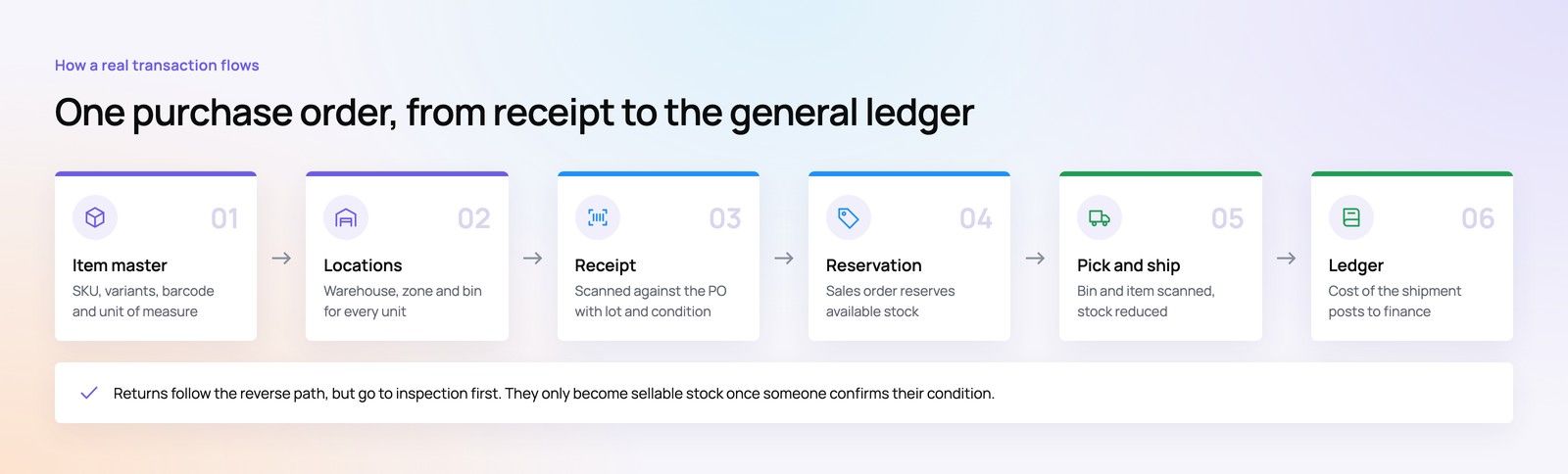
A processor does not deposit each payment separately. It groups a day's transactions, subtracts refunds, chargebacks, and its own charges, and sends one net amount to your bank. If Dynamics only knows about the individual payments, the bank line will never match anything, and someone has to work it out by hand.
The fix is to bring the payout itself into Dynamics as a record, with the list of transactions inside it. A good design does the following:
- Posts each customer payment to a clearing account, often called "payments in transit," when the webhook confirms it.
- Imports each payout report from the gateway's API, and creates one entry that moves the gross total out of the clearing account.
- Posts the processor's charges, refunds, and chargebacks from that same report to their own ledger accounts.
- Leaves one net amount that matches the bank deposit exactly, so automatic matching in Business Central or bank reconciliation in Finance closes it without help.
The clearing account should return to zero after every payout. If it does not, the remaining balance points straight at the problem payment, which is far quicker than searching a month of bank lines.
A practical rollout plan
Payment projects go best in small, tested steps. A typical rollout looks like this.
- Map the money. List every way customers pay today, every system that records it, and every report finance builds by hand. Our platform fit review is a short way to do this if you want an outside view.
- Choose the gateway and the pattern. Match them to your Dynamics product and channels using the sections above.
- Build in the sandbox. Connect the gateway's test mode to a Dynamics sandbox, never production.
- Test the awkward cases. Refunds, partial refunds, declined cards, ACH returns, duplicate webhooks, and a payout that includes a chargeback.
- Run a parallel month. Let finance reconcile with both the old process and the new one, and compare the results.
- Go live by channel. Start with one channel, such as invoice payments, then add others once the first one has run cleanly.
- Report on it. A simple Power BI view of payment success rates, failed recurring charges, and clearing account balances catches problems early.
Common mistakes to avoid
- Building for the happy path only. Refunds and chargebacks are a normal part of taking payments, so design for them from the start.
- Storing card data "just for now." Temporary card fields in a custom table become permanent compliance problems.
- Posting net amounts. Recording deposits after the processor's charges hides revenue and costs, and auditors will ask about it.
- Tying logic to one gateway. Keep gateway specific code in one layer, so changing processors does not mean rebuilding your ERP extensions.
- Skipping the CRM. If sales and service teams cannot see payment status, they will keep asking finance, which defeats the purpose.
How Codeeo can help
Codeeo has delivered over 200 projects across the UAE and the US with a team of more than 80 people in Dubai, Riyadh, and Karachi. Our Dynamics 365 consultants and payment engineers work on both sides of this problem: the Dynamics configuration and extensions, and the gateway, webhook, and reconciliation layer that connects them. For an example of the payment side, our Purpose Payment case study describes a payments app with bank linking through Plaid, QR payments, and a merchant portal and admin console. If you are moving from another CRM or ERP at the same time, our CRM migration team can plan payment history and open balances as part of the move.
Frequently asked questions
Dynamics 365 Commerce includes a Microsoft supported connector for Adyen that covers stores, online orders, and call center sales.
Business Central offers payment links and payment reconciliation features, and Finance and Supply Chain Management handles payment journals and bank reconciliation. For other gateways, or for saved cards and ACH outside Commerce, you add an AppSource app, a custom extension, or an integration layer in Azure.
Digital TransformationDigital Transformation Case Studies: 6 Verified ExamplesSix documented digital transformation case studies, from Netflix and Domino's to GOV.UK, Estonia and Dubai, with sourced results and lessons you can use. Digital TransformationBusiness Process Management Software: How to Implement It in 2026What business process management software does in 2026, the main tool types, real benefits and challenges, and a step by step plan to implement it.
 Digital TransformationDigital Transformation Technologies: What to Use in 2026The seven digital transformation technologies that matter in 2026, what each one fixes, where spending is going and how to sequence them so they pay back.
Tell us what the business needs. We will tell you what to build first.
Schedule a free consultation and get a written recommendation, with costs, before you commit to anything.
Get in touchPROVEN RESULTS
4.7 / 5verified reviews on Google