 Web DevelopmentInclusive Web Design: Principles, WCAG 2.2 Checks and Tools for 2026What inclusive web design means in 2026, the seven principles behind it, the WCAG 2.2 checks that matter most, useful accessibility tools and the laws to know.
Property Management Website Design: What the Best Sites Get Right
What strong property management websites do well, from audience splits and portal links to service area pages, with real US examples and a feature list.
Good property management website design does three jobs at once: it wins new owners, serves current residents, and cuts the phone calls and emails your team handles every day. The best sites split visitors by audience on the first screen, put owner and resident portal logins one click away, and make service areas, fees and contact details easy to find. Visual polish matters, but structure is what turns visits into management agreements.
Below we look at what strong property management websites do, using a few real US examples, and turn those patterns into a plan you can apply to your own site.
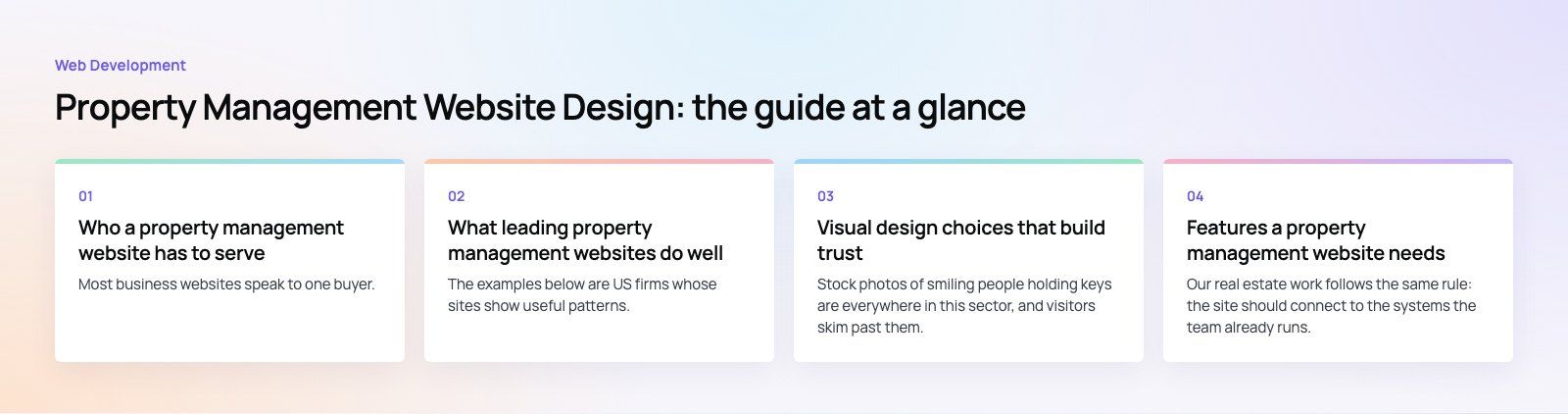
Who a property management website has to serve
Most business websites speak to one buyer. A property management site speaks to at least three groups, and each arrives with a different goal.
- Property owners and investors want to know what you manage, where, what it involves and how to get a rental analysis or proposal.
- Current residents want to pay rent, submit a maintenance request or find a phone number, as fast as possible.
- Prospective renters want listings, application steps and requirements.
Some firms add a fourth group: vendors, contractors or franchise prospects. Design fails when all of these people land on one generic homepage and have to hunt. It succeeds when each group can see its path within seconds.
What leading property management websites do well
The examples below are US firms whose sites show useful patterns. We describe what each site does at the time of writing; layouts change, so treat them as references, not templates to copy.
Belong: an audience split on the first screen
Belong's homepage asks visitors straight away whether they are a homeowner or a renter, and sends each into a separate path. Third party review badges sit near the top as social proof. The lesson is simple: decide who the visitor is before you try to sell anything.
Keyrenter: navigation built around roles
Keyrenter, a franchise network, organizes its main navigation by role: property owners, residents and franchise prospects. A search for a local property manager sits on the homepage, because a national brand has to route people to the right local office. Multi location firms should copy that routing step.
Bay Management Group: portals and service areas up front
Bay Management Group puts owner portal and tenant portal links in the top bar, above the main menu, so residents never have to scroll. Its navigation also lists areas served down to county level across several states, and links to a fees and rates page. That combination answers the two questions owners ask first: do you cover my area, and how do you charge?
Chambers Theory: tools and education for owners
Chambers Theory pairs owner and resident portal links with a set of owner tools, including a rent versus sell calculator and a vacancy calculator, plus landlord resources organized by topic. Practical tools give owners a reason to stay on the site and come back, and they generate inquiries from people who are already thinking about numbers.
Design patterns worth copying
| Pattern | Why it works | How to apply it |
|---|---|---|
| Audience split on the homepage | Each visitor sees a relevant path immediately | Two or three large entry points: owners, residents, renters |
| Portal links in the header | Residents find payments and requests without calling | Pay rent and maintenance links visible on every page and on mobile |
| Service area pages | Owners confirm coverage and you rank for local searches | One useful page per city or county you actually serve |
| Transparent fee explanations | Reduces unqualified calls and builds trust | Explain what is included and what drives cost, even without a rate card |
| Owner tools | Gives investors a reason to engage and return | Rental analysis request, calculators, owner guides |
| Visible proof | Owners hand over valuable assets and need reassurance | Real reviews, team photos, licenses where required |
Visual design choices that build trust
Use real photography
Stock photos of smiling people holding keys are everywhere in this sector, and visitors skim past them. Photos of properties you manage, your team and your office feel more credible. If you cannot use client properties, local neighborhood photography is a better choice than generic stock.
Keep the palette calm and the type readable
Owners are making a financial decision and residents are often dealing with a problem. Neither wants visual noise. A restrained palette with one accent color for calls to action, generous white space and body text large enough to read on a phone all signal a firm that is organized.
Make every call to action specific
Replace vague buttons such as learn more with buttons that describe the next step: get a rental analysis, pay rent, submit a maintenance request, view available homes. Specific labels reduce hesitation and make analytics easier to read later.
Design for accessibility
Residents of every age and ability need to pay rent and report repairs. Good color contrast, keyboard friendly menus, labeled form fields and alt text on images make the site usable for everyone. The W3C Web Content Accessibility Guidelines are the reference most US firms work toward.
Features a property management website needs
- Searchable listings with filters for area, price band, bedrooms and pet policy, synced from your property management software so they are never out of date.
- Owner and resident portal links that are prominent on desktop and mobile.
- A rental analysis or proposal form short enough to finish on a phone, asking only for what you need to call back.
- Service pages for each type of property you manage, such as single family, multifamily, HOA or commercial.
- Location pages for the areas you cover, with genuinely local detail rather than swapped city names.
- Clear contact routes, including an emergency maintenance number for residents.
- Reviews and testimonials pulled from real sources.
Our real estate work follows the same rule: the site should connect to the systems the team already runs, not become another place to update by hand.
Mobile and speed come first
Residents usually open your site on a phone, often while dealing with a leak or a late payment reminder. The mobile header should show pay rent and maintenance links without opening a menu. Listings should load quickly with compressed images, and forms should use the right keyboard for each field, such as a number pad for phone numbers.
Speed also affects search visibility. Heavy sliders, autoplay video and unoptimized plugins are the usual culprits on property sites. A website audit is a fast way to see what is slowing yours down.
SEO for property management websites
Most owners start with a search such as property management plus a city name. To show up, you need:
- A complete and active Google Business Profile for each office, with consistent name, address and phone number across the web.
- Location pages that describe the neighborhoods, property types and rental conditions you actually handle.
- Local business structured data, as described in Google's local business markup documentation.
- Helpful owner content, such as guides to screening, maintenance planning and local landlord rules.
Our local SEO service focuses on exactly this kind of map pack and city level visibility.
Common mistakes to avoid
- Hiding the resident portal in the footer, which pushes residents to call instead.
- Thin location pages that only swap the city name, which neither ranks nor convinces owners.
- Listings that are copied by hand and go stale within days.
- Long proposal forms that ask for every property detail before anyone has spoken.
- No clear explanation of how fees work, which leaves owners comparing you on guesswork.
A property management website is part of your operations, not just your marketing. If you are planning a redesign, our design team and web developers can build a site around your owners, residents and software, and you can see examples of that thinking in our case studies.
Frequently asked questions
A good design gets each visitor to the right place fast.
Owners should see services, coverage areas and a way to request a rental analysis. Residents should find rent payment and maintenance links in the header on every page. Renters should reach listings in one click. Add real photography, readable type, specific calls to action and fast mobile pages, and the site will work as hard as your team does.
Web DevelopmentInclusive Web Design: Principles, WCAG 2.2 Checks and Tools for 2026What inclusive web design means in 2026, the seven principles behind it, the WCAG 2.2 checks that matter most, useful accessibility tools and the laws to know. Web DevelopmentHeadless CMS vs Traditional CMS: Which Should You Choose?How a headless CMS differs from a traditional CMS like WordPress, where each is stronger for SEO, editors and channels, and how to choose in 2026.
 Web DevelopmentNode.js vs Express.js: Runtime vs Framework ExplainedNode.js runs JavaScript on the server; Express adds routing and middleware on top. Here is how they differ, what Express 5 changed and which Node.js version to use.
Tell us what the business needs. We will tell you what to build first.
Schedule a free consultation and get a written recommendation, with costs, before you commit to anything.
Get in touchPROVEN RESULTS
4.7 / 5verified reviews on Google