 Web DevelopmentWebsite Designing Company in Dubai: Best OptionsHow to compare website designing companies in Dubai: ten agencies to review, what separates good from average, budgets, timelines, SEO and proposal checks.
Top WordPress Web Development Services to Consider
The WordPress web development services worth paying for: custom builds, design, themes, plugins, WooCommerce, speed, security, SEO and migration, and how to choose a team.
Choosing the right WordPress support can shape how your site looks, performs, converts, and grows over time. Whether you need a new build, a redesign, custom functionality, or long-term maintenance, the best WordPress web development services combine strategy, design, clean development, and practical support. This guide breaks down the main services to consider so you can hire with more confidence and avoid paying for work that does not match your goals.
Which WordPress web development services do you actually need?
You need the services that match your current stage: planning, building, improving, fixing, or scaling a WordPress website. A new business may need discovery, WordPress design, theme development, and launch support, while an established company may need speed optimization, integrations, security, or conversion-focused updates. The right provider should help you prioritize what matters now instead of selling every possible service at once.
Before comparing vendors, define what success looks like. Are you trying to generate leads, sell products, publish content faster, improve search visibility, or modernize an outdated site? Clear goals make it easier to choose between a freelancer, a WordPress agency, or a specialized team of WordPress experts.
Custom WordPress website development
Custom website development is one of the most valuable services for businesses that need more than a basic template. Instead of forcing your content into a prebuilt layout, a custom build starts with your brand, users, and business goals. It can include custom themes, reusable content blocks, performance-minded code, and back-end editing tools that make daily site management easier.
A good custom WordPress build should balance flexibility with control. Your team should be able to update pages without breaking the design, while developers keep the site structured, secure, and maintainable. This is especially important for businesses that publish often, run campaigns, or need landing pages without rebuilding the same components every time.
Custom development is often a strong fit when you need:
- A website designed around a specific user journey
- Custom page templates for services, locations, resources, or products
- Advanced forms, calculators, directories, or gated content
- Integration with CRM, email marketing, analytics, or booking tools
- A cleaner admin experience for non-technical team members
- A site architecture built to support future growth
This type of web development usually costs more than installing a theme, but it can save time and reduce limitations later. The main benefit is not only a more original design; it is a site that works the way your business works.
WordPress design and user experience services
WordPress design is about more than choosing colors and arranging sections. Strong design helps visitors understand what you offer, why it matters, and what they should do next. It also supports usability, accessibility, trust, and conversion.
Professional web design services often include wireframes, visual design, mobile layouts, design systems, and interaction planning. The process should consider how real users scan a page, compare options, and make decisions. A beautiful site that hides key information or makes forms difficult to complete is not doing its job.
When evaluating design support, look for practical thinking. Does the designer explain why a layout works? Are calls to action easy to find? Is the typography readable? Are service pages structured for both people and search engines? Good design should make your website feel simpler, not more complicated.
Design elements that deserve attention
Several design choices have an outsized impact on how visitors experience your site:
- Navigation: Menus should reflect how users look for information, not only how your company is organized.
- Page hierarchy: Headlines, sections, and buttons should guide attention naturally.
- Mobile experience: Layouts should be planned for smaller screens, not merely compressed from desktop.
- Trust signals: Testimonials, case studies, certifications, process details, and clear contact options can reduce hesitation when available.
- Content readability: Short paragraphs, meaningful headings, and strong contrast help users absorb information quickly.
The best WordPress web development services treat design and development as connected disciplines. Design sets the direction, and development turns it into a fast, stable, editable experience.
Theme customization and theme development
Not every project needs a fully custom theme. For some businesses, customizing an existing WordPress theme can be a practical option, especially when budget or timeline is limited. Theme customization may include changing layouts, styling pages, improving mobile behavior, adding sections, or removing unnecessary features.
However, theme customization has limits. Many commercial themes include bulky code, rigid templates, or features you will never use. Over-customizing a theme can also create update problems if changes are not handled properly. That is why it is important to work with developers who understand child themes, safe customization practices, and long-term maintainability.
Custom theme development is usually better when you need a tailored experience, stronger performance, or a unique content structure. A skilled WordPress agency can help you decide whether to customize, rebuild, or start fresh based on your goals, technical condition, and available resources.
Plugin selection, customization, and integration
Plugins are one of WordPress’s biggest strengths, but they can also become a source of clutter and risk. The right plugin can add powerful functionality quickly. The wrong plugin can slow the site, conflict with other tools, create security concerns, or become difficult to maintain.
WordPress experts can help you evaluate plugins before installing them. They may review update history, compatibility, support quality, performance impact, and whether the plugin solves the problem cleanly. In some cases, a lightweight custom feature is better than adding a large plugin for one small task.
Common plugin-related services include:
- Plugin audits to remove outdated, duplicate, or unnecessary tools.
- Plugin configuration for forms, SEO, caching, security, eCommerce, memberships, or analytics.
- Custom plugin development when off-the-shelf options do not meet the requirement.
- Third-party integrations connecting WordPress with CRMs, payment tools, email platforms, scheduling systems, or data sources.
- Troubleshooting when updates, conflicts, or errors affect site behavior.
The goal is not to use as few plugins as possible at all costs. The goal is to use the right tools, configured well, with a clear reason for each one.
eCommerce development with WooCommerce
For businesses selling online, WooCommerce development is a major category of WordPress web development services. WooCommerce can support physical products, digital downloads, subscriptions, memberships, bookings, and more. Still, a successful store requires more than turning on a shopping cart.
A strong WooCommerce build should make buying easy. That means clear product pages, logical categories, smooth checkout, secure payment setup, accurate tax and shipping configuration, and reliable order notifications. The admin experience matters too; store owners need to manage inventory, orders, coupons, and customer communication without unnecessary friction.
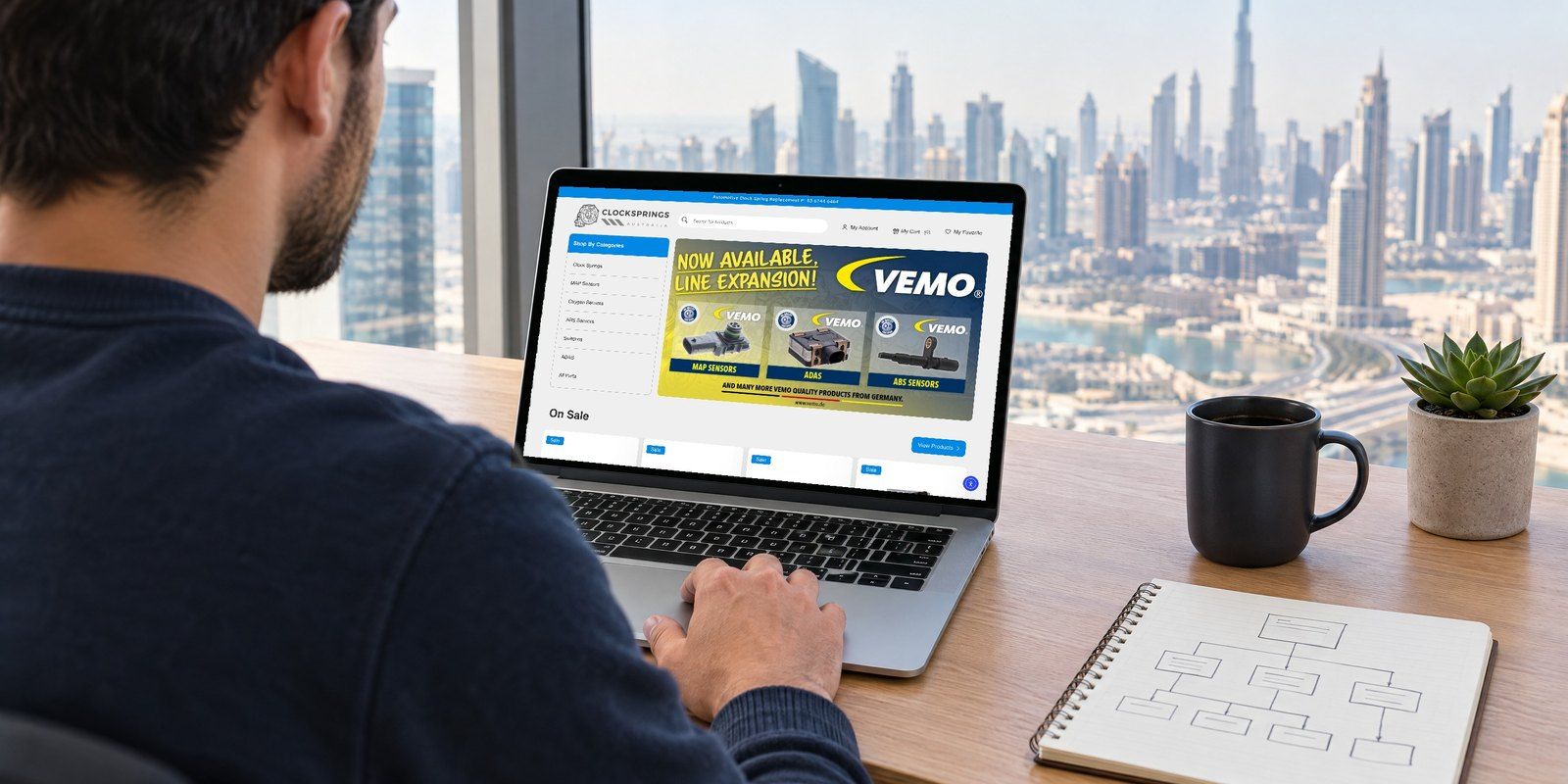
Development support may also include custom product options, subscription logic, abandoned cart tools, wholesale pricing, fulfillment integrations, or reporting enhancements. If your store depends on specific workflows, discuss those early. eCommerce complexity can grow quickly, and it is better to plan carefully than patch problems after launch. Our Clock Springs Australia store is one example: a WooCommerce build with wholesale pricing and thousands of products.
Performance optimization and technical cleanup
A WordPress site can look polished while still feeling slow, unstable, or difficult to manage. Performance optimization focuses on making pages load efficiently and reducing the technical friction that hurts users and site managers. It may include caching, image optimization, script cleanup, database cleanup, hosting review, theme improvements, and plugin reduction.
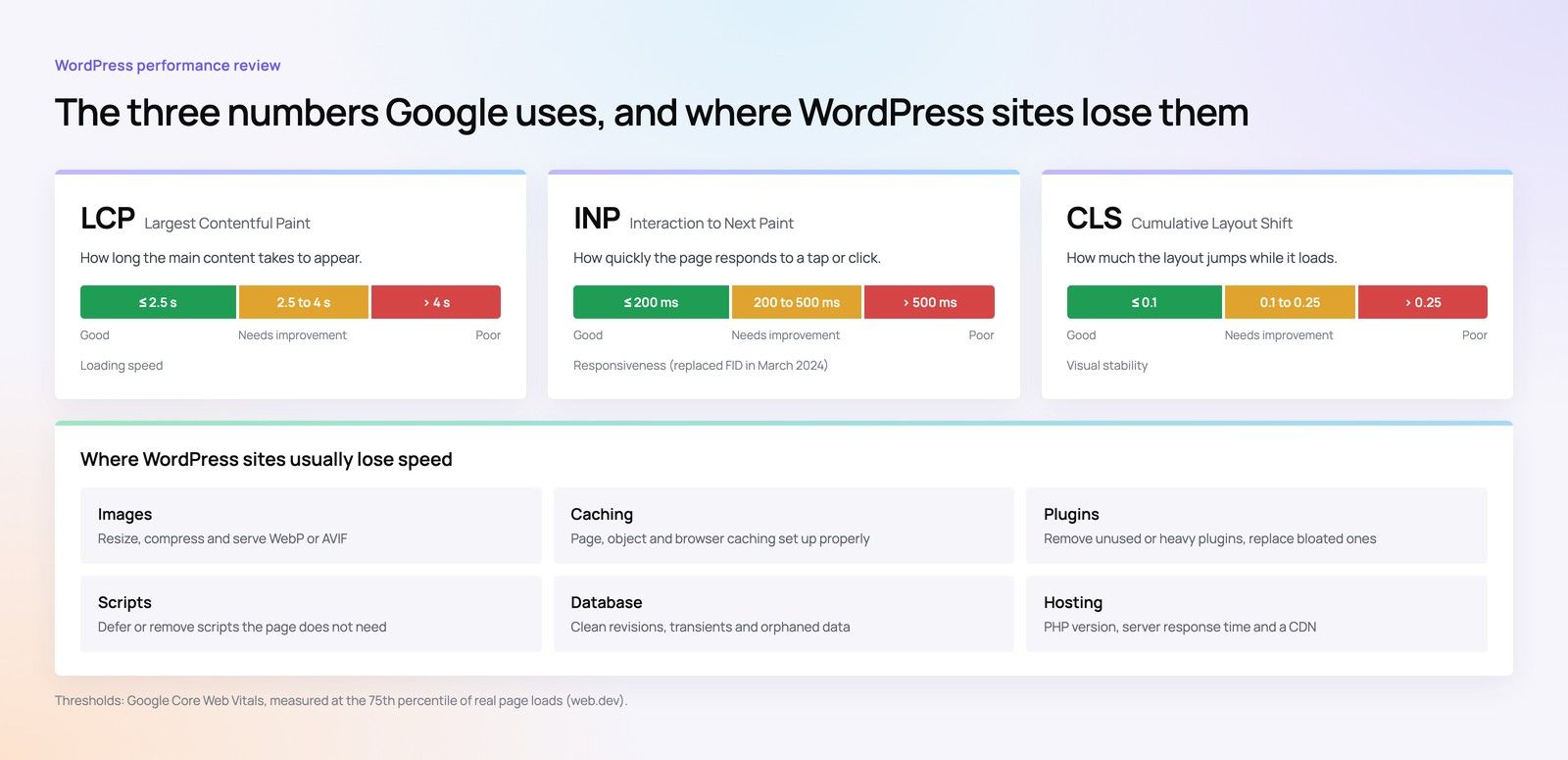
Technical cleanup is especially useful for older sites that have gone through several redesigns, plugin experiments, or developer handoffs. Over time, unused code, outdated plugins, broken layouts, and inconsistent content structures can build up. A development team can audit what exists, identify risks, and create a realistic improvement plan, measured against Google’s Core Web Vitals.
Signs your site may need optimization
You may benefit from performance-focused website development if you notice:
- Pages take too long to load, especially on mobile.
- The admin dashboard feels slow or unreliable.
- Plugin updates often break parts of the site.
- Images are large, inconsistent, or not properly compressed.
- Important pages have layout shifts or confusing behavior.
- Your team avoids making updates because the site feels fragile.
Optimization is not a one-time magic switch. It is a practical process of identifying bottlenecks, making careful changes, and testing the site so improvements do not create new issues. Our Core Web Vitals checklist covers the checks in more detail.
Security, maintenance, and ongoing support
WordPress maintenance is essential for keeping a site healthy after launch. A website is not finished the day it goes live; it needs updates, backups, monitoring, and occasional improvements. Without maintenance, even a well-built site can become vulnerable, outdated, or harder to manage.
Maintenance services commonly include WordPress core updates, plugin updates, theme updates, backups, uptime checks, security scanning, malware cleanup, and small content or design changes. Some providers also offer monthly reporting, analytics review, or strategy calls. The best fit depends on how active and business-critical your website is; our guide to website maintenance after launch explains what to plan for.
A reliable support plan gives you a clear place to go when something breaks or a new need appears. Instead of scrambling to find help during an urgent issue, you already have a team that understands your setup. For many businesses, that peace of mind is as valuable as the technical work itself.
Content structure and SEO-ready development
WordPress is popular for content management, but SEO success still depends on how the site is planned and built. SEO-ready development means your pages are structured so search engines and users can understand them. It does not replace content strategy or ongoing optimization, but it creates a stronger foundation.
This work may include clean URL structures, editable title tags and meta descriptions, schema options, fast-loading templates, logical heading hierarchy, XML sitemap setup, redirect handling, and blog or resource templates. It can also include improving internal linking and creating content types for services, locations, industries, or case studies.
A development team should also protect existing search visibility during redesigns or migrations. That means mapping old URLs, setting up redirects, checking indexable pages, and testing important functionality before launch. Skipping these steps can create avoidable traffic and usability problems.
Migration and redesign services
Migration services help move a website into WordPress or transfer an existing WordPress site to a new host, theme, domain, or structure. Redesign services update the look, content, and functionality of a site that no longer reflects the business. Both require careful planning because technical mistakes can affect visibility, usability, and trust.
A thoughtful redesign starts with what should stay, what should improve, and what should be removed. Not every page deserves to be carried forward. Some content may need to be consolidated, rewritten, redirected, or retired. The development side then turns that strategy into templates, components, and launch steps.
For migrations, details matter. Forms, tracking scripts, media files, redirects, user accounts, and integrations should be checked before and after launch. A smooth migration is often invisible to visitors, which is exactly the point.
How should you choose a WordPress agency or specialist?
Choose a provider based on fit, process, communication, and ability to solve the specific problems your site has. A good WordPress agency or specialist should ask about goals, users, content, technical constraints, and internal workflows before recommending a solution. If the conversation jumps straight to tools and pricing without discovery, that may be a warning sign.
Look for a team that can explain its recommendations in plain language. You do not need to understand every technical detail, but you should understand what will be done, why it matters, and how it will affect your business. Clear communication is especially important if your site supports leads, sales, bookings, or customer service. If you are weighing WordPress against other platforms, our WordPress vs Strapi comparison and headless vs traditional CMS guide can help.
Use this checklist when comparing providers:
- Relevant experience: Have they worked on similar site types or business needs?
- Discovery process: Do they ask strategic questions before proposing solutions?
- Design and development alignment: Can they handle both appearance and functionality, or coordinate well with other partners?
- Content awareness: Do they understand how structure, copy, and SEO affect the build?
- Maintenance options: Can they support the site after launch?
- Ownership clarity: Will you own your site, accounts, files, and content?
- Testing practices: Do they test across devices, browsers, forms, and key user flows?
- Communication style: Do they set expectations clearly and respond professionally?
The cheapest option is not always the most affordable in the long run. Poor development can lead to rework, slow pages, security issues, or a site your team cannot update. The better question is which provider can build the right foundation for your goals.
Questions to ask before starting a project
The questions you ask before hiring can prevent misunderstandings later. They also reveal how a developer thinks, plans, and communicates. You are not only buying deliverables; you are choosing a working relationship.
Consider asking:
- What do you need from us before the project begins?
- How do you approach strategy, design, development, and testing?
- Will the site be easy for our team to update?
- How do you handle plugin selection and custom functionality?
- What happens if requirements change during the project?
- How will redirects, SEO settings, forms, and analytics be handled?
- What support is available after launch?
- Who owns the finished website and related accounts?
The answers should be specific enough to give you confidence, but not so full of jargon that you feel excluded from the process. Good WordPress experts make complex decisions easier to understand.
A smarter way to plan your WordPress investment
The best WordPress project starts with priorities. If your current site is broken or outdated, you may need a rebuild. If it looks fine but loads slowly, optimization may be the better first step. If your team struggles to publish content, the admin experience and content structure may matter more than a visual refresh.
Think of WordPress web development services as a set of building blocks. You might need strategy, WordPress design, custom development, integrations, maintenance, or all of the above. The right mix depends on your goals, your existing site, and how important the website is to your daily business.
A strong WordPress partner will help you make those decisions with clarity. They will not just build pages; they will help create a site that is easier to use, easier to manage, and better aligned with the way your audience makes decisions. Start with the services that solve your biggest problem, then build from there with a plan that can grow as your business grows.
How Codeeo can help
Codeeo builds, redesigns and looks after WordPress and WooCommerce websites for businesses across the UAE, from our team in Dubai Silicon Oasis. We have delivered 200+ projects across the UAE and the US and are rated 4.7 from 23 Google reviews. If you are planning a new WordPress site or need your current one faster, safer or easier to manage, tell us what you need and we will come back with a written scope.
Frequently asked questions
They cover planning, design, theme and plugin development, integrations, WooCommerce stores, speed optimisation, security, migration and ongoing maintenance.
Most businesses need only some of these at any one time, so start with the service that solves your biggest problem.
Web DevelopmentWebsite Designing Company in Dubai: Best OptionsHow to compare website designing companies in Dubai: ten agencies to review, what separates good from average, budgets, timelines, SEO and proposal checks. Web DevelopmentBusiness Website Design DubaiWhat a business website in Dubai should do, template vs custom builds, what drives cost and time, platforms, SEO and conversion, and choosing an agency in Business Bay.
 Web DevelopmentBest Website Designing Company in DubaiHow to choose a website designing company in Dubai: business goals, the right platform, SEO and conversion, costs and timelines, and support after launch.
Tell us what the business needs. We will tell you what to build first.
Schedule a free consultation and get a written recommendation, with costs, before you commit to anything.
Get in touchPROVEN RESULTS
4.7 / 5verified reviews on Google