 Web DevelopmentWordPress vs Drupal: Which CMS Is Right for Your Business?WordPress vs Drupal compared on ease of use, content modeling, security, performance, ecommerce and cost drivers, with five questions to help you choose.
Reactive Web Design: How to Build a Site That Feels Instant
What reactive web design is, how it differs from responsive design, and the techniques that make a site feel instant: skeletons, stable layouts and preloading.
Reactive web design is an approach to building websites that respond instantly to what the user does, so the site feels fast even while content is still loading. Where responsive design adapts the layout to the screen size, reactive design focuses on perceived speed and feedback: skeleton screens, reserved space for images, preloaded assets and immediate responses to every tap. The two work together, and a modern site needs both.
This guide explains what reactive design means in practice, how it differs from responsive design, the techniques behind it, and how to measure whether it is working.
Why reactive design matters
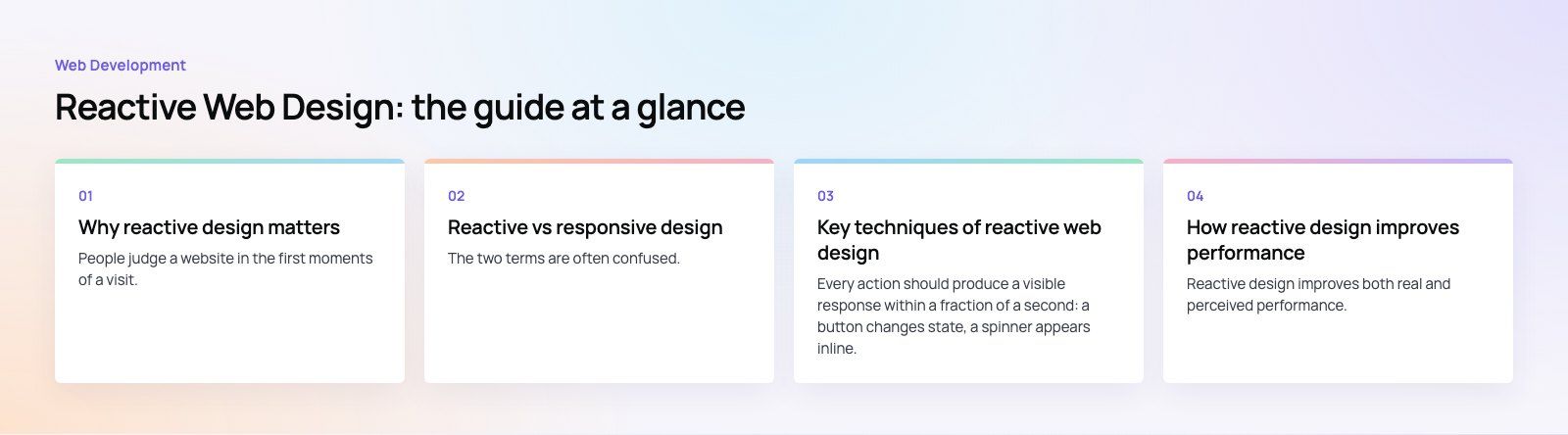
People judge a website in the first moments of a visit. If a page shows a blank screen, jumps around while loading or ignores a button press, visitors assume something is broken and leave. Reactive design removes those moments of doubt.
- Less abandonment: showing a useful layout immediately keeps people on the page while the rest loads.
- Clearer interactions: instant feedback on clicks and form inputs tells users the site heard them.
- Better search performance: Google's Core Web Vitals measure loading, responsiveness and visual stability, the same qualities reactive design improves.
- Longer life: a site built around performance budgets and modern patterns ages better than one where speed was an afterthought.
Reactive vs responsive design
The two terms are often confused. Responsive design is about layout; reactive design is about behavior and speed. A site can be fully responsive and still feel slow, and a fast site can still break on a small screen.
| Factor | Reactive design | Responsive design |
|---|---|---|
| Main goal | Feel instant and stable | Fit any screen size |
| Core techniques | Skeleton screens, reserved space, preloading, optimistic updates | Fluid grids, flexible images, media queries |
| What users notice | Immediate feedback and no layout jumps | A layout that suits their device |
| How it is measured | Core Web Vitals and real user timing | Testing across screen sizes |
| Typical tools | React, Next.js, image pipelines, caching | CSS grid, flexbox, container queries |
In practice you design responsively and build reactively. Both should be part of the brief from the first wireframe.
Key techniques of reactive web design
Instant feedback
Every action should produce a visible response within a fraction of a second: a button changes state, a spinner appears inline, an item moves to the cart. Google's Interaction to Next Paint metric measures exactly this delay between a user action and the next visual update.
Skeleton screens
A skeleton screen shows the shape of the page, with grey blocks where text and images will appear, while the data loads. It tells the user what is coming and makes waiting feel shorter than a blank page or a full screen spinner. Use skeletons for lists, cards and dashboards where the layout is predictable.
Stable layouts
Layout shift happens when an image, advert or font loads late and pushes content down, often just as someone tries to tap a link. Setting width and height on images and video, reserving space for embeds and choosing fonts that swap without resizing keeps the page still. Google's Cumulative Layout Shift guide covers the common causes.
Preloading what comes next
Preload the hero image and critical fonts so the first screen renders quickly. Prefetch the pages a user is likely to open next, such as the product page behind a hovered card. Frameworks like Next.js prefetch linked routes automatically, so navigation feels close to instant.
Optimistic updates
When the outcome of an action is almost certain, such as liking a post or adding an item to a wishlist, update the interface immediately and confirm with the server in the background. If the request fails, roll back and explain why.
Adapting to the network and device
Serve smaller images to small screens, avoid autoplay video on slow connections and keep JavaScript bundles lean so mid range phones are not overwhelmed. A reactive site should feel consistent on a fast office connection and on a weak mobile signal.
How reactive design improves performance
Reactive design improves both real and perceived performance. Real performance is how long things actually take. Perceived performance is how long they feel. Both matter, and they reinforce each other.
- Faster first view: critical content and assets load first, so the main content appears sooner and Largest Contentful Paint improves.
- Quicker responses: smaller scripts and less work on the main thread mean taps and clicks are handled without delay.
- Visual stability: reserved space means fewer accidental clicks and less frustration.
- Efficient resource use: lazy loading below the fold images and splitting code by page reduces data use and battery drain.
- Consistency: caching and prefetching smooth out the differences between fast and slow connections.
Best practices for implementing reactive design
Set a performance budget
Agree limits before design starts: maximum page weight, maximum JavaScript, target Core Web Vitals scores. Designers and developers then make trade offs early instead of discovering problems at launch.
Use skeletons with care
Skeletons help when they match the final layout closely. A skeleton that looks nothing like the loaded page causes its own layout shift. Do not use them for content that loads in a few milliseconds anyway.
Always define element sizes
Set dimensions or aspect ratios on every image, video, iframe and advert slot. This single habit prevents most layout shift problems.
Optimize assets
- Use modern image formats such as WebP or AVIF, sized for the display.
- Subset and self host fonts, and limit the number of weights.
- Defer chat widgets, analytics and other third party scripts until after the main content loads.
Test on real devices and networks
A new laptop on office Wi Fi hides most problems. Test on a mid range Android phone with network throttling turned on, and check the field data in Google Search Console, which reflects what real visitors experience.
Monitor after launch
Performance drifts as new features, scripts and images are added. Review Core Web Vitals monthly and treat regressions like bugs.

Where you see reactive patterns every day
Large social, retail and map products popularized many of these techniques. Social feeds show grey placeholder cards before posts appear. Retail sites keep the product grid in place while images load. Reading platforms reserve space for every image so the text never jumps. Map apps respond to a pan or zoom immediately and fill in detail afterwards. None of this is exotic any more; the same patterns are available to any business site built on a modern framework.
Choosing the right technology
Reactive design is a set of techniques, not a single tool, but some stacks make it easier:
- React and Next.js provide component level loading states, route prefetching, image optimization and server rendering out of the box. See our Next.js developers and React developers.
- WordPress can be fast and stable too, with a lean theme, careful plugin choices, proper image handling and caching. Our WordPress development work follows the same performance principles.
- Headless setups pair a content system with a fast front end, which suits content heavy sites that need both editorial flexibility and speed.
Trends to watch
- Personalization: content and product suggestions that adapt to each visitor, delivered without slowing the page.
- Smoother transitions: browser support for view transitions makes moving between pages feel like an app.
- Accessibility as standard: reactive patterns must also work for keyboard and screen reader users, with loading states announced properly.
- Leaner pages: lighter pages use less energy and data, which matters to users on mobile plans and to businesses with sustainability goals.
Building a site that feels instant
Reactive design is about respect for the visitor's time: show something useful immediately, respond to every action, and never let the page jump. Codeeo has delivered 200+ projects across the UAE and the US with a team of 80+ across Dubai, Riyadh and Karachi. If your site feels slow or unstable, our Core Web Vitals service and speed optimization quick start find and fix the causes, and our design team builds new sites with performance in the brief from day one.
Frequently asked questions
Reactive web design is an approach that makes a website respond instantly to user actions and feel fast while content loads.
It uses techniques such as skeleton screens, reserved space for images, preloading and immediate visual feedback on clicks. It complements responsive design, which adapts the layout to screen size, by focusing on speed, stability and how quickly the site reacts.
Web DevelopmentWordPress vs Drupal: Which CMS Is Right for Your Business?WordPress vs Drupal compared on ease of use, content modeling, security, performance, ecommerce and cost drivers, with five questions to help you choose. Web DevelopmentCustom Website Development vs Website Builders: Pros and ConsAn honest comparison of custom website development and website builders: control, cost over time, SEO, integrations, and how to decide which fits your business.
 Web DevelopmentWeb Development Consultant: What They Do and When to Hire OneWhat a web development consultant does, how the role differs from a developer or agency, when hiring one pays off and how to choose the right one.
Tell us what the business needs. We will tell you what to build first.
Schedule a free consultation and get a written recommendation, with costs, before you commit to anything.
Get in touchPROVEN RESULTS
4.7 / 5verified reviews on Google