 Software DevelopmentAPI Integration for Saudi Business Websites: ERP, CRM and Payment GatewaysHow Saudi websites connect to ERP, CRM, payment gateways like mada and Tabby, ZATCA e-invoicing, logistics and WhatsApp through APIs.
CodeeoInsightsSoftware Development
Real Estate Listing Management Software: Features and How to Choose
What real estate listing management software does, the features that matter, how to choose a product or build your own, and the mistakes to avoid.
Real estate listing management software is a central system where an agency creates each property listing once and then publishes it to its website, property portals and social channels, while capturing every inquiry those listings generate. It replaces copying details between portals and spreadsheets, so prices, photos and availability stay consistent everywhere, leads are not lost, and managers can see which listings and channels actually perform.
This guide covers the problems it solves, the features that matter, how to choose between an off the shelf product and a custom build, and the mistakes agencies make when they adopt one.
The problems with managing listings by hand
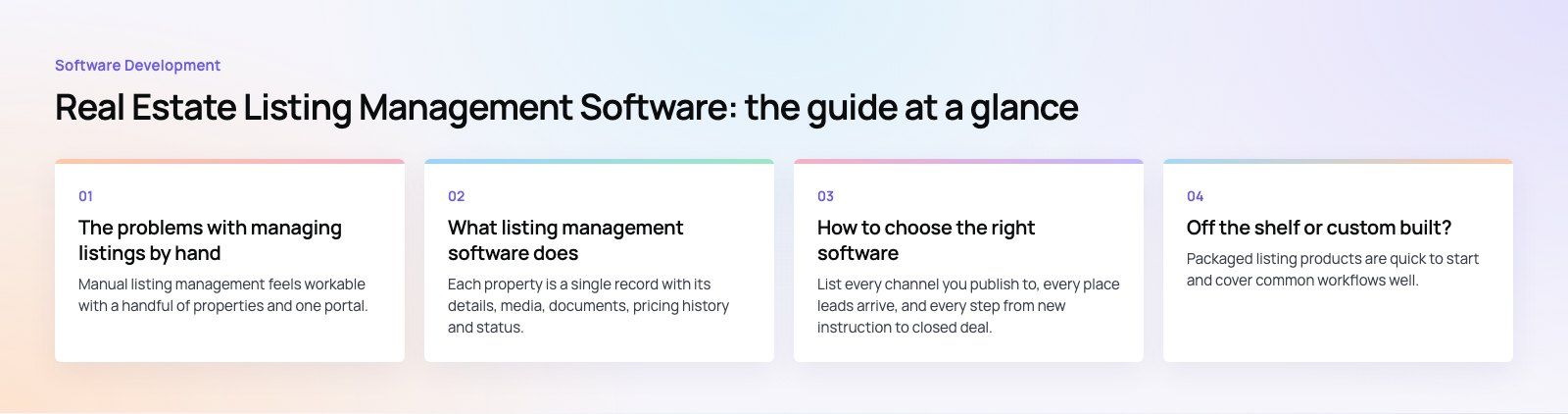
Manual listing management feels workable with a handful of properties and one portal. It breaks down as the portfolio, team and number of channels grow.
The same listing lives in too many places
An agent edits the price on one portal, forgets the second, and the website still shows last month's figure. A property goes under offer but stays live on a social post. Every channel becomes a separate copy that must be updated by hand, and each copy drifts out of date at its own pace. Buyers notice, and stale listings damage trust quickly.
Inquiries arrive from everywhere
Leads come through portal messages, website forms, email, phone calls and chat apps. When they land in different inboxes, some are answered late and some not at all. Nobody can say which listing or channel produced the deal, so marketing spend is guided by instinct.
Data quality slips
Retyping bedrooms, areas, amenities and permit or reference numbers across systems invites mistakes. Photos get mixed between units. Agents keep their own spreadsheets, and when an agent leaves, their notes and contacts can leave with them.
What listing management software does
One source of truth for every property
Each property is a single record with its details, media, documents, pricing history and status. Editing that record updates every connected channel. Status changes, such as available, under offer, let or sold, propagate automatically, which removes most stale listings.
Syndication to portals and your website
The system pushes listings to property portals through feeds or APIs and to your own website. Good platforms map fields to each portal's format, flag missing mandatory information before publishing and report when a portal rejects a listing. In North America, many listing systems exchange data using the RESO Data Dictionary, an open standard for naming real estate fields, which makes integrations far more predictable.
Lead capture and routing
Inquiries from every channel arrive in one place, tagged with the listing and source. Rules assign them to the right agent by area, property type or language, and the agent gets notified straight away. Automated follow ups, such as an acknowledgment email or a reminder to call back, stop leads going cold. This is where listing software overlaps with a CRM, and many agencies connect the two through sales automation so the whole pipeline from inquiry to deal sits in one view.
Team collaboration
Shared calendars for viewings, task lists per listing, internal notes and activity history mean anyone on the team can pick up a client conversation without starting from zero. Permissions control who can publish, change prices or see owner details.
Reporting and analytics
Useful reports answer practical questions: which listings get views but no inquiries, which portals produce leads that convert, how quickly agents respond, and how long properties stay on the market by area. Feeding that data into a dashboard tool such as Power BI lets leadership see the business without asking agents for updates.
Manual management compared with listing software
| Area | Manual management | Listing management software |
|---|---|---|
| Listing updates | Edited separately on each portal and the website | Edited once and synced to every channel |
| Status changes | Rely on someone remembering to remove or update | Propagate automatically when the status changes |
| Leads | Scattered across inboxes, phones and portals | One inbox, tagged by listing and source, routed to an agent |
| Data accuracy | Retyped data, inconsistent fields | Validated fields and mandatory checks before publishing |
| Team handover | Notes live in personal spreadsheets | Shared history on every listing and contact |
| Reporting | Rough estimates | Views, inquiries and conversions by listing, agent and channel |
Wider benefits for the agency
- Better client experience. Accurate listings and fast replies are what buyers and tenants notice first.
- Less admin. Agents spend time on viewings and negotiations instead of copying data between screens.
- Data security. Owner and client details sit in one system with access controls and an audit trail, rather than in personal files and phones.
- Room to grow. Adding agents, branches or new portals becomes a configuration change, not a new set of spreadsheets.
How to choose the right software
1. Map your current process first
List every channel you publish to, every place leads arrive, and every step from new instruction to closed deal. The gaps and duplicate steps you find become your requirements. Agencies that skip this step tend to buy on features and then struggle to fit them into how the team really works.
2. Check portal integrations in detail
Confirm the software supports the specific portals you use, which fields it sends, how often it syncs, and what happens when a portal changes its format. Ask whether leads flow back from portals, not just listings out.
3. Look at compliance needs in your market
Many markets require permit, license or registration details on advertised listings, and rules for storing personal data apply everywhere. The system should hold these fields, enforce them before publishing and record consent for marketing contact.
4. Test usability with real agents
If agents find it slow on a phone, they will go back to their own notes. Run a trial or demo with the people who will use it every day, using your real listings.
5. Plan the integrations around it
Listing software rarely works alone. Consider how it connects to your CRM, website, accounting system, e-signature and messaging tools. If you are moving away from an older system, plan the data move carefully; CRM migration work is often where contact history is lost or duplicated.
6. Understand what drives cost
Subscription products usually charge by user, listing volume or feature tier, so cost grows with the team. Custom builds cost more to start but are owned outright. Integration work, data migration, training and ongoing support often matter as much as the license itself.

Off the shelf or custom built?
Packaged listing products are quick to start and cover common workflows well. They make sense for agencies whose process looks like everyone else's and whose portals are already supported.
A custom platform makes sense when your workflow is a competitive advantage, when you need integrations no product offers, when you run several brands or regions with different rules, or when per user fees across a large team outweigh the cost of owning the system. Many agencies take a middle path: a proven CRM or listing product at the core, extended with custom integrations, portals and reporting.
Live listings and bidding are a good example of where custom work pays off. Pioneer Auctions, one of our published projects, is an auction app and website for cars, general goods, livestock and charity sales with live bidding, wishlists and PayTabs payments, functions that rarely come together in a packaged product.
Common mistakes when adopting listing software
- Migrating messy data as it is. Clean duplicates, fix addresses and standardize fields before import, not after.
- Running the old process in parallel for too long. Set a cutover date, or agents will keep updating spreadsheets.
- Ignoring the website. If your own site is not fed by the same system, it will be the channel that goes stale.
- Measuring nothing. Decide in advance which numbers prove the system is working, such as response time and listing accuracy.
If you are weighing a packaged product against something built around your agency, start with a short product scoping session. Codeeo's real estate team and custom software developers build listing platforms, portals and integrations, backed by a team of 80+ across Dubai, Riyadh and Karachi.
Frequently asked questions
It is a system that holds every property listing in one place and publishes it to your website, property portals and other channels from a single record.
When a price, photo or status changes, the update reaches every channel. Most products also collect the inquiries those listings generate, route them to agents and report on which listings and channels produce real leads.
Software DevelopmentAPI Integration for Saudi Business Websites: ERP, CRM and Payment GatewaysHow Saudi websites connect to ERP, CRM, payment gateways like mada and Tabby, ZATCA e-invoicing, logistics and WhatsApp through APIs. Software DevelopmentAI Workflow Automation for Case Management: Where AI Saves Case Teams Real TimeHow AI workflow automation fits into case management: practical uses, human review, data security and when to build a custom AI workflow.
 Software DevelopmentLaw Firm Client Portal, Legal CRM and Intake Software: Turning Inquiries into Signed ClientsTurn more legal inquiries into signed clients with intake software, a legal CRM and a secure client portal built around your firm.
Tell us what the business needs. We will tell you what to build first.
Schedule a free consultation and get a written recommendation, with costs, before you commit to anything.
Get in touchPROVEN RESULTS
4.7 / 5verified reviews on Google