 Web DevelopmentWordPress vs Drupal: Which CMS Is Right for Your Business?WordPress vs Drupal compared on ease of use, content modeling, security, performance, ecommerce and cost drivers, with five questions to help you choose.
Render Caching: Techniques That Make Web Pages Load Faster
How render caching works, which layers to cache, and the key, invalidation, eviction and measurement techniques that make web pages load faster.

A render cache stores the output of rendering, such as a finished HTML page or a fragment of one, so the server can return it again without rebuilding it from templates and database queries. You optimize it by caching the right layers, invalidating precisely when content changes, sizing and evicting sensibly, and measuring hit rates. Done well, it is one of the cheapest ways to make a web application feel fast.
This guide explains the main types of render caching, the techniques that make them effective, and the mistakes that cause stale pages or wasted memory.
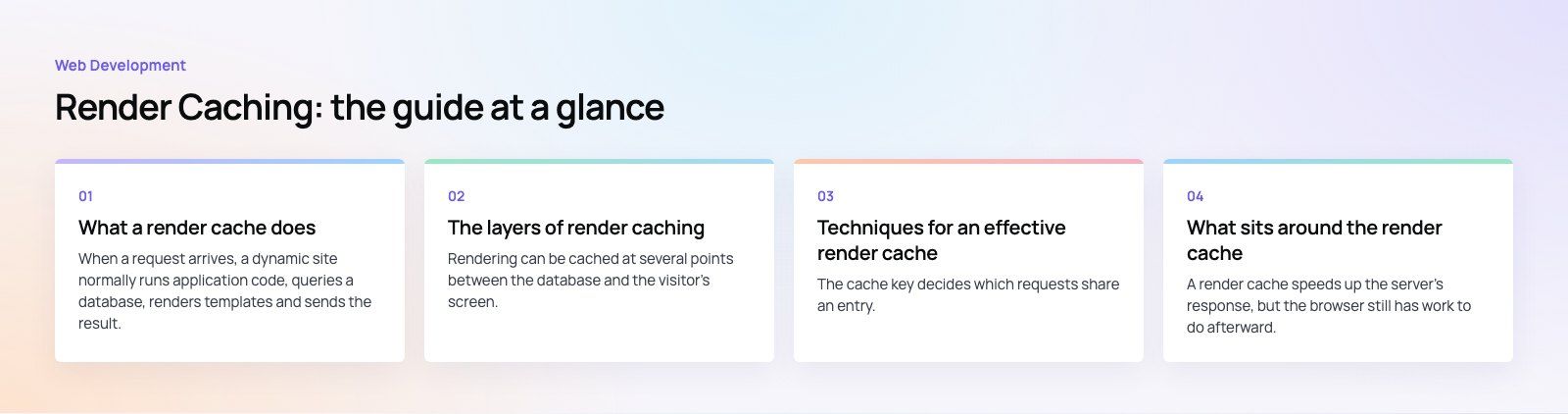
What a render cache does
When a request arrives, a dynamic site normally runs application code, queries a database, renders templates and sends the result. A render cache short circuits that work. The application builds a cache key from the request, checks the cache, and if a valid entry exists it returns that stored output immediately. If not, it renders as usual and saves the result for the next visitor.
The benefit shows up in server response time, which feeds directly into how quickly the browser can start painting the page. Faster responses help Largest Contentful Paint, reduce server load during traffic spikes and make the site cheaper to run.
The layers of render caching
Rendering can be cached at several points between the database and the visitor's screen. Most fast sites combine more than one.
| Layer | What is stored | Best for | Main risk |
|---|---|---|---|
| Fragment cache | Rendered parts of a page, such as menus, product cards or footers | Pages mixing shared and personal content | Too many small entries to manage |
| Full page cache | Complete HTML for a URL | Content pages, blogs, landing pages | Serving personal data to the wrong visitor |
| Static generation and incremental regeneration | Pages built ahead of time, rebuilt on a schedule or on change | Marketing sites, catalogs, documentation | Long build times on very large sites |
| CDN or edge cache | Responses stored at locations near visitors | Global audiences, traffic spikes | Purging correctly after updates |
| Browser cache | Assets and responses kept on the device | Repeat visits, static files | Old assets if file names do not change |
Frameworks handle these differently. WordPress relies on page caching plugins or server level caches, while frameworks such as Next.js offer static generation, incremental regeneration and data caches built in. Laravel and similar backend frameworks provide fragment and query caching through stores such as Redis.
Techniques for an effective render cache
Design cache keys carefully
The cache key decides which requests share an entry. Include everything that changes the output, such as URL path, language, currency, device type if the markup differs, and logged in state. Leave out anything that does not, such as tracking parameters. Keys that are too broad serve the wrong content; keys that are too narrow fill the cache with near duplicates and lower the hit rate.
Separate shared and personal content
The biggest blocker to full page caching is a small piece of personal content, such as a cart count or a greeting. Rather than giving up on caching, render the shared page once and load the personal parts separately, either with a small client side request or with edge side includes. This lets the bulk of the page come from cache for everyone.
Invalidate by dependency, not by guesswork
Stale pages are the usual complaint about caching. The fix is to track which content each cached entry depends on. When a product price changes, purge the product page, the category pages that list it and any home page block that features it, and nothing else. Many systems support cache tags for this: each entry is tagged with the records it uses, and an update purges every entry carrying that tag.
Set sensible expiry times
Expiry acts as a safety net when invalidation misses something. Content that rarely changes can live for hours or days; pages with stock levels or schedules need minutes. The stale while revalidate pattern helps here: serve the cached copy immediately while a fresh copy is rendered in the background, so no visitor waits for a rebuild.
Size the cache and choose an eviction policy
A cache that is too small evicts popular pages before they are reused. One that is too large wastes memory and can slow the server. Start with a size that comfortably holds your most visited pages, then adjust from hit rate data. Least recently used eviction suits most websites because popular pages stay warm; first in first out is simpler but tends to evict pages that are still in demand.
Warm the cache after deploys and purges
After a release or a large purge, the first visitors to each page pay the full rendering cost. A short script that requests your most important URLs right after deployment fills the cache before real traffic arrives. Prioritize the home page, top landing pages and pages linked from active campaigns.
Use the right data structures for lookups
For application level caches, store entries in a key value store with constant time lookups, such as Redis or Memcached, rather than scanning lists or files. Keep entries compact, and compress large HTML before storing it if memory is tight.
What sits around the render cache
A render cache speeds up the server's response, but the browser still has work to do afterward. To get the full benefit:
- Compress and size images. Serve WebP or AVIF where supported, keep JPEG for photos and PNG for graphics that need transparency, and always set width and height.
- Reduce render blocking resources. Inline the small amount of CSS needed for the first screen and defer non essential JavaScript.
- Use HTTP caching headers properly. Long cache lifetimes for fingerprinted assets, shorter ones for HTML. MDN's guide to HTTP caching explains Cache-Control directives in detail.
- Put a CDN in front of the origin. Edge caching reduces latency for distant visitors and absorbs traffic peaks.
Our Core Web Vitals work usually combines these steps, because the server and the browser each own part of the delay.
Measure before and after
Caching changes should be driven by numbers. Track these at minimum:
- Hit rate: the share of requests served from cache. A low rate points to poor keys, short expiry or a cache that is too small.
- Eviction rate: how often entries are removed for space. High eviction with a low hit rate usually means the cache needs more memory.
- Time to first byte: measured from locations close to your real visitors, not only from your office.
- Error and stale content reports: any sign that visitors saw out of date prices, stock or personal data.

Common render caching mistakes
- Caching logged in pages globally. This can expose one user's data to another. Exclude authenticated sessions or vary the cache by user.
- Purging everything on every change. A full purge after each edit throws away the benefit. Use targeted invalidation.
- Ignoring query strings. Marketing parameters can create thousands of duplicate entries unless they are stripped from the key.
- Forgetting forms and tokens. Cached pages with embedded security tokens break form submissions. Load tokens separately.
- Stacking caches without a plan. Plugin, server and CDN caches with different rules make debugging painful. Document which layer owns what.
If your site is slow even with caching switched on, the cause is often in the code or hosting rather than the cache settings. A speed optimization review pinpoints where the time goes, and our web development team can rebuild the parts that need it.
Frequently asked questions
Render caching shortens server response time, which helps pages start loading sooner and supports better Largest Contentful Paint scores.
Google uses page experience signals, including Core Web Vitals, alongside content relevance. Caching also keeps the site responsive when search engine crawlers request many pages at once, so crawling does not slow the site for real visitors or trigger server errors.
Web DevelopmentWordPress vs Drupal: Which CMS Is Right for Your Business?WordPress vs Drupal compared on ease of use, content modeling, security, performance, ecommerce and cost drivers, with five questions to help you choose. Web DevelopmentCustom Website Development vs Website Builders: Pros and ConsAn honest comparison of custom website development and website builders: control, cost over time, SEO, integrations, and how to decide which fits your business.
 Web DevelopmentWeb Development Consultant: What They Do and When to Hire OneWhat a web development consultant does, how the role differs from a developer or agency, when hiring one pays off and how to choose the right one.
Tell us what the business needs. We will tell you what to build first.
Schedule a free consultation and get a written recommendation, with costs, before you commit to anything.
Get in touchPROVEN RESULTS
4.7 / 5verified reviews on Google