 Web DevelopmentWordPress vs Drupal: Which CMS Is Right for Your Business?WordPress vs Drupal compared on ease of use, content modeling, security, performance, ecommerce and cost drivers, with five questions to help you choose.
Web Development Cost: What Drives It and How to Budget
What really drives web development cost, how website types compare in effort, the running costs people forget, and practical ways to keep the budget in check.
Web development cost depends mostly on scope: how many custom features the site needs, whether the design is custom or template based, what it must integrate with, and who builds it. A simple informational site and a custom web application can differ in cost by an order of magnitude. The most reliable way to budget is to define the features you need at launch, get itemized quotes against that list, and set aside money for the years after launch, not just the build.
This guide walks through the factors that drive cost, how different types of website compare in effort, the running costs people forget, and practical ways to keep spending under control without cutting the things that matter.
Why website quotes vary so much
Two agencies can quote very different figures for what sounds like the same website. Usually that is because they are pricing different things. One may assume a theme with light customization, the other a fully custom design and build. One may include content migration, testing on real devices and training; the other may not. Before comparing quotes, make sure each one is answering the same written brief.
The factors that drive web development cost
Complexity and functionality
This is the biggest driver. A site that presents information needs pages, a contact form and a CMS. A site with user accounts, bookings, payments, dashboards or search across thousands of records needs far more engineering, testing and security work. Every feature that stores data or takes money adds time.
Custom design vs templates
A ready made theme is faster and cheaper to launch, but it constrains layout and can carry code you do not need. A custom design reflects your brand and your users' tasks more precisely, and requires research, wireframes, visual design and a design system before development starts.
Number of page templates, not just pages
Fifty pages that share three templates can be cheaper than ten pages that are each unique. Count the distinct layouts you need (home, service, product, article, landing page) as well as the total page count.
E-commerce features
Online stores need product catalogs, variants, carts, checkout, payment gateways, tax and shipping rules, order emails and inventory sync. Each payment provider and each external system adds integration and testing work. Platforms such as Shopify or WooCommerce reduce this compared with building a store from scratch.
CMS choice and customization
A content management system like WordPress lets your team edit content without a developer. Costs rise when the CMS needs custom content types, editor workflows, multilingual content or a headless setup where the CMS feeds a separate front end.
Integrations
Connecting a CRM, ERP, booking engine, marketing platform or payment provider often takes longer than the pages themselves, especially if the other system has limited documentation or needs data mapping.
Responsive design and accessibility
Every modern site must work on phones, tablets and desktops. Doing this properly, and meeting accessibility guidelines such as the W3C's WCAG, takes design and testing time. It is not optional, but it should be planned from the start rather than fixed at the end.
SEO, analytics and performance
Clean site structure, metadata, redirects from an old site, analytics and conversion tracking, and Core Web Vitals work all add effort. Skipping them is a false saving, because a site no one finds or that loads slowly rarely pays back its build cost.
Who builds it
Freelancers, small studios, larger agencies and in-house teams all price differently. Rates also vary by country. Lower rates can work well for clearly specified tasks, but projects with unclear requirements tend to cost more in rework and delays regardless of the hourly rate.
How different types of website compare in effort
Rather than quoting figures that date quickly and vary by market, it is more useful to compare relative effort. The table below shows what typically pushes each type of project up the scale.
| Type of website | Relative effort | What pushes the cost up |
|---|---|---|
| Landing page | Low | Custom animation, A/B testing, form and CRM integration |
| Basic business website | Low to medium | Custom design, copywriting, multilingual content |
| Content site on a CMS | Medium | Custom content types, migration of old content, editorial workflows |
| Corporate website | Medium to high | Many templates, approvals, integrations, investor or compliance content |
| E-commerce store | Medium to high | Large catalogs, custom checkout, ERP or inventory sync, multiple markets |
| Custom web application | High | User roles, dashboards, complex business logic, security and scaling |
The running costs people forget
The build is only part of the total. Budget for these every year:
- Hosting: from shared hosting for small sites to managed cloud infrastructure for busy stores and applications.
- Domain and SSL: annual renewals, plus any premium certificates.
- Licenses and subscriptions: premium themes, plugins, SaaS platforms, search, email delivery and monitoring tools.
- Maintenance: CMS and plugin updates, security patches, backups and uptime monitoring.
- Content and improvements: new pages, design updates and feature work as the business changes.
- Marketing: SEO, paid campaigns and content that bring visitors to the site.
A useful habit is to estimate total cost over three years instead of comparing build quotes alone. A cheaper build on a platform that needs constant fixes can cost more over that period than a better built site.
How to keep web development costs under control
Start with a minimum viable version
List every feature you want, then mark what is essential at launch. Launch with the essentials, measure how people use the site, and fund the next phase from what you learn. This is the single most effective way to avoid paying for features nobody uses.
Use templates and existing plugins where they fit
A good theme or component library can cover standard pages well. Use existing, well maintained plugins or extensions for common features such as forms, SEO and caching rather than custom building them. Save custom work for the parts that make your business different.
Choose open source platforms carefully
Open source platforms such as WordPress, Drupal and Laravel avoid license fees and have large ecosystems. They still need hosting, updates and expertise, so treat "free" as "no license fee", not "no cost".
Write a clear brief
Ambiguity is expensive. A brief with goals, audience, sitemap, feature list, integrations and examples you like lets suppliers quote accurately and reduces change requests later.
Build with reusable components
A component based approach means a card, form or hero section is built once and reused. That shortens build time and makes later changes cheaper.
Work in short sprints
Agile delivery in short cycles lets you review progress often, reprioritize and stop spending on features that turn out to matter less than expected.
Test early and often
Bugs found during development are far cheaper to fix than bugs found by customers. Include testing on real devices and browsers in the plan from day one.
Train your team to handle routine updates
If your staff can update content, images and simple pages in the CMS, your development budget goes to work that actually needs a developer.
Pick hosting that matches real traffic
Cloud platforms such as AWS, Google Cloud and Microsoft Azure scale with demand, but they need sensible configuration to avoid paying for capacity you never use. Smaller sites are often well served by managed hosting.
A simple budgeting method
- Write down the purpose of the site and how you will measure success.
- List features and mark each as launch, later or nice to have.
- Count distinct page templates and list every system the site must connect to.
- Ask two or three suppliers to quote against the same brief, itemized by phase.
- Add the yearly running costs above, and a contingency for changes.
- Compare the total over three years, not just the first invoice.
Getting an accurate estimate
The fastest way to a reliable number is a scoped feature list reviewed by people who build websites every day. Codeeo has delivered 200+ projects across the UAE and the US, from WordPress sites to custom software and Shopify stores. If you are planning a new site, a product scoping session turns your ideas into a costed plan, and our web development team can take it from there. You can also contact us with your brief.
Frequently asked questions
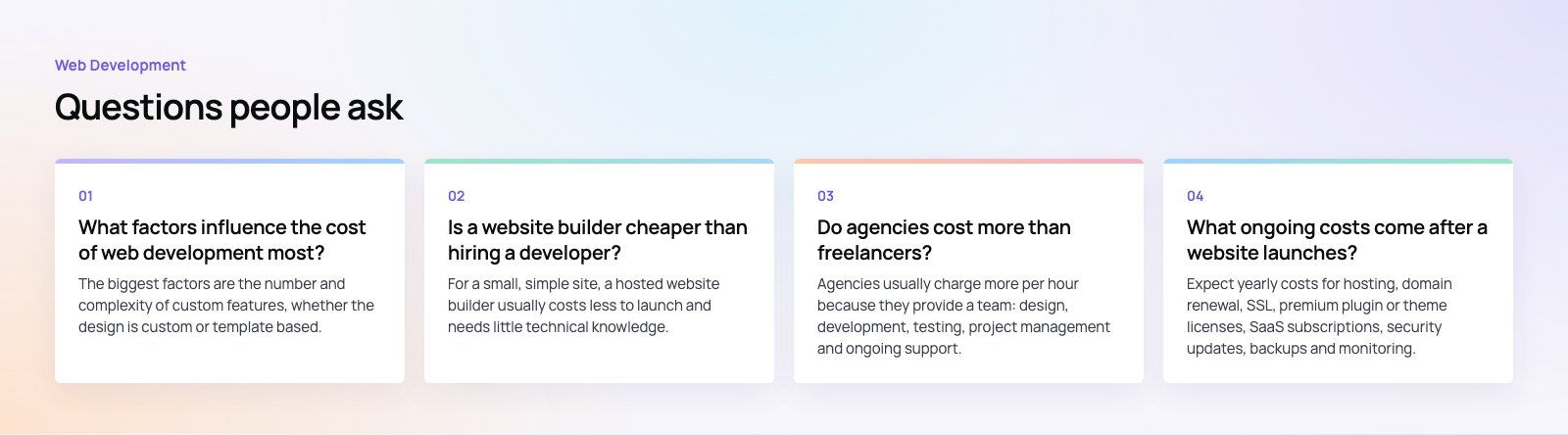
The biggest factors are the number and complexity of custom features, whether the design is custom or template based, the number of distinct page templates, and integrations with systems such as CRMs, ERPs and payment gateways. Who builds the site, the platform chosen, content migration and the level of testing also make a large difference to the final figure.
Web DevelopmentWordPress vs Drupal: Which CMS Is Right for Your Business?WordPress vs Drupal compared on ease of use, content modeling, security, performance, ecommerce and cost drivers, with five questions to help you choose. Web DevelopmentCustom Website Development vs Website Builders: Pros and ConsAn honest comparison of custom website development and website builders: control, cost over time, SEO, integrations, and how to decide which fits your business.
 Web DevelopmentWeb Development Consultant: What They Do and When to Hire OneWhat a web development consultant does, how the role differs from a developer or agency, when hiring one pays off and how to choose the right one.
Tell us what the business needs. We will tell you what to build first.
Schedule a free consultation and get a written recommendation, with costs, before you commit to anything.
Get in touchPROVEN RESULTS
4.7 / 5verified reviews on Google