 DevOpsPlatform Engineering vs DevOps: Differences and How They FitPlatform engineering vs DevOps explained: what each one is, where they overlap, the tools involved, and how to tell which one your organization needs next.
Azure DevOps vs Jira: Which Fits Your Development Team?
Azure DevOps vs Jira compared on planning, search, setup, traceability, CI/CD and integrations, with a practical way to choose for your team.

Azure DevOps is the better fit when you want planning, code, builds, testing and releases in one Microsoft toolset. Jira is the better fit when work tracking and flexible workflows are the priority, especially when non engineering teams plan work in the same tool. Neither wins outright: the choice depends on how much of your delivery pipeline you want under one roof and what your team already uses.
This comparison covers what each tool is, where each is stronger, how they differ on search, setup, traceability and integrations, and a simple way to decide.
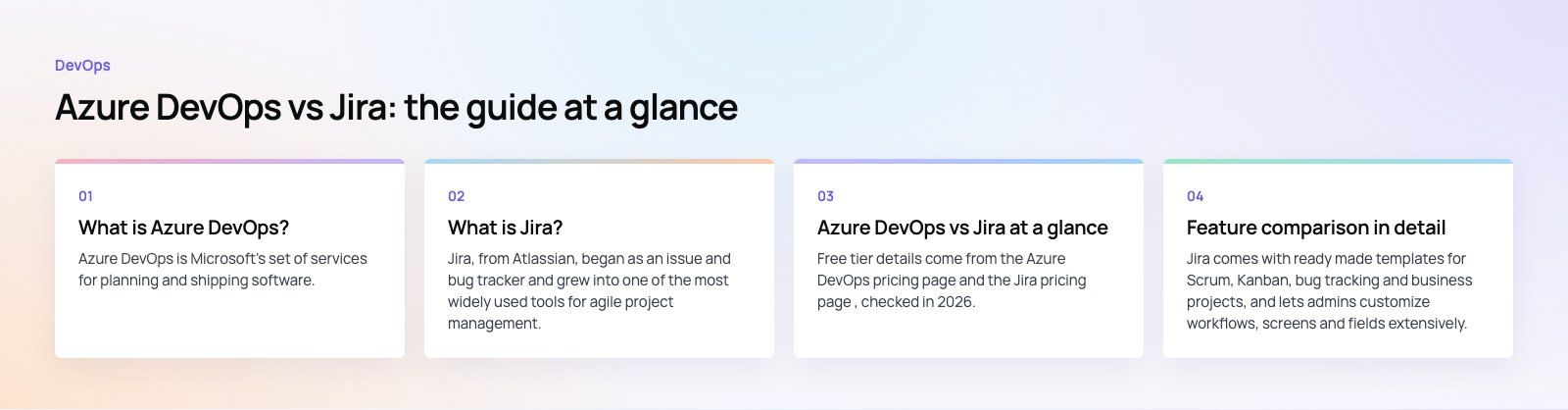
What is Azure DevOps?
Azure DevOps is Microsoft's set of services for planning and shipping software. It is available as a cloud service and as Azure DevOps Server for teams that host it themselves. It is made of five services that you can use together or separately:
- Azure Boards for backlogs, sprints, Kanban boards and work item tracking.
- Azure Repos for Git repositories with pull requests and branch policies.
- Azure Pipelines for continuous integration and delivery to almost any platform or cloud.
- Azure Test Plans for manual and exploratory testing.
- Azure Artifacts for hosting packages such as npm, NuGet and Maven feeds.
Its strength is coverage. A work item can link to the branch, the commits, the pull request, the build and the release that delivered it, all without leaving the product.
What is Jira?
Jira, from Atlassian, began as an issue and bug tracker and grew into one of the most widely used tools for agile project management. Teams use Scrum or Kanban boards, backlogs, roadmaps and automation rules, and can shape workflows, issue types and fields to match how they work.
Jira focuses on planning and tracking. For code and pipelines it connects to other tools: Bitbucket from Atlassian, GitHub, GitLab and many CI/CD services through its marketplace. Because it is not tied to software delivery, marketing, operations and support teams often use it alongside engineering.
Azure DevOps vs Jira at a glance
| Area | Azure DevOps | Jira |
|---|---|---|
| Main purpose | Full software delivery: plan, code, build, test, release | Work and project tracking with flexible workflows |
| Source control | Built in Git repositories (Azure Repos) | Integrates with Bitbucket, GitHub, GitLab and others |
| CI/CD | Built in (Azure Pipelines) | Through Bitbucket Pipelines or third party tools |
| Search and queries | Work item queries with a visual editor | JQL, a query language that is quick for power users |
| Workflow customization | Process templates that can be inherited and adjusted | Highly configurable workflows, fields and issue types |
| Traceability | Native links from work item to code, build and release | Strong when connected to development tools; depends on integrations |
| Non software teams | Possible, but built around engineering | Common, with templates for business teams |
| Ecosystem | Microsoft, Azure, GitHub and Visual Studio | Atlassian tools such as Confluence, plus a large app marketplace |
| Free tier | First 5 Basic users free, plus free Stakeholder access | Free plan for small teams |
Free tier details come from the Azure DevOps pricing page and the Jira pricing page, checked in 2026. Both change plans from time to time, so confirm current limits before you decide.
Feature comparison in detail
Planning and templates
Jira comes with ready made templates for Scrum, Kanban, bug tracking and business projects, and lets admins customize workflows, screens and fields extensively. That flexibility is its biggest draw.
Azure Boards uses process templates such as Agile, Scrum, Basic and CMMI. You can create inherited processes to add fields, states and work item types. It is less open ended than Jira, which some teams find limiting and others find refreshing because it keeps projects consistent.
Search and reporting
Jira Query Language, or JQL, lets users write precise searches across projects and save them as filters for boards and dashboards. Once a team learns it, finding and slicing work is fast.
Azure DevOps uses work item queries built in a visual editor, with saved queries feeding charts and dashboards. It covers most needs and is approachable for people who do not want to learn a query language, though power users often find JQL quicker for complex searches.
Ease of setup
Azure DevOps is quick to start for a software team: create a project, pick a process, and repos, boards and pipelines are ready. Jira is also quick to start with a template, but the configuration options mean larger organizations need an admin to keep schemes, workflows and permissions under control. Without that discipline, Jira instances tend to sprawl.
Traceability
Because code, builds and releases live in the same product, Azure DevOps gives traceability out of the box. You can see which work items went into a build or deployment and follow a requirement through to test results.
Jira can show branches, commits, pull requests, builds and deployments on an issue when it is connected to tools like Bitbucket, GitHub or GitLab. The result can be just as useful, but it depends on setting those integrations up and keeping them working.
CI/CD and testing
Azure Pipelines is a mature CI/CD service and Azure Test Plans adds managed manual testing. Jira does not include CI/CD itself; teams pair it with Bitbucket Pipelines, GitHub Actions, Jenkins or another service, and use marketplace apps for test management.
Integrations and ecosystem
Azure DevOps fits naturally with Azure, Visual Studio, Microsoft Entra ID, Teams and GitHub. Jira fits naturally with Confluence and other Atlassian products, and its marketplace offers apps for almost any workflow. If your company already standardizes on one ecosystem, that often settles the question.
When to choose Azure DevOps
- You want one tool for planning, repos, CI/CD, testing and packages.
- Your stack is .NET, Azure or otherwise Microsoft heavy.
- Audit and traceability from requirement to release matter, for example in regulated industries.
- You prefer consistent process templates over open ended customization.
- Many people only need to view and comment, which Stakeholder access covers.
When to choose Jira
- Engineering and business teams need to plan work in the same tool.
- Your code already lives in GitHub, GitLab or Bitbucket and your CI/CD is elsewhere.
- You need highly customized workflows, fields and automation.
- Your documentation lives in Confluence.
- Your team values JQL and the breadth of the Atlassian marketplace.
Can you use both?
Yes, and many organizations do: Jira for planning across departments and Azure Repos or Pipelines for engineering. Marketplace connectors can sync work items or link commits and builds to Jira issues. The trade off is another integration to maintain and a risk of two sources of truth. If you go this way, decide which tool owns each type of work item and keep sync in one direction where possible.
How to decide in practice
- List what you already pay for and use. Existing repos, CI/CD, identity and documentation tools narrow the choice quickly.
- Map who needs access. Count engineers, testers, product owners and occasional viewers, since licensing treats them differently.
- Run a two week pilot. Put one real team on each tool with real work, not a demo project.
- Check reporting needs. Make sure the dashboards and reports management relies on can be built without workarounds.
- Plan migration. If you are moving from one to the other, budget time for mapping fields, workflows and history.

Codeeo's team of 80+ across Dubai, Riyadh and Karachi works inside both tools every day. If you need engineers who fit your existing setup, our dedicated developers and custom software teams work to your process, and our Azure integration specialists set up pipelines and connections across Microsoft 365 and Azure. A codebase review is a good starting point if your delivery process needs tightening.
Frequently asked questions
It depends on team size and which features you use.
Azure DevOps includes the first five Basic users free and offers free Stakeholder access for people who only need to view and comment. Jira has a free plan for small teams and paid tiers above it. Because Jira usually needs separate tools for repos and CI/CD, compare the full toolchain cost, not only the per user price.
DevOpsPlatform Engineering vs DevOps: Differences and How They FitPlatform engineering vs DevOps explained: what each one is, where they overlap, the tools involved, and how to tell which one your organization needs next. DevOpsGitLab vs Jenkins: Which CI/CD Tool Fits Your Team?GitLab vs Jenkins compared on setup, features, scaling, security, integrations and total cost, with a simple checklist for choosing the right CI/CD tool.
 DevOpsConfiguration Management Tools in DevOps: How the Leaders CompareAnsible, Puppet, OpenVox, Chef, Salt, Terraform and OpenTofu compared: what configuration management does in DevOps and how to choose a tool.
Tell us what the business needs. We will tell you what to build first.
Schedule a free consultation and get a written recommendation, with costs, before you commit to anything.
Get in touchPROVEN RESULTS
4.7 / 5verified reviews on Google