 DevOpsPlatform Engineering vs DevOps: Differences and How They FitPlatform engineering vs DevOps explained: what each one is, where they overlap, the tools involved, and how to tell which one your organization needs next.
CI/CD Tools Compared: How to Pick the Right Pipeline
GitHub Actions, GitLab CI/CD, Jenkins, CircleCI, Azure Pipelines and AWS CodePipeline compared, with a simple way to choose the right CI/CD tool for your team.
The right CI/CD tool is usually the one that lives closest to your code and your cloud. If your repositories are on GitHub, start with GitHub Actions; on GitLab, use GitLab CI/CD; deep in Azure or AWS, their native pipelines fit best; and if you need full control on your own servers, Jenkins is still the most flexible choice.
Below we compare the main options, explain what CI and CD actually automate, and give a simple way to choose without spending a month on evaluations.
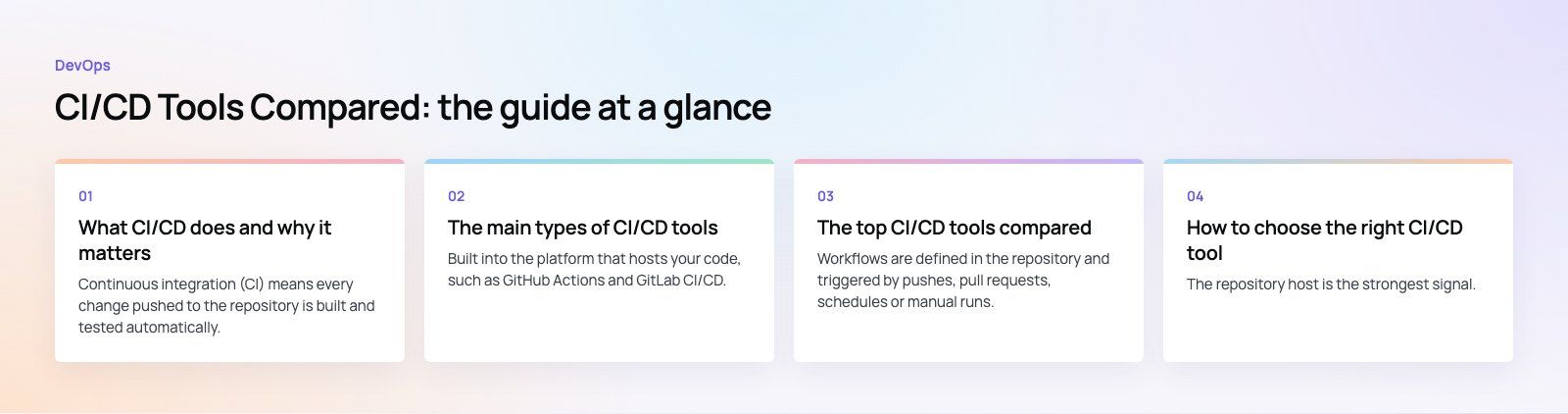
What CI/CD does and why it matters
Continuous integration (CI) means every change pushed to the repository is built and tested automatically. Continuous delivery (CD) takes the tested build and prepares it for release, and continuous deployment goes one step further by releasing it to production without a manual push.
Without a pipeline, someone builds the code on their laptop, runs some tests if there is time, and copies files to a server. That works for a while. Then a release fails on a Friday evening because one dependency was different, and nobody can say exactly what went live.
A pipeline fixes this by making every release follow the same recorded steps:
- Bugs are caught earlier, when the change is small and the developer still remembers it.
- Releases become routine, so teams ship small updates often instead of large risky ones.
- Every deployment is traceable to a commit, a test run and a person.
- Rollbacks are faster because the previous build is already packaged and ready.
- Developers spend less time on manual builds and server copying.
The main types of CI/CD tools
Repository native tools
Built into the platform that hosts your code, such as GitHub Actions and GitLab CI/CD. Pipelines live in the repository as a YAML file, so they are reviewed and versioned like any other code. This is the easiest starting point for most teams.
Cloud provider tools
AWS CodePipeline and Azure Pipelines connect tightly to their own cloud services, permissions and deployment targets. They suit teams already committed to one cloud, with the trade off that moving clouds later means rebuilding pipelines.
Self hosted and open source tools
Jenkins is the best known. You run it on your own infrastructure and can customize almost anything through plugins. You also own the patching, backups, security and scaling.
Hosted CI services
CircleCI and similar services run builds on their infrastructure and connect to GitHub or Bitbucket. They are quick to set up and offer strong caching and parallel test options.
The top CI/CD tools compared
| Tool | Hosting | Best fit | Main trade off |
|---|---|---|---|
| GitHub Actions | Hosted, with self hosted runners | Code on GitHub, any stack | Large workflows can become hard to manage |
| GitLab CI/CD | Hosted or self managed | Teams wanting code, CI and security in one place | Most valuable if you adopt GitLab fully |
| Jenkins | Self hosted | Complex or regulated setups needing full control | You maintain the server and plugins |
| CircleCI | Hosted, with self hosted runners | Fast test feedback, parallel builds | Another vendor and account to manage |
| Azure Pipelines | Hosted, with self hosted agents | Microsoft and Azure workloads | Strongest inside the Azure ecosystem |
| AWS CodePipeline | Hosted on AWS | Teams deploying to AWS services | Ties pipelines to AWS |
GitHub Actions
Workflows are defined in the repository and triggered by pushes, pull requests, schedules or manual runs. A large marketplace of reusable actions covers testing, building containers and deploying to most clouds. For teams already on GitHub it removes the need for a separate CI product. The GitHub Actions documentation is a good place to start.
GitLab CI/CD
Pipelines are defined in a single file in the repository, and GitLab adds environments, review apps and security scanning in the same interface. It works well for teams that want one platform for planning, code and delivery. See the GitLab CI/CD docs.
Jenkins
Open source, self hosted and extended through a large plugin library. Pipelines are written as code in a Jenkinsfile. Jenkins suits teams with unusual build needs, on premises requirements or strict data rules. The cost is operational: someone must keep the server, plugins and agents patched and secure. The Jenkins documentation covers setup and pipeline syntax.
CircleCI
A hosted service known for quick setup, good caching and splitting test suites across machines. It is a sensible choice when test speed is your main bottleneck and you do not want to run build servers.
Azure Pipelines
Part of Azure DevOps, it builds most languages and deploys to Azure, other clouds or on premises targets. It fits naturally for teams using Microsoft identity, Azure hosting and Azure integration services.
AWS CodePipeline
Orchestrates build, test and deploy stages using AWS services such as CodeBuild and CodeDeploy. It is a good match when your applications already run on AWS and you want pipelines managed with the same permissions model.
How to choose the right CI/CD tool
Start where your code lives
The repository host is the strongest signal. Using its native CI avoids extra accounts, webhooks and permissions, and keeps pipeline changes in the same pull request as code changes.
Match your deployment target
If everything runs on one cloud, that provider's pipeline or a repository native tool with good cloud integration will be simplest. Multi cloud or on premises targets favor GitHub Actions, GitLab or Jenkins.
Be honest about operations capacity
Self hosting gives control but adds work. If nobody on the team wants to own a build server, choose a hosted option and use self hosted runners only where you need them, such as builds that must reach a private network.
Think about security and compliance
Check how each tool stores secrets, supports short lived cloud credentials, restricts who can approve production releases and records an audit trail. These matter more than feature lists once you have real customers.
Understand what drives cost
Hosted tools usually charge by build minutes, concurrency, storage and user seats. Self hosted tools have no license fee in the case of Jenkins, but you pay for servers and the people who maintain them. Estimate your monthly build minutes and parallel jobs before comparing plans.
What a good pipeline looks like
Whatever tool you pick, the stages are similar:
- Trigger on every push and pull request.
- Install and build with locked dependency versions.
- Lint and unit test to fail fast on obvious problems.
- Security checks for vulnerable dependencies and exposed secrets.
- Package the build once, often as a container image, and reuse it for every environment.
- Deploy to staging and run integration or end of flow tests.
- Approve and deploy to production, automatically or with a manual gate.
- Monitor and roll back if health checks fail.
Mobile apps add signing, store builds and device testing. Our mobile app development teams run separate lanes for iOS and Android so a signing issue on one platform does not block the other.
Common mistakes to avoid
- Building a new artifact per environment. Build once and promote the same artifact, or staging tells you nothing about production.
- Secrets in pipeline files. Use the tool's secret store or your cloud's identity federation instead.
- Slow pipelines. If CI takes too long, developers stop waiting for it. Cache dependencies and run tests in parallel.
- Flaky tests left in place. A test that fails randomly trains people to ignore red builds. Fix or quarantine it.
- No rollback plan. Practice rolling back before you need to.
Getting help with CI/CD
Setting up a first pipeline is quick; designing one that stays fast, secure and reliable as the product grows takes more thought. Codeeo has delivered 200+ projects across the UAE and the US, and our custom software and dedicated developer teams build pipelines as part of the product, not as an afterthought. If your current release process feels fragile, a codebase review is a practical place to start.
Frequently asked questions
Continuous integration automatically builds and tests every code change so problems surface quickly.
Continuous delivery takes those tested builds and keeps them ready to release, usually deploying to a staging environment automatically. Continuous deployment goes further and releases every passing change to production without manual approval. Most teams start with CI, then add delivery, and adopt full deployment once their tests are trusted.
DevOpsPlatform Engineering vs DevOps: Differences and How They FitPlatform engineering vs DevOps explained: what each one is, where they overlap, the tools involved, and how to tell which one your organization needs next. DevOpsGitLab vs Jenkins: Which CI/CD Tool Fits Your Team?GitLab vs Jenkins compared on setup, features, scaling, security, integrations and total cost, with a simple checklist for choosing the right CI/CD tool.
 DevOpsConfiguration Management Tools in DevOps: How the Leaders CompareAnsible, Puppet, OpenVox, Chef, Salt, Terraform and OpenTofu compared: what configuration management does in DevOps and how to choose a tool.
Tell us what the business needs. We will tell you what to build first.
Schedule a free consultation and get a written recommendation, with costs, before you commit to anything.
Get in touchPROVEN RESULTS
4.7 / 5verified reviews on Google