 Digital TransformationHow Digital Transformation Is Reshaping BusinessesFive ways digital transformation is changing operations, customer experience, data, business models and work, plus the challenges and a practical roadmap.
CodeeoInsightsDigital Transformation
CRM vs CMS: Which System Does Your Business Need?
CRM manages customers, CMS manages website content. Learn the differences, when each should come first, and how to connect the two systems.
A CRM (customer relationship management system) manages people: leads, customers, deals, conversations and support cases. A CMS (content management system) manages content: the pages, articles, images and product information on your website. Most growing businesses end up needing both, but the one to start with depends on your bottleneck. If you lose track of leads and follow ups, start with a CRM. If your website is hard to update or does not bring in visitors, start with a CMS.
This guide explains what each system does, who uses it, when each one should come first, and how the two work together once you have both.
CRM vs CMS at a glance
| Aspect | CRM | CMS |
|---|---|---|
| Main job | Manage customer relationships and sales | Create, edit and publish website content |
| Main users | Sales, marketing and customer service teams | Content editors, marketers and web teams |
| Data held | Contacts, companies, deals, emails, calls, tickets | Pages, posts, media, menus, product content |
| Reports on | Pipeline, conversion rates, customer activity | Traffic, engagement, content performance |
| Who sees the output | Mostly internal staff | The public, through your website |
| Search engine role | Little direct effect | Central: URLs, metadata, page speed, structure |
| Typical examples | Salesforce, HubSpot CRM, Zoho CRM, Microsoft Dynamics 365 | WordPress, Drupal, Strapi, Contentful |
| Setup effort | Often longer, because of data migration and process design | Often quicker, depending on site size |
| Grows with | Number of users, records and automations | Volume of content and website traffic |
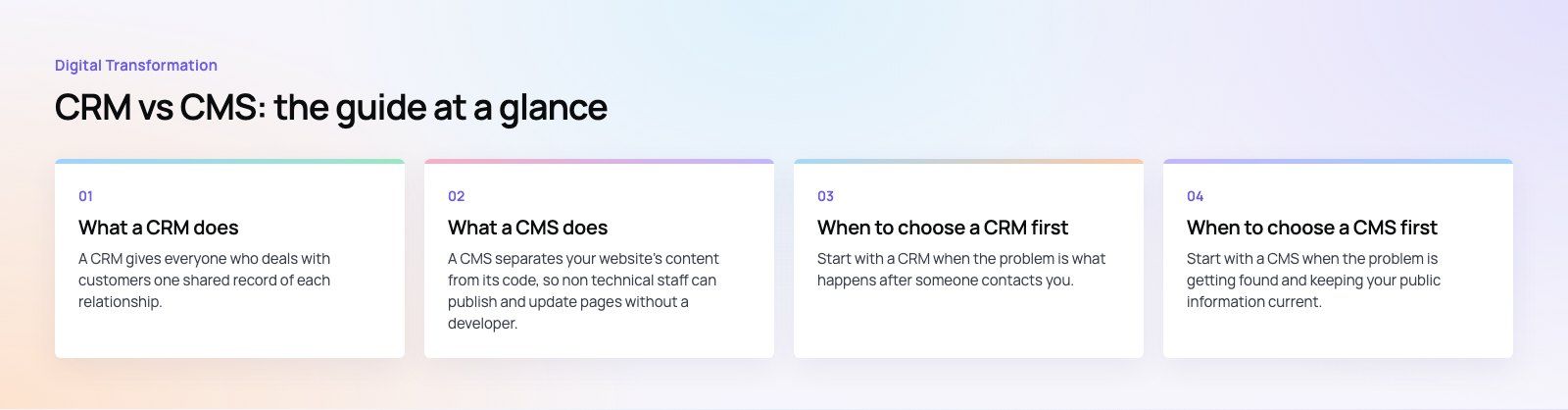
What a CRM does
A CRM gives everyone who deals with customers one shared record of each relationship. Instead of leads living in inboxes, spreadsheets and individual phones, every enquiry, email, call, quote and support case sits against the right contact.
Core CRM features
- Contact and company records with full history of every interaction.
- Lead and deal pipelines that show where each opportunity stands.
- Tasks and reminders so follow ups are not forgotten.
- Email and calendar integration to log conversations automatically.
- Automation for lead assignment, follow up sequences and status changes.
- Reporting and forecasting on pipeline value, win rates and team activity.
- Service tools such as tickets and case management in many platforms.
Benefits of a CRM
The biggest gain is visibility. Managers can see the whole pipeline, salespeople stop losing leads, and anyone who picks up a customer conversation knows the history. Marketing can target campaigns using real customer data rather than guesswork, and sales can see which campaigns produced real deals. Over time, the data shows which lead sources, products and customer types are most valuable.
If your team already has a CRM that nobody trusts, the problem is often the setup rather than the product. Our sales automation work focuses on pipelines, rules and integrations that people actually use.
What a CMS does
A CMS separates your website's content from its code, so non technical staff can publish and update pages without a developer. It controls how content is structured, who can edit it, and how it appears on the site.
Core CMS features
- Visual or structured editing of pages, posts and landing pages.
- Media library for images, video and documents.
- User roles and workflows such as author, editor and administrator.
- SEO controls for titles, descriptions, URLs, redirects and sitemaps.
- Templates and themes that keep the design consistent.
- Multilingual support through built in features or plugins.
- Plugins or integrations for forms, analytics and ecommerce.
Traditional and headless CMS
A traditional CMS such as WordPress manages content and renders the website in one system. A headless CMS such as Strapi or Contentful only manages content and serves it through an API, so the same content can feed a website, a mobile app and other channels. Headless setups give developers more freedom and often better performance, while traditional setups are quicker to launch and easier for small teams to run.
Benefits of a CMS
A good CMS lets your marketing team move at its own speed. New pages, offers and articles go live in minutes instead of waiting in a developer queue. Built in SEO controls help search engines understand your pages, and consistent templates keep the brand looking the same on every page. For many businesses, the CMS is what turns the website from a static brochure into a channel that brings in enquiries.
When to choose a CRM first
Start with a CRM when the problem is what happens after someone contacts you. Signs include:
- Leads arrive from several channels and nobody owns them.
- Follow ups depend on individual memory.
- Managers cannot see the pipeline without asking each salesperson.
- Customer history leaves the company when an employee does.
- Support requests are scattered across email and messaging apps.
Industries where CRM usually comes first
Real estate teams manage a constant flow of enquiries, viewings and follow ups. Financial services firms need a clear record of client interactions for service and compliance. Healthcare providers use CRM tools for appointments, reminders and patient communication. B2B services with long sales cycles rely on pipelines and forecasting. Retail and ecommerce brands use customer data to personalize campaigns and improve repeat purchase rates.
When to choose a CMS first
Start with a CMS when the problem is getting found and keeping your public information current. Signs include:
- Every website change needs a developer.
- Your site does not rank or brings in few enquiries.
- You want to publish articles, case studies or landing pages regularly.
- Product or service information is often out of date online.
- You need the site in more than one language.
Industries where CMS usually comes first
Media and publishing businesses live on content volume and speed. Education providers manage courses, admissions information and news, as in our Diyafah bilingual school website built on Strapi. Healthcare groups publish treatments, specialists and events, like the content managed site in our HMS case study. Travel and tourism businesses rely on destination content and guides. Listed and corporate companies need to publish news, governance documents and reports on time.
Using CRM and CMS together
The real value appears when the two systems talk to each other. A typical integration looks like this:
- A visitor reads content managed in the CMS and fills in a form.
- The form creates or updates a contact in the CRM, with the page and campaign that brought them in.
- The CRM assigns the lead, triggers a follow up and tracks the deal.
- Closed deals are reported back against the original content or campaign, so marketing can see which pages produce revenue rather than just traffic.
- Over time, CRM data can personalize what returning visitors see on the website.
One issue we often see is forms that email the sales team instead of writing to the CRM. Leads then get copied in by hand, or not at all. Connecting forms directly to the CRM is usually the quickest win in any integration project.
How to choose a platform
For a CRM
- Map your sales and service process before looking at products.
- Check integration with your email, phone system, website forms and accounting tools.
- Look at how much configuration you can do without developers.
- Plan data migration early, because cleaning old records takes time.
- Consider data residency and privacy rules in your markets.
For a CMS
- Decide whether you need a traditional or headless setup.
- Check editing experience with the people who will actually use it.
- Confirm multilingual and right to left support if you need them.
- Review security update practices and hosting options.
- Test page speed on templates, not just on demo sites.
Getting it right
Neither system fixes a broken process on its own. Start with the bottleneck that costs you the most, choose the system that fixes it, and plan the integration from day one so the second system slots in cleanly. Codeeo has delivered 200+ projects across the UAE and the US. Whether you need website development on a modern CMS or help moving to a better CRM through CRM migration, our team can set up both sides and connect them.
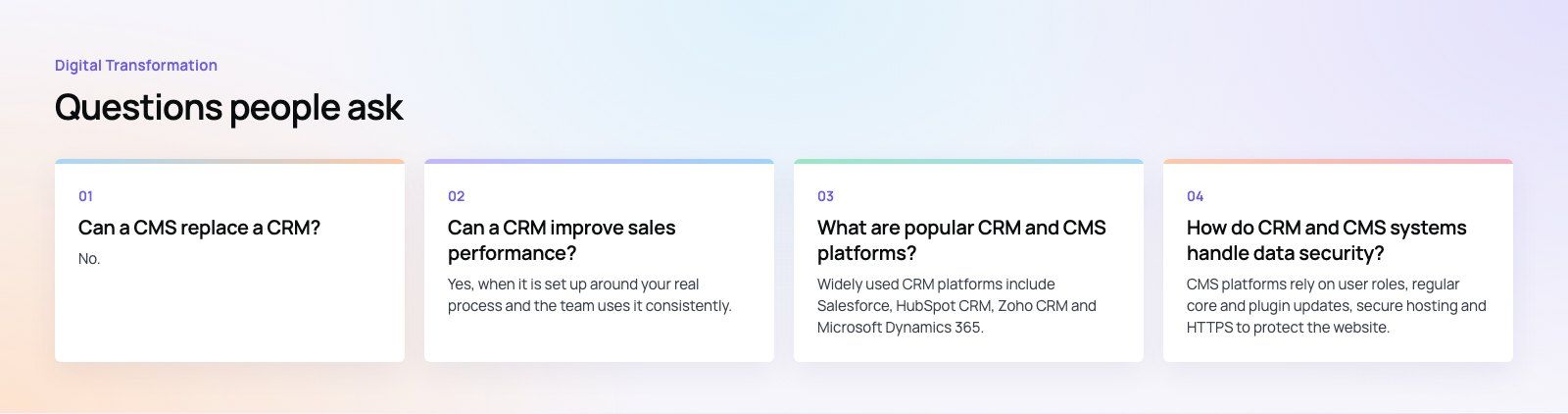
Frequently asked questions
No.
A CMS can collect form submissions and store basic user accounts, but it is not built to manage pipelines, follow ups, deal stages or customer service history. Some CMS plugins add light contact management, which can work for very small businesses. Once more than one person handles leads, or you need reporting on sales, a dedicated CRM becomes the better tool.
Digital TransformationHow Digital Transformation Is Reshaping BusinessesFive ways digital transformation is changing operations, customer experience, data, business models and work, plus the challenges and a practical roadmap. Digital TransformationStrategic Human Resource Management: Aligning HR With GoalsWhat strategic human resource management means, the components of a strategic HR model, and a six step process for aligning HR with business goals.
 Digital TransformationBest CRM for Small Businesses: 10 Options and How to ChooseTen CRM platforms that suit startups and small teams, from HubSpot and Zoho to Kommo and NetHunt, with a comparison table and a practical way to choose.
Tell us what the business needs. We will tell you what to build first.
Schedule a free consultation and get a written recommendation, with costs, before you commit to anything.
Get in touchPROVEN RESULTS
4.7 / 5verified reviews on Google