 App DevelopmentCross Platform App Development: How It Saves Time and MoneyHow shared code across iOS and Android cuts build and maintenance effort, which frameworks to consider in 2026, and when native development is still the better call.
How to Create a Smooth Mobile User Experience
The principles behind a smooth mobile app experience: clear design, fast performance, short flows and accessibility, and how to build them into every stage.

A smooth mobile user experience comes from four things working together: a clear and familiar design, fast performance, navigation that gets people to their goal in as few steps as possible, and accessibility for every user. You get there by planning around real user tasks, testing with real people on real devices, and improving the app continuously based on analytics and feedback. The rest of this guide explains each principle and how it fits into the build process.
What makes a mobile experience feel smooth
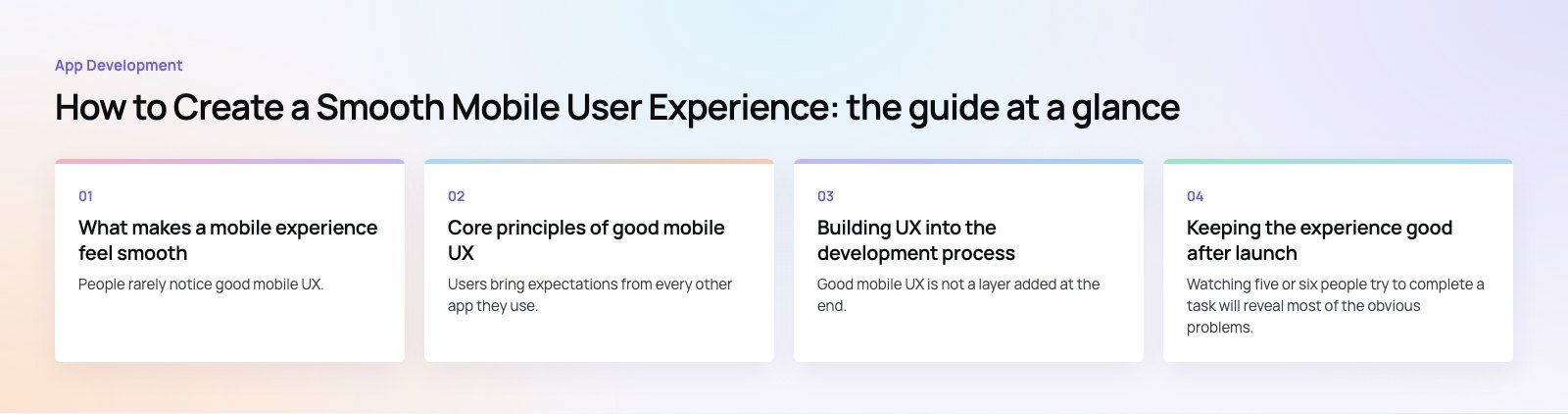
People rarely notice good mobile UX. They notice friction: a screen that takes too long to load, a button that is hard to hit, a form that loses what they typed, or a flow that asks for commitment before showing anything useful. A smooth experience is simply one where those moments do not happen. It feels efficient, predictable and respectful of the user's time.
That matters commercially. Users judge an app in their first few sessions, and an app that frustrates them is easy to delete and replace. Store reviews, retention and revenue all follow from how the app feels to use.
Core principles of good mobile UX
Clear, familiar design
Users bring expectations from every other app they use. Following platform conventions makes your app feel instantly understandable. Apple's Human Interface Guidelines and Google's Material Design describe those conventions in detail.
- Keep navigation consistent from screen to screen.
- Use a restrained interface with one clear primary action per screen.
- Use color and typography to show hierarchy, not decoration.
- Design for one handed use, with key actions within thumb reach.
Fast performance
Speed is part of the design. A slow app feels broken even when it works. To keep it fast:
- Keep the app size small and load only what each screen needs.
- Build an efficient backend and API that return just the data required.
- Cache content so returning users see something immediately.
- Show skeleton screens or progress states instead of blank waits.
- Handle poor connections and offline moments gracefully.
Navigation that shortens the path to value
Every extra screen before the user gets what they came for is a chance to lose them. Map the main tasks and count the taps. Use clear calls to action, standard gestures, and easy access to the features people use most. Keep onboarding short, and let people explore before asking them to register where you can.
A good example is seat booking. In our Star Cinemas case study, the old flow asked for a cinema, a film, a date and a time before it would show a single seat, which meant three screens of commitment before any value. Reordering a flow like that is often the biggest UX gain available.
Personalization that helps
Personalization improves engagement when it saves the user effort: remembering preferences, showing recent items, suggesting relevant content or adapting the home screen to how someone uses the app. It backfires when it feels intrusive, so be clear about what data you use and give users control.
Accessibility
An accessible app works for more people, including those with visual, motor, hearing or cognitive impairments, and it usually improves usability for everyone. Follow the WCAG 2.2 guidelines, and in particular:
- Support system text size settings and dynamic type.
- Label every control for screen readers such as VoiceOver and TalkBack.
- Keep color contrast strong and never rely on color alone.
- Make touch targets large and well spaced.
- Support right to left layouts properly if you offer Arabic or other RTL languages.
Forms that do not fight the user
Forms are where many apps lose people. Ask only for what you need, use the right keyboard for each field, allow autofill and password managers, validate inline with clear messages, and never clear what the user has already typed after an error.
Poor versus smooth mobile experiences
| Area | Poor experience | Smooth experience |
|---|---|---|
| First launch | Long sign up before any content | Value shown first, sign up when needed |
| Loading | Blank screens and spinners | Cached content and skeleton states |
| Navigation | Hidden features, inconsistent menus | Predictable tabs and clear actions |
| Forms | Long, strict, lose data on error | Short, autofilled, forgiving |
| Accessibility | Fixed text, unlabeled icons | Scalable text, labeled controls |
| Outcome | Poor reviews and low retention | Better reviews and repeat use |
Building UX into the development process
Good mobile UX is not a layer added at the end. It is designed in at every stage.
1. Discovery and planning
- Define the app's purpose and the few tasks it must do brilliantly.
- Describe the target users and the situations they use the app in.
- Write user stories and agree what the first release will include.
A structured product scoping exercise is a good way to get this right before design starts.
2. Design
- Sketch flows and wireframes for the main tasks.
- Build clickable prototypes and test them before writing code.
- Create a design system so components behave consistently.
- Design for the smallest supported screen first.
3. Development
- Choose a technology approach that suits the app: native iOS and Android, or a cross platform framework such as Flutter or React Native.
- Build the frontend and backend with performance budgets in mind.
- Integrate APIs and third party services carefully, with sensible timeouts and error states.
4. Testing and quality assurance
- Functional testing of every flow.
- Performance testing on older and lower end devices, not just the latest phones.
- Usability testing with people who match your users.
- Accessibility and security testing.
5. Launch and improvement
- Prepare store listings and follow each store's review requirements.
- Release gradually where possible and watch crash and performance data.
- Run A/B tests on key screens and keep improving.
Keeping the experience good after launch
Test with real users regularly
Watching five or six people try to complete a task will reveal most of the obvious problems. Repeat this whenever you change a major flow.
Ship regular updates
Fix bugs quickly, improve performance and add features in small, frequent releases. Users notice when an app is cared for.
Use analytics to find friction
Track where users drop out of key flows, which features they ignore and where errors happen. Combine this with store reviews and support tickets to decide what to fix next.
Follow platform changes
iOS and Android change their design patterns, permissions and gestures every year. Keeping up avoids an app that slowly starts to feel dated or out of place.
Common mobile UX mistakes
- Copying a desktop website layout into an app.
- Asking for every permission on first launch, before explaining why.
- Hiding key features behind gestures nobody discovers.
- Testing only on the newest, fastest phones over office wifi.
- Treating accessibility as a later phase that never arrives.
Next steps
If you are planning a new app or your current one has poor reviews and weak retention, start by mapping the main tasks and counting the friction in each. Codeeo's mobile app development team designs and builds iOS, Android and cross platform apps, with our design team testing flows before code is written. You can see more apps we have shipped in our case studies, or contact us to discuss yours.
Frequently asked questions
The key elements are a clear design that follows platform conventions, fast performance even on slower devices and connections, navigation that gets users to their goal in few steps, and accessibility for people with different needs. Short, forgiving forms and helpful personalization add to this. Together they make an app feel predictable and efficient, which is what users remember.
App DevelopmentCross Platform App Development: How It Saves Time and MoneyHow shared code across iOS and Android cuts build and maintenance effort, which frameworks to consider in 2026, and when native development is still the better call. App DevelopmentHow to Plan an App Development Project From Start to FinishA step by step plan for an app project: define users and goals, scope an MVP, choose platforms, design, build the team, phase the timeline, test and launch.
 App DevelopmentMust Have Features of an HR Management AppThe features an HR management app needs, from onboarding and self service to payroll, performance and analytics, plus when to buy or build.
Tell us what the business needs. We will tell you what to build first.
Schedule a free consultation and get a written recommendation, with costs, before you commit to anything.
Get in touchPROVEN RESULTS
4.7 / 5verified reviews on Google