 App DevelopmentCross Platform App Development: How It Saves Time and MoneyHow shared code across iOS and Android cuts build and maintenance effort, which frameworks to consider in 2026, and when native development is still the better call.
Hybrid Mobile App Examples and What They Teach Us
Real hybrid and cross platform app examples confirmed by React Native and Flutter, plus the benefits, limits and how to decide for your own app.
Hybrid and cross platform mobile apps use one shared codebase to run on both iPhone and Android, instead of two separate native apps. Well known examples include Microsoft Teams and Outlook, Shopify's apps and Amazon Shopping, which use React Native, and Google Pay, the My BMW app and eBay Motors, which use Flutter. They show that a shared codebase can power large, demanding products, as long as the framework and architecture fit the job.
This article clears up what "hybrid" means today, looks at real examples confirmed by the framework makers, and explains the benefits, limits and decision points for your own app.
Hybrid, cross platform and native: getting the terms right
The word "hybrid" is used loosely, and the difference matters when you plan an app.
- Classic hybrid apps are built with web technologies (HTML, CSS and JavaScript) and run inside a native shell using a WebView. Ionic with Capacitor is the best known toolset. Plugins give access to the camera, GPS and other device features.
- Cross platform native apps share one codebase but render real native interface components or draw their own interface at high speed. React Native and Flutter are the leading frameworks. Most people now include these when they talk about hybrid apps.
- Native apps are written separately for each platform, typically Swift for iOS and Kotlin for Android.
- Progressive web apps are websites that can be installed to the home screen, work offline and send some notifications, without going through the app stores.
How the approaches compare
| Factor | Native | Cross platform (React Native, Flutter) | WebView hybrid (Ionic, Capacitor) | Progressive web app |
|---|---|---|---|---|
| Codebases | One per platform | One shared, some platform code | One shared web codebase | One website |
| Performance | Highest | Close to native for most apps | Good for forms and content, weaker for heavy animation | Depends on browser |
| Device features | Full and immediate | Broad, through modules | Broad, through plugins | Limited, varies by platform |
| App store presence | Yes | Yes | Yes | Mostly no |
| Team skills | Swift and Kotlin | JavaScript or Dart | Web developers | Web developers |
| Best for | Graphics heavy, hardware heavy or platform first apps | Most business and consumer apps | Internal tools, content and form based apps | Reach without installs |
Real examples of cross platform apps
The examples below are listed by the framework makers themselves, on the React Native showcase and the Flutter showcase. Large companies often mix approaches inside one app, so these frameworks may power many screens rather than every line of code.
Microsoft Teams and Outlook (React Native)
Microsoft lists Teams, Outlook and Office mobile among its React Native apps. These are complex products with messaging, calendars, file handling and calls, which shows that a shared JavaScript codebase can sit inside serious productivity software.
Shopify apps (React Native)
Shopify uses React Native across its merchant app, the Shop app for shoppers, Shopify Inbox and Shopify Point of Sale. Running several apps on one framework lets teams share components and skills across products.
Amazon Shopping and Alexa (React Native)
Amazon lists Amazon Shopping, the Alexa app and Amazon Photos on the React Native showcase. Ecommerce flows such as browsing, search, cart and order tracking are a natural fit for a shared codebase.
Facebook (React Native)
Meta created React Native and uses it in the Facebook app and Ads Manager. It is a reminder that the framework came from a team shipping at enormous scale.
Google Pay (Flutter)
Google built Flutter and uses it in Google Pay, along with apps such as Google Classroom and Google Earth. Payments demand reliability and security, which makes this a strong example.
My BMW (Flutter)
BMW Group appears on the Flutter showcase for its customer app, which handles remote vehicle functions, status and service features from one codebase across iOS and Android.
eBay Motors (Flutter)
eBay Motors, the app for buying and selling vehicles, is another Flutter showcase entry. Listings, search filters, messaging and checkout all run from shared code.
Nubank and talabat (Flutter)
The digital bank Nubank and the delivery app talabat, widely used across the Gulf, are both listed on the Flutter showcase. They cover two demanding categories: fintech and on demand delivery.
The benefits of a shared codebase
Lower build effort
One team writes most of the code once, rather than two teams building the same features twice. That usually reduces cost and coordination, especially for apps with lots of standard screens.
Faster launch
Features ship to both platforms at the same time. Hot reload in React Native and Flutter speeds up day to day development and design iteration.
Simpler maintenance
Bug fixes and new features go into one codebase. Version drift between the iOS and Android apps becomes much less of a problem.
Consistent experience
Users see the same features and brand on both platforms, while each framework still lets you respect platform conventions where it matters.
Access to device features
Camera, location, biometrics, push notifications and payments are all available through mature libraries. Where a library is missing, developers can write a small native module and call it from shared code.
The limits to weigh
- Demanding graphics or real time work. 3D games, advanced camera processing and some audio or Bluetooth heavy apps can still be better native. Our Ourcast Live case study, an app that streams venue audio to phones in real time, uses native iOS and Android apps for this kind of reason.
- Dependence on the framework. New iOS and Android features can arrive in native code before frameworks support them. Third party libraries need regular updates.
- Platform specific polish. Matching every native interaction exactly can take extra work, so plan design time for each platform.
- App size and start up. Framework runtimes add some weight, which matters most for very lightweight utility apps.
How to decide for your app
- List the must have device features. Check that mature libraries exist for each one in your chosen framework.
- Judge the performance needs honestly. Most business, commerce, booking and content apps run very well cross platform.
- Look at your team. A strong web and React team suits React Native. Teams starting fresh often find Flutter's single toolkit productive.
- Think about the web. React Native lets you share logic with a React website. Flutter can also target the web, though most teams use it mainly for mobile.
- Prototype the riskiest screen first. Build the most demanding feature early to confirm the framework copes before committing fully.
If you are planning an app and want an honest view on native versus cross platform, our mobile app development team works with React Native, Flutter and native code. A product scoping session is a quick way to settle the choice.
Frequently asked questions
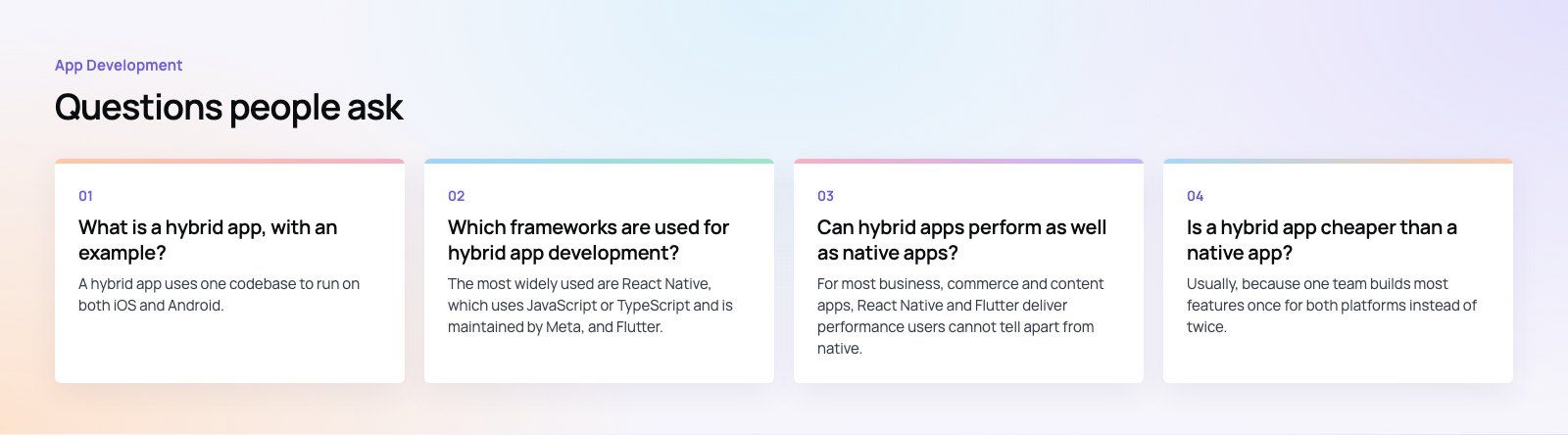
A hybrid app uses one codebase to run on both iOS and Android.
Classic hybrid apps use web technologies inside a native shell, while modern cross platform apps use frameworks like React Native or Flutter. Microsoft Teams is a well known example built with React Native, and Google Pay is a well known example built with Flutter. Both are listed by the framework makers themselves.
App DevelopmentCross Platform App Development: How It Saves Time and MoneyHow shared code across iOS and Android cuts build and maintenance effort, which frameworks to consider in 2026, and when native development is still the better call. App DevelopmentHow to Plan an App Development Project From Start to FinishA step by step plan for an app project: define users and goals, scope an MVP, choose platforms, design, build the team, phase the timeline, test and launch.
 App DevelopmentMust Have Features of an HR Management AppThe features an HR management app needs, from onboarding and self service to payroll, performance and analytics, plus when to buy or build.
Tell us what the business needs. We will tell you what to build first.
Schedule a free consultation and get a written recommendation, with costs, before you commit to anything.
Get in touchPROVEN RESULTS
4.7 / 5verified reviews on Google