 App DevelopmentCross Platform App Development: How It Saves Time and MoneyHow shared code across iOS and Android cuts build and maintenance effort, which frameworks to consider in 2026, and when native development is still the better call.
Why UI/UX Design Decides Whether a Mobile App Succeeds
How UI and UX design shape retention, engagement and reviews in mobile apps, the mistakes that drive users away, and the practices that keep them.

UI/UX design decides whether people keep using a mobile app, because users judge an app in its first few sessions by how easy it is to get something done, not by how many features it has. Good UX gets people to value quickly with as few steps as possible, and good UI makes every screen clear, consistent and comfortable to tap. Apps that get this right see fewer uninstalls, better reviews and more repeat use; apps that ignore it lose users no matter how strong the idea is.
This guide explains what UI and UX each cover, how they affect retention and engagement, the mistakes that drive users away, and the practices that make a mobile app feel easy.
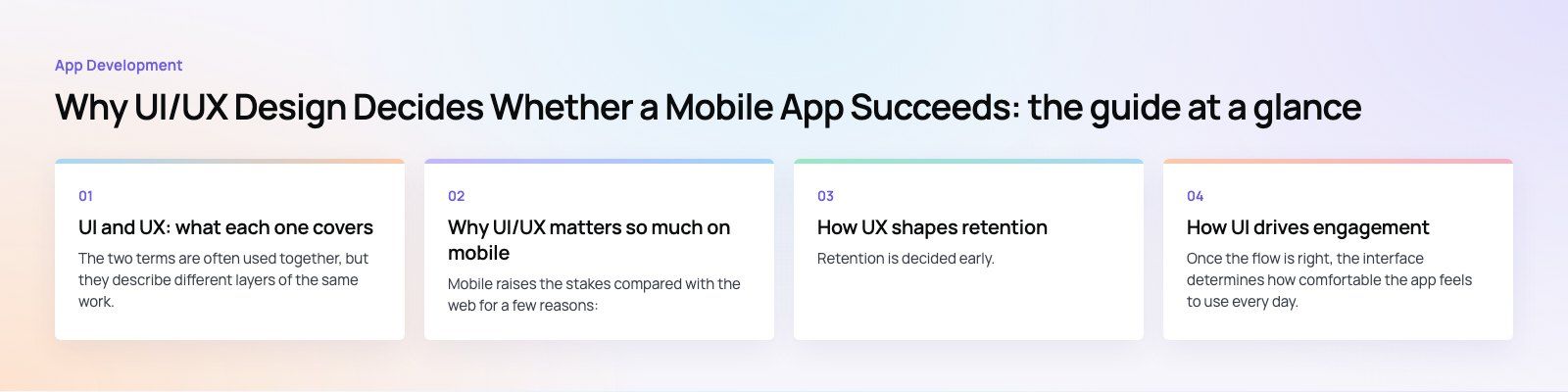
UI and UX: what each one covers
The two terms are often used together, but they describe different layers of the same work.
| UX (user experience) | UI (user interface) | |
|---|---|---|
| Question it answers | Can people do what they came to do, quickly and without confusion? | Does each screen look clear, consistent and easy to use? |
| Main activities | Research, user flows, information architecture, wireframes, usability testing | Layout, typography, color, icons, components, motion, visual states |
| Typical outputs | Flow diagrams, wireframes, prototypes, test findings | High fidelity screens, a design system, specs for developers |
| Signs it is failing | Drop off in onboarding, abandoned checkouts, support tickets about "how do I" | Mis taps, unreadable text, inconsistent buttons, an app that feels dated |
Strong apps need both. A beautiful interface on top of a confusing flow still loses users, and a logical flow with cramped, inconsistent screens still feels hard to use.
Why UI/UX matters so much on mobile
Mobile raises the stakes compared with the web for a few reasons:
- Small screens. There is little room for extra options, so every element must earn its place.
- Touch input. Fingers are less precise than a mouse. Google recommends touch targets of at least 48 by 48 density independent pixels in its Android accessibility guidance.
- Interrupted use. People use apps on the move, one handed, in bright sun, with patchy signal. Flows must survive interruptions.
- Easy exit. Deleting an app takes seconds, and the store is full of alternatives.
- Public ratings. Frustrated users leave reviews, and those reviews shape whether new users download the app at all.
How UX shapes retention
Retention is decided early. If a new user does not reach the moment where the app proves useful, they rarely come back. UX work focuses on shortening the path to that moment.
Get to value before asking for commitment
Many apps ask for sign up, permissions, profile details and preferences before showing anything useful. Reversing that order, letting people browse or try first and asking for details only when needed, keeps more of them.
The Star Cinemas case study shows the problem clearly: the old booking flow asked for a cinema, a film, a date and a time before it would show a single seat, which meant three screens of commitment before any value.
Ask for permissions in context
A location or notification request on first launch, with no explanation, is often declined. Asking at the moment the feature is needed, with a one line reason, gets a better response and builds trust.
Design for the second visit
Returning users want to pick up where they left off. Remembering recent searches, saved items, drafts and the last screen they used makes the app feel like it knows them.
How UI drives engagement
Once the flow is right, the interface determines how comfortable the app feels to use every day.
- Clear hierarchy. One primary action per screen, visually obvious. Secondary actions are quieter.
- Consistent components. Buttons, cards, inputs and icons behave the same everywhere, so users learn the app once.
- Readable text. Sizes that respect the user's accessibility settings and enough contrast to read outdoors.
- Feedback on every action. Taps, loading, success and errors all show a visible response, so users never wonder if something worked.
- Platform conventions. iOS and Android users expect familiar navigation and controls. Following Apple's Human Interface Guidelines and Google's Material Design avoids fighting those habits.
A shared design system makes consistency practical. The Distinct case study describes a healthcare workforce platform with a design system shared by the web app and the admin.
Common UI/UX mistakes that drive users away
- Overloaded screens. Too many options, banners and buttons on one screen. Users cannot see what to do next.
- Forced sign up. Requiring an account before showing any value.
- Slow or blank loading states. A white screen while data loads feels broken. Skeleton screens and cached content feel faster.
- Tiny tap targets. Small icons and links placed close together cause mis taps and frustration.
- Inconsistent design. Different button styles, icons and wording across screens make the app feel unfinished.
- Unhelpful errors. Messages like "something went wrong" with no way forward.
- Ignoring feedback. Store reviews and support tickets often point straight at the screens that need work.
- Forgetting accessibility. Missing labels for screen readers, low contrast and fixed text sizes shut out a real share of users.
UI/UX best practices for mobile apps
Start with research, not screens
Talk to the people the app is for, watch how they handle the task today, and map the steps. A few interviews early prevent expensive redesigns later.
Prototype and test before building
Clickable prototypes let you test flows with real users before any code is written. A handful of sessions usually reveals the biggest problems.
Design one primary action per screen
Make it obvious what the screen is for. Put the main action within easy reach of the thumb.
Plan every state
Each screen has empty, loading, error, partial and full states. Designing all of them avoids the rough edges users notice most.
Build a design system
Define colors, type, spacing and components once, then reuse them. This keeps the app consistent and speeds up development.
Design for performance
Lighter images, fewer animations on low end devices, and content that appears progressively make the app feel fast. Perceived speed is part of UX.
Measure and iterate
Track where users drop off in key flows, read reviews, and run usability tests after launch. Treat design as ongoing work, not a one time phase.

Consistency across iOS, Android and cross platform builds
Cross platform frameworks like Flutter and React Native make it easy to ship one design everywhere, but identical is not always right. The best approach keeps brand, layout and flows the same while letting each platform's navigation, gestures and system controls behave as users expect. Agree these rules in the design system before development starts so the team does not decide screen by screen.
Where mobile design is heading
- Personalization. Apps adapt content and shortcuts to each user's behavior, increasingly with AI support. The UX challenge is keeping it helpful rather than intrusive.
- Conversational features. Chat style assistants and voice input are appearing inside apps for search, support and data entry.
- Accessibility by default. Larger text, dark mode, voice control and screen reader support are expected, not optional.
- Calmer interfaces. Fewer notifications, clearer privacy controls and less visual noise build trust.
Getting UI/UX right in your app
The apps people keep are the ones that respect their time: fast to value, clear on every screen, consistent from start to finish. Codeeo's team of 80+ across Dubai, Riyadh and Karachi designs and builds mobile apps, and has delivered 200+ projects across the UAE and the US. See how our UI/UX design team works, or explore our mobile app development service if you are planning a full build. For early stage ideas, a product scoping session is a good first step.
Frequently asked questions
UI/UX decides whether people can use an app easily enough to keep coming back.
Mobile users have small screens, limited attention and plenty of alternatives, so confusing flows or cluttered screens lead quickly to uninstalls and poor reviews. Good UX gets users to value fast, and good UI makes each screen clear and comfortable, which together improve retention, engagement and ratings.
App DevelopmentCross Platform App Development: How It Saves Time and MoneyHow shared code across iOS and Android cuts build and maintenance effort, which frameworks to consider in 2026, and when native development is still the better call. App DevelopmentHow to Plan an App Development Project From Start to FinishA step by step plan for an app project: define users and goals, scope an MVP, choose platforms, design, build the team, phase the timeline, test and launch.
 App DevelopmentMust Have Features of an HR Management AppThe features an HR management app needs, from onboarding and self service to payroll, performance and analytics, plus when to buy or build.
Tell us what the business needs. We will tell you what to build first.
Schedule a free consultation and get a written recommendation, with costs, before you commit to anything.
Get in touchPROVEN RESULTS
4.7 / 5verified reviews on Google