 App DevelopmentCross Platform App Development: How It Saves Time and MoneyHow shared code across iOS and Android cuts build and maintenance effort, which frameworks to consider in 2026, and when native development is still the better call.
App Development Process: What You Get and Approve at Each Step
The five steps of a well run app project, from discovery to store release, with the deliverables you should receive and the decisions you make at each one.
A well run app development process moves through five steps: discovery, design, development, testing and release, with a clear deliverable and a client decision at the end of each one. Discovery fixes what the app must do, design shows how it will look and work, development builds it in short cycles with regular demos, testing proves it works on real devices, and release gets it through the App Store and Google Play. Knowing what you should receive and approve at each step is the best way to keep a project on time and on budget.
This guide is written for founders and managers commissioning an app. It focuses less on theory and more on what happens in practice: the outputs, the decisions you will be asked to make, and the warning signs that a step has been rushed.
The process at a glance
| Step | Main deliverables | Your decision |
|---|---|---|
| 1. Discovery | Goals, user types, feature list, priorities, technical approach, rough plan | Approve the scope for the first release |
| 2. Design | User flows, wireframes, visual design, clickable prototype | Approve screens before build starts |
| 3. Development | Working builds every sprint, API, admin panel | Review demos and reprioritize the backlog |
| 4. Testing | Test results, fixed defects, beta feedback | Accept the release candidate |
| 5. Release and support | Store listings, live app, monitoring, update plan | Approve launch and agree what comes next |
Step 1: Discovery and scoping
What happens
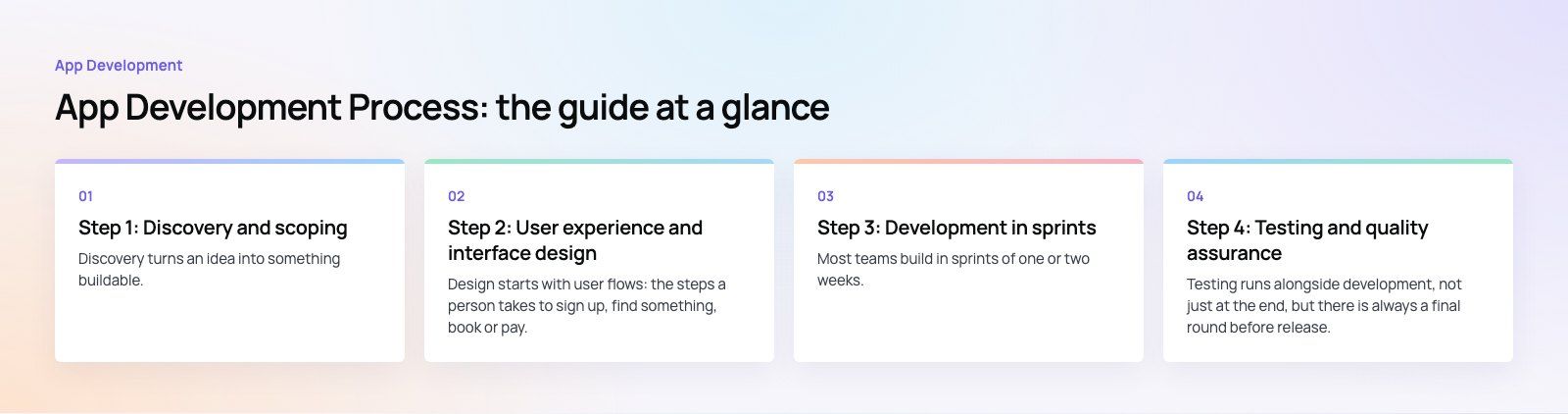
Discovery turns an idea into something buildable. The team talks to you and, ideally, to a few future users. Together you define who the app is for, the problem it solves, the main user types (customers, staff, admins), and what success looks like after launch.
The most important output is a prioritized feature list. Every feature is sorted into must have for the first release, should have soon after, and later. A first release that does a few things well is better than one that does everything badly and launches months late.
Technical decisions made here
- Native iOS and Android, or a cross-platform framework such as Flutter or React Native.
- What the back end needs: user accounts, payments, notifications, an admin panel, integrations with existing systems.
- Any data protection or industry rules that affect where and how data is stored.
Warning sign
If you receive a fixed quote and timeline without anyone asking detailed questions about your users and features, the estimate is a guess. A short paid product scoping exercise is cheaper than discovering gaps halfway through the build.
Step 2: User experience and interface design
What happens
Design starts with user flows: the steps a person takes to sign up, find something, book or pay. These become wireframes, simple grey layouts that show structure without visual style. Once the structure works, designers apply the brand, typography, color and components to create the final screens.
The best output from this step is a clickable prototype in a tool such as Figma. You can tap through it on your phone and show it to real users before a line of code is written. Changing a prototype takes hours; changing a built feature can take weeks.
What to check
- Does every user type have a complete flow, including errors, empty states and logged out screens?
- Do the designs follow platform conventions so the app feels at home on iPhone and Android?
- Are text sizes, contrast and tap targets accessible?
- If the app is bilingual, have right to left layouts been designed, not just mirrored automatically?
Step 3: Development in sprints
What happens
Most teams build in sprints of one or two weeks. Each sprint takes a set of features from the backlog, builds them and ends with a demo of working software. Mobile developers build the app screens, back-end developers build the API and database, and an admin panel is built so your team can manage content, users and orders without developers.
You should be able to install test builds on your own phone throughout development, through TestFlight on iOS and internal testing on Google Play. Seeing the real app early catches misunderstandings while they are still cheap to fix.
Your role during development
- Attend sprint demos and give feedback quickly.
- Supply content, copy, images and access to third party accounts such as payment gateways on time.
- Make decisions when trade offs come up. New ideas go into the backlog and are prioritized, rather than squeezed into the current sprint.
Warning sign
Weeks without a demo or installable build. Progress you cannot see is progress you cannot verify.
Step 4: Testing and quality assurance
What happens
Testing runs alongside development, not just at the end, but there is always a final round before release. It typically covers:
- Functional testing: every feature does what the specification says.
- Device testing: a spread of real iPhones and Android phones, screen sizes and operating system versions.
- Performance: start up time, scrolling, battery and data use, behavior on weak connections.
- Security: login, permissions, data storage and API access.
- Usability: real users trying real tasks, often through a closed beta.
Defects are logged, prioritized and fixed. You should receive a clear summary of what was tested and any known issues being carried into release.
Step 5: Release, store review and support
Preparing the store listings
Each store needs a name, description, screenshots, an app icon, a privacy policy, data use declarations and an age rating. Apple reviews every submission against its App Store Review Guidelines, and Google Play has its own policies and testing tracks described in the Play Console help. Common reasons for rejection include incomplete features, missing account deletion options, unclear data use and login problems for the reviewer, so plan time for a resubmission.
Launch
Many teams release gradually, to a percentage of users or one market first, while watching crash reports and analytics. The back end should be monitored with alerts so problems are spotted before users report them.
After launch
An app is never finished. New iOS and Android versions arrive every year, libraries need updates, and user feedback produces new priorities. Agree a support and update plan before launch, covering bug fixes, operating system updates, security patches and a roadmap for the next releases.
Mistakes that slow app projects down
- Skipping discovery to start coding sooner, then rebuilding features that were misunderstood.
- Designing in development. Changing screens after they are built costs far more than changing a prototype.
- Too many features in version one. Launch the core, learn from users, then expand.
- Forgetting the admin side. Someone has to manage users, content and orders after launch.
- Leaving store requirements to the last week. Privacy policies, account deletion and data declarations take time.
- No plan after launch. Apps without maintenance slowly break as operating systems change.
Choosing a team to run the process
Ask any app partner to walk you through their process with real examples: what discovery produced, what a sprint demo looks like, how testing is reported. Published work helps. Meecon, for example, is an event app with an admin built into the app so organizers can edit on the day, and Book My Trip covers outbound and return bookings, transfers and OTP sign in.
Our mobile app development team, part of a team of 80+ across Dubai, Riyadh and Karachi, works through these steps with product design and back-end engineering in the same team, so decisions made in discovery carry through to release.
Frequently asked questions
Most projects follow five steps: discovery and scoping, user experience and interface design, development in short sprints, testing and quality assurance, and release followed by ongoing support.
Each step should end with a clear deliverable, such as a feature list, a clickable prototype, a working build or a test report, and a decision from the client before the next step begins.
App DevelopmentCross Platform App Development: How It Saves Time and MoneyHow shared code across iOS and Android cuts build and maintenance effort, which frameworks to consider in 2026, and when native development is still the better call. App DevelopmentHow to Plan an App Development Project From Start to FinishA step by step plan for an app project: define users and goals, scope an MVP, choose platforms, design, build the team, phase the timeline, test and launch.
 App DevelopmentMust Have Features of an HR Management AppThe features an HR management app needs, from onboarding and self service to payroll, performance and analytics, plus when to buy or build.
Tell us what the business needs. We will tell you what to build first.
Schedule a free consultation and get a written recommendation, with costs, before you commit to anything.
Get in touchPROVEN RESULTS
4.7 / 5verified reviews on Google