 Software DevelopmentSQL vs NoSQL Databases: Differences and How to ChooseHow SQL and NoSQL databases differ in data model, schema, scaling and consistency, where each one fits, and five questions to choose for your project.
CodeeoInsightsSoftware Development
Black Box vs White Box Testing: Key Differences Explained
Black box testing checks what software does from outside; white box testing checks how the code works inside. Learn the techniques, trade offs and when to use each.
The difference between black box and white box testing is what the tester can see. Black box testing checks what software does from the outside, using inputs and expected outputs, with no knowledge of the code. White box testing examines how the software works inside, designing tests from the source code to exercise its paths, branches and conditions.
Neither approach replaces the other. Black box testing tells you whether the product meets its requirements, and white box testing tells you whether the code behind it is sound. Most reliable software uses both, at different stages of development.
What software testing is for
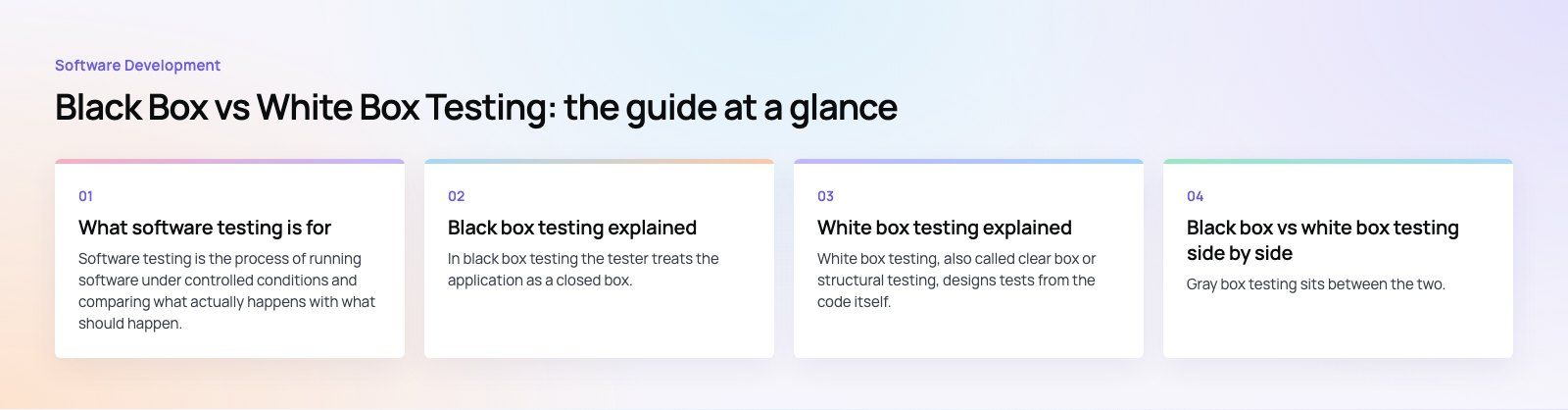
Software testing is the process of running software under controlled conditions and comparing what actually happens with what should happen. Every gap between the two is a defect to investigate. Testing runs through the whole development cycle, from the first unit of code to checks after each release.
Teams test to:
- Confirm the software does what the requirements say it should.
- Find and fix defects before users do.
- Check behavior across browsers, devices and operating systems.
- Catch security weaknesses and usability problems.
- Protect revenue and reputation from failures in production.
Black box testing explained
In black box testing the tester treats the application as a closed box. They know what it is supposed to do, but not how it does it. They supply inputs, observe outputs and compare them with the specification. Testing a login form by entering valid and invalid details and checking each response, without looking at the authentication code, is a typical example.
Key black box techniques
- Equivalence partitioning. Split possible inputs into groups that the software should treat the same way, then test one representative value from each group. For an age field that accepts 18 to 65, that means one valid age, one below and one above.
- Boundary value analysis. Test at the edges of each group, such as 17, 18, 65 and 66, because defects cluster at boundaries.
- Decision table testing. List combinations of conditions and the expected outcome for each, which is useful for business rules like discounts or eligibility.
- State transition testing. Check how the system moves between states, such as an order going from pending to paid to shipped, and that invalid transitions are blocked.
- Use case testing. Follow complete user flows, such as sign up, add to cart and checkout, to confirm the pieces work together.
Where black box testing fits best
- Functional testing against requirements.
- System and integration testing of complete features.
- User acceptance testing before release.
- Usability and accessibility checks.
- Regression testing through the user interface.
Strengths and limits of black box testing
| Strengths | Limits |
|---|---|
| Tests from the user's point of view | Cannot show which code paths were exercised |
| Testers do not need to read code | Some logic errors stay hidden behind correct looking output |
| Independent of programming language | Harder to find the root cause of a failure |
| Can be written from requirements before code exists | Risk of redundant tests if inputs are not partitioned well |
White box testing explained
White box testing, also called clear box or structural testing, designs tests from the code itself. The tester reads the source, identifies paths, branches and conditions, and writes tests that drive execution through them. Testing a sorting function with empty lists, single items, duplicates and already sorted input, chosen by reading its branches, is a typical example.
Key white box techniques
- Statement coverage. The share of executable statements that the tests run at least once.
- Branch coverage. The share of decision outcomes, each true and false, that the tests exercise. It is stricter than statement coverage.
- Condition coverage. Each individual condition inside a compound decision is tested as both true and false.
- Path testing. Tests are designed to follow independent paths through a function, which exposes errors in loops and nested logic.
- Static analysis. Tools read the code without running it to flag likely bugs, unsafe patterns and security weaknesses.
Where white box testing fits best
- Unit testing individual functions and classes.
- Checking complex algorithms and calculations.
- Security review of code that handles authentication, payments or personal data.
- Finding dead code and unreachable branches.
- Locating performance bottlenecks in specific routines.
Strengths and limits of white box testing
| Strengths | Limits |
|---|---|
| Measurable coverage of the code | Needs access to the source and people who can read it |
| Finds logic errors early, close to where they are written | Cannot detect features that are missing from the code |
| Pinpoints the cause of failures | Tests break when the implementation changes |
| Supports refactoring and optimization | Detailed test design takes time |
One limit deserves emphasis. High coverage does not mean correct software. A test suite can run every line and still miss a requirement that nobody coded. That is exactly the gap black box testing fills.
Black box vs white box testing side by side
| Aspect | Black box testing | White box testing |
|---|---|---|
| Focus | External behavior and functionality | Internal structure and logic |
| Knowledge of code | Not needed | Required |
| Test design basis | Requirements and specifications | Source code, paths and branches |
| Usual performer | QA testers, business users | Developers, technical testers |
| Typical levels | System, integration, acceptance | Unit, component, integration |
| Finds | Missing or wrong functionality | Logic errors, dead code, unsafe patterns |
| Language dependence | Independent | Tied to the language and codebase |
| Effect of code changes | Tests stay valid if behavior is unchanged | Tests often need updating |
What about gray box testing?
Gray box testing sits between the two. The tester has partial knowledge of the internals, such as the database schema or API contracts, and uses it to design better black box tests. API testing is often gray box: you call endpoints from the outside but choose inputs based on how you know the data is stored.
When to use each approach
Choose black box testing when the question is whether the product does what users and the business need. It suits acceptance testing, testing third party components you cannot see inside, and regression checks on user flows.
Choose white box testing when the question is whether the code is correct, safe and maintainable. It suits unit tests written alongside the code, security reviews and any module where a subtle logic error would be expensive, such as pricing or permissions.
Combining both in a real project
A practical split looks like this:
- Developers write white box unit tests as they build, and a coverage report runs on every commit.
- Static analysis and dependency scanning run in the same pipeline to catch unsafe code early.
- API and integration tests check that services work together, often with gray box knowledge.
- Automated black box tests drive the main user flows through the interface.
- Manual exploratory and acceptance testing covers usability and anything automation misses.
Common testing tools
Tools vary by stack, but these are widely used and actively maintained:
- Unit testing (white box): JUnit for Java, pytest for Python, Jest or Vitest for JavaScript and TypeScript.
- Browser automation (black box): Selenium, Playwright and Cypress.
- Mobile apps: Appium, plus the native XCTest and Espresso frameworks.
- API testing: Postman and similar tools for contract and endpoint checks.
- Coverage and static analysis: coverage tools built into most test runners, and analyzers such as SonarQube.
Mistakes teams make with testing
- Chasing a coverage number. A target percentage encourages shallow tests. Measure coverage of risky code, not all code.
- Testing only the happy path. Most production bugs come from invalid input, timeouts and edge cases.
- Leaving testing to the end. Defects found late cost more to fix and delay releases.
- Brittle UI tests. Tests tied to exact layouts break on every design change. Target stable selectors and user visible behavior.
Building quality in from the start
Good testing is a habit built into how software is written, not a phase bolted on before launch. Codeeo's team of 80+ across Dubai, Riyadh and Karachi builds testing into delivery on custom software and mobile app development projects. If you have an existing product and want an outside view of its code and test coverage, start with a codebase review, or talk to dedicated developers who can strengthen your test suite.
Frequently asked questions
Neither is better on its own because they answer different questions.
Black box testing confirms the software meets user and business requirements. White box testing confirms the code behind it is correct and safe. A project that only uses one leaves gaps: black box alone misses hidden logic errors, and white box alone misses features nobody built. Most teams use both at different levels.
Software DevelopmentSQL vs NoSQL Databases: Differences and How to ChooseHow SQL and NoSQL databases differ in data model, schema, scaling and consistency, where each one fits, and five questions to choose for your project. Software DevelopmentOpen Source Apps: Examples, Licenses and How to Build Your OwnWhat makes an app open source, well known examples, the steps to build your own, how to pick MIT, Apache or GPL, and when to customize instead.
 Software DevelopmentHow an Online HR Portal Improves Employee ExperienceWhat an online HR portal does, how self service improves employee experience, which features matter, and whether to buy, configure or build one.
Tell us what the business needs. We will tell you what to build first.
Schedule a free consultation and get a written recommendation, with costs, before you commit to anything.
Get in touchPROVEN RESULTS
4.7 / 5verified reviews on Google