 Software DevelopmentSQL vs NoSQL Databases: Differences and How to ChooseHow SQL and NoSQL databases differ in data model, schema, scaling and consistency, where each one fits, and five questions to choose for your project.
CodeeoInsightsSoftware Development
Hexagonal Architecture: A Practical Guide for Developers
How hexagonal architecture, or ports and adapters, keeps business logic independent of databases and APIs, with an e-commerce example and when to skip it.

Hexagonal architecture, also called ports and adapters, is a way of structuring software so the business logic sits at the center and talks to the outside world only through defined interfaces. Databases, user interfaces, payment providers and message queues plug in as adapters, so you can replace or test any of them without touching the core rules. It suits applications that will live for years and change their integrations along the way.
This guide covers where the pattern came from, how its parts fit together, a worked e-commerce example, and when it is more structure than a project needs.
Where hexagonal architecture comes from
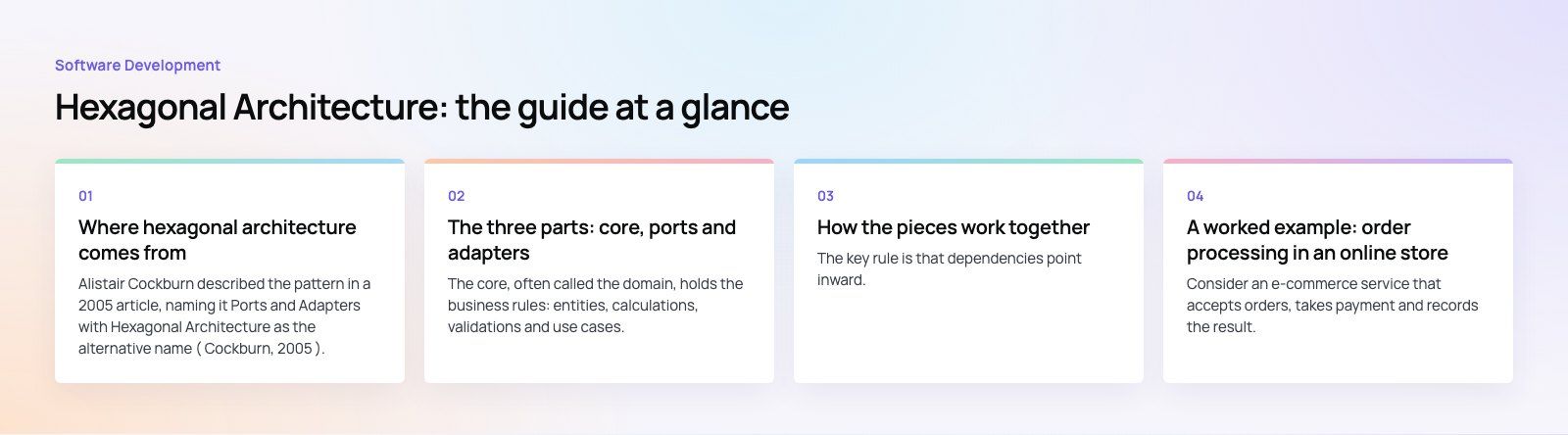
Alistair Cockburn described the pattern in a 2005 article, naming it Ports and Adapters with Hexagonal Architecture as the alternative name (Cockburn, 2005). His stated goal was to let an application be driven equally by users, programs, automated tests or batch scripts, and to develop and test it in isolation from its eventual databases and devices.
The hexagon itself has no special meaning. Cockburn drew six sides simply to leave room for several ports and to break away from the familiar top to bottom layer diagram. The point is that every external concern sits on the outside edge, and none of them is "above" or "below" the core.
The three parts: core, ports and adapters
The core
The core, often called the domain, holds the business rules: entities, calculations, validations and use cases. It knows nothing about SQL, HTTP, frameworks or vendors. If you read the core code, you should see the language of the business, such as orders, refunds and stock levels, rather than database tables or API calls.
Ports
Ports are interfaces that describe what the core needs from the world, or what the world can ask of the core. They come in two directions:
- Driving (inbound) ports describe what the application offers, such as "place an order" or "issue a refund." A web controller, a CLI command or a test calls these.
- Driven (outbound) ports describe what the core depends on, such as "save this order" or "charge this card." The core calls these without knowing who answers.
Adapters
Adapters are the concrete implementations that connect a port to real technology. A REST controller is a driving adapter. A PostgreSQL repository or a Stripe client is a driven adapter. Adapters translate between the outside format and the core's own objects, so the core never handles raw JSON, database rows or vendor specific responses.
How the pieces work together
The key rule is that dependencies point inward. Adapters depend on ports, and ports belong to the core. The core never imports an adapter. At startup, a small piece of wiring code, sometimes called the composition root, creates the adapters and hands them to the core.
Because of this, you can swap an adapter without editing the core. Replace a MySQL repository with a MongoDB one, or a real payment client with a fake that always succeeds, and the business rules run unchanged. That is the property that makes the pattern so useful for testing.
A worked example: order processing in an online store
Consider an e-commerce service that accepts orders, takes payment and records the result. In a hexagonal design it breaks down like this:
| Element | Example | Responsibility |
|---|---|---|
| Core use case | OrderService.placeOrder | Validate the order, request payment, save the order, raise an "order placed" event |
| Driving port | PlaceOrder interface | Defines what callers can ask the application to do |
| Driving adapters | REST controller, admin CLI, test harness | Turn HTTP requests or test inputs into calls on the port |
| Driven port | OrderRepository | Save and load orders |
| Driven port | PaymentProcessor | Charge a payment method and report success or failure |
| Driven adapters | SQL repository, Stripe client, in memory fakes | Connect the ports to real or test infrastructure |
The OrderService receives an OrderRepository and a PaymentProcessor through its constructor. Its placeOrder method validates the order, asks the PaymentProcessor to charge the customer and, if that succeeds, asks the OrderRepository to save it. Nowhere in that method is there a SQL statement or a payment API call. Those live in the adapter classes, which implement the two interfaces.
The same idea extends across a store. Inventory checks go through an inventory port, whether the adapter talks to a warehouse system or an ERP. Customer notifications go through a notification port, whether the adapter sends email, SMS or WhatsApp. Product data goes through a catalog port, whether it comes from your own database or a supplier feed.
Testing the example
For unit tests, you pass in an in memory repository and a fake payment processor that you can tell to succeed or fail. Tests run in milliseconds, need no database and cover every business rule, including the awkward paths such as a declined card. Separate integration tests then check each real adapter against its real dependency.
Why teams adopt the pattern
- Replaceable infrastructure. Changing a database, payment provider or messaging system touches one adapter rather than the whole codebase.
- Fast, reliable tests. Business rules can be tested without databases, networks or frameworks.
- Clear responsibilities. New developers can find the business rules quickly because they are not mixed with plumbing.
- Several entry points. The same use case can be called from a web API, a mobile backend, a scheduled job or an event consumer.
- Slower decay. Framework upgrades and vendor changes are contained, which limits technical debt over the life of the product.
Hexagonal compared with other architectures
| Approach | Main concern | How it relates to hexagonal |
|---|---|---|
| Traditional layered | Stack of presentation, business and data layers | Business logic often depends on the data layer; hexagonal inverts that dependency |
| Clean architecture | Concentric rings with dependencies pointing inward | Very close cousin; shares the same core idea with more named layers |
| Onion architecture | Domain model at the center, infrastructure outside | Same principle with different vocabulary |
| Microservices | Splitting a system into independently deployed services | Complementary; each service can be built hexagonally inside |
| Event driven | Services communicating through asynchronous events | Complementary; event publishers and consumers become adapters |
A common confusion is treating hexagonal architecture and microservices as alternatives. They work at different levels. Hexagonal architecture organizes the inside of one application. Microservices decide how many applications you have and how they talk. A single microservice built with ports and adapters is a normal combination.

When hexagonal architecture is not worth it
The pattern adds interfaces, wiring and more files. That overhead is not always justified:
- Small or short lived projects. A prototype or a simple CRUD admin may never swap its database, so the abstraction buys little.
- Thin business logic. If the application mostly moves data between a form and a table, there is not much core to protect.
- Teams new to the idea under tight deadlines. Poorly understood ports and adapters can become ceremony that slows delivery.
A pragmatic middle path is to apply the pattern only where change is likely: payment providers, third party APIs and messaging. Keep simpler parts of the system straightforward.
Practical tips for adopting it
- Start with one use case. Pick a business critical flow, such as checkout, and restructure it around ports before touching the rest.
- Name ports after business intent. "PaymentProcessor" is better than "StripeService," because the port should not mention a vendor.
- Keep frameworks at the edge. Annotations, ORM entities and HTTP types belong in adapters, not in core classes.
- Write the fake adapter first. An in memory version of each driven port makes tests easy and proves the interface is sensible.
- Do not over split. One port per real external dependency is usually enough; dozens of tiny interfaces make code harder to follow.
Building software that is easy to change
Codeeo has delivered 200+ projects across the UAE and the US, including products like Runvse, which combines a mobile app, an API and vehicle firmware, where clear boundaries between components matter. Our custom software development team designs backends around the business rules that need to last, and our payment integration work is a typical place where a clean adapter layer earns its keep. If you have an existing system that has become hard to change, a codebase review will show where the coupling is, or you can contact the team to discuss a rebuild.
Frequently asked questions
Hexagonal architecture is a design approach that puts business rules at the center of an application and connects everything else through defined interfaces called ports.
Databases, user interfaces, payment providers and other external systems plug in through adapters that implement those ports. Because the core never depends on a specific technology, you can change or test external parts without rewriting the business logic.
Software DevelopmentSQL vs NoSQL Databases: Differences and How to ChooseHow SQL and NoSQL databases differ in data model, schema, scaling and consistency, where each one fits, and five questions to choose for your project. Software DevelopmentOpen Source Apps: Examples, Licenses and How to Build Your OwnWhat makes an app open source, well known examples, the steps to build your own, how to pick MIT, Apache or GPL, and when to customize instead.
 Software DevelopmentHow an Online HR Portal Improves Employee ExperienceWhat an online HR portal does, how self service improves employee experience, which features matter, and whether to buy, configure or build one.
Tell us what the business needs. We will tell you what to build first.
Schedule a free consultation and get a written recommendation, with costs, before you commit to anything.
Get in touchPROVEN RESULTS
4.7 / 5verified reviews on Google