 E-CommerceBenefits of Using a CMS for Ecommerce WebsitesHow a CMS helps online stores manage products, SEO, growth and security, how it compares with a custom build, and how to choose between WooCommerce, Shopify and headless.
10 Features of a High-Converting Ecommerce Website
The ten features that turn store visitors into buyers, from product pages and checkout to speed, mobile design, social proof and ongoing testing.
A high-converting ecommerce website makes it easy to find a product, believe in it and pay for it, with as few steps and doubts as possible. The features that matter most are clear navigation, persuasive product pages, a short checkout, fast load times, a mobile-first layout, honest social proof and a habit of testing. Everything else is secondary until those work.
How to read this list
Conversion problems sit at specific points in the path from landing to purchase. Before adding features, look at your analytics and find the step with the biggest drop: product views to add to cart, cart to checkout, or checkout to purchase. Then work on the features that affect that step first. The table maps each feature to the stage it influences.
| Feature | Stage it affects | Signal that it needs work |
|---|---|---|
| Navigation and search | Finding products | High exits from home and category pages |
| Product pages | Deciding to buy | Many product views, few add to carts |
| Checkout | Paying | Carts started but not completed |
| Page speed | Every stage | Poor Core Web Vitals, high mobile bounce |
| Mobile layout | Every stage | Mobile conversion far below desktop |
| Recommendations | Order size and repeat orders | Low items per order |
| Calls to action | Next step on each page | Low click through on key buttons |
| Social proof | Trust | Visitors leave product pages to search for reviews |
| Customer service | Removing last doubts | Repeated pre-sale questions |
| Ongoing testing | All of the above | Changes made on opinion, not data |
1. Navigation that matches how people shop
Shoppers should reach any product in two or three clicks. Use category names customers would use, not internal codes. Keep the main menu short, use breadcrumbs on category and product pages so people can step back, and put a search box where it is obvious on mobile.
Search deserves real attention. Autocomplete with product thumbnails, tolerance for typos and helpful suggestions when nothing matches all keep shoppers moving. Your internal search terms are also free research: they show exactly what people expected to find.
2. Product pages that answer every question
The product page does the selling. It should answer the questions a shop assistant would be asked: what is it, will it fit or work for me, how much in total, when will it arrive and what if I do not like it.
- Images. Several angles, a zoom, a photo in use and a short video where it helps.
- Description. Lead with the benefit, then the specifications in a scannable list.
- Variants. Size and color selectors that show stock per option and update the photo.
- Delivery and returns. A delivery estimate and the returns rule near the add to cart button.
- Reviews. Real reviews, including critical ones, with the option to filter.
3. A checkout with no surprises
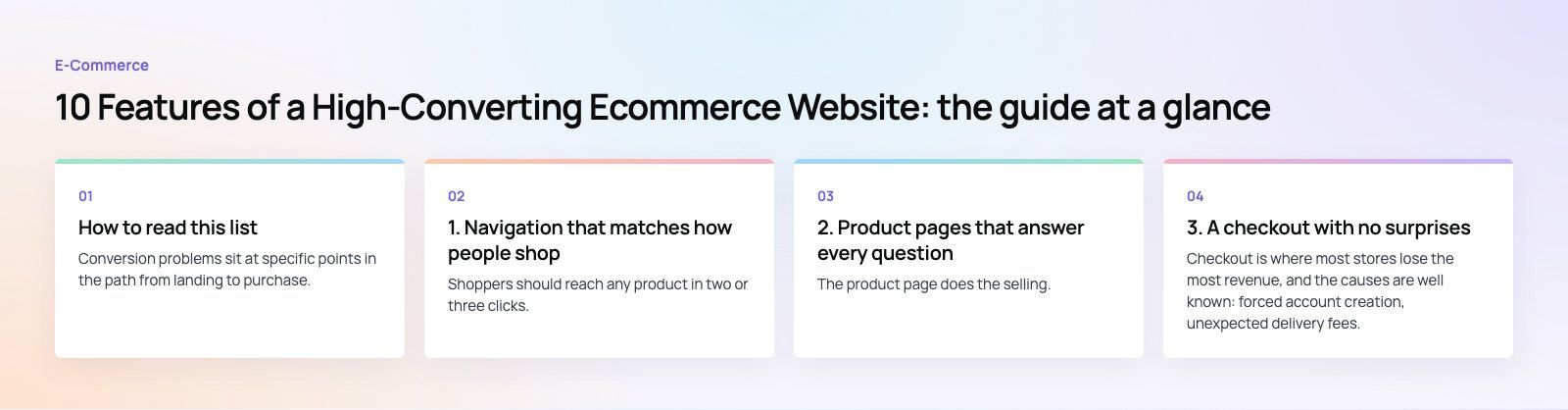
Checkout is where most stores lose the most revenue, and the causes are well known: forced account creation, unexpected delivery fees, long forms and missing payment methods.
Checkout fixes that usually pay off
- Offer guest checkout and invite account creation after the order.
- Show delivery cost and timing in the cart, not at the final step.
- Cut form fields to the minimum and use address autocomplete.
- Show a progress indicator so people know how many steps remain.
- Offer the wallets and local payment methods your market expects.
- Keep the cart saved if the shopper leaves and comes back.
Asking for too much commitment before showing value is a pattern that hurts conversion outside retail too. In the Star Cinemas project, the old flow asked for a cinema, a film, a date and a time before showing a single seat. That is three screens of commitment before any value, the same problem as a store that demands an account before it shows delivery costs. If you want an outside view of your own checkout, a checkout teardown walks through every step on real devices.
4. Fast page loads
Slow pages lose shoppers at every stage. Google's Core Web Vitals give a practical target: according to web.dev (2026), main content should load within 2.5 seconds, the page should respond to input within 200 milliseconds and layout shift should stay at 0.1 or less.
The usual fixes are compressed, correctly sized images in modern formats, lazy loading below the fold, a content delivery network, fewer redirects and a hard look at third party scripts such as chat widgets, review apps and tracking tags. Our speed optimisation review finds which of these is slowing your store.
5. Mobile-first design
Responsive is not the same as mobile-first. A responsive site resizes; a mobile-first site is designed around a thumb. Put the add to cart button within easy reach, keep it visible as people scroll long product pages, use full width filters in a drawer and make form fields big enough to tap.
Test on real mid-range phones, not only on a desktop browser set to a small window. Many mobile issues, such as a keyboard covering the checkout button, only show up on a device.
6. Personalized recommendations
Recommendations raise order size and bring people back. Start simple: "frequently bought together" on product pages, "complete the look" for fashion, and recently viewed items on the home page. Use purchase and browsing history to tailor email and messaging campaigns, and keep recommendations relevant. A random grid of best sellers on every page teaches shoppers to ignore it.
7. Clear calls to action
Each page should have one main action. On a product page it is add to cart; on a cart page it is checkout. Make that button the most visible element, with a color that contrasts with the rest of the page and a label that says what happens next. Secondary actions such as wish lists or newsletter sign ups should look secondary.
Accessible design helps conversion too. Buttons need enough contrast and clear focus states, and forms need visible labels. The W3C's WCAG guidelines set out these requirements in detail.
8. Social proof that is real
Reviews, ratings, customer photos and user generated content reassure shoppers that others bought and were satisfied. Show them on product pages, not only on a separate reviews page. Respond to negative reviews publicly and politely; a store with only perfect reviews looks filtered. Never invent testimonials, and follow the advertising rules in the markets you sell to.
9. Customer service that removes the last doubt
Some shoppers need one answer before they buy. Offer live chat or a messaging channel during business hours, a short FAQ on delivery, returns and sizing, and a visible contact method. Then make sure someone responds quickly; slow replies cost the sale anyway.
Delivery promises are part of service. The Gorgeous Flower Co, a WooCommerce florist in Dubai, offers delivery dates and windows at checkout, which answers the biggest question a gift buyer has before they ask it.
10. Ongoing testing and optimization
A high-converting store is never finished. Set up the funnel in your analytics, pick the weakest step, form a hypothesis and test one change at a time. A/B testing works well for stores with enough traffic. Smaller stores can still learn a lot from session recordings, on-site surveys and simply watching a few customers try to buy.
What to measure
- Conversion rate by device and traffic source
- Add to cart rate per product page
- Checkout completion rate
- Average order value and repeat purchase rate
- Searches with no results
Mistakes that quietly hurt conversion
- Pop ups that appear before the visitor has seen a single product
- Out of stock variants that are only revealed after selection
- Discount code fields that send shoppers off to hunt for coupons
- Redesigns launched without measuring the old version first
Codeeo has delivered 200+ projects across the UAE and the US, including stores built for conversion from the first sketch. If your store gets traffic but not enough orders, our retail and ecommerce team can help, and our digital marketing service brings the right traffic to a store that is ready to convert it.
Frequently asked questions
The essentials are simple navigation and search, product pages that answer fit, delivery and returns questions, a short checkout with guest purchase and familiar payment methods, fast load times, a mobile-first layout, real reviews and clear calls to action. On top of that, a high-converting store tests changes regularly, using its analytics to find and fix the weakest step in the purchase path.
E-CommerceBenefits of Using a CMS for Ecommerce WebsitesHow a CMS helps online stores manage products, SEO, growth and security, how it compares with a custom build, and how to choose between WooCommerce, Shopify and headless. E-CommerceEcommerce Website Development: 9 Elements Every Store NeedsThe nine parts every online store needs, from catalog data and search to checkout, security, operations and analytics, with what to decide before you build.
 E-CommerceMobile Optimization for Ecommerce Websites: What to Fix FirstHow to optimize an ecommerce website for mobile shoppers: speed, navigation, product pages, checkout, payment options, testing and the mistakes that cost sales.
Tell us what the business needs. We will tell you what to build first.
Schedule a free consultation and get a written recommendation, with costs, before you commit to anything.
Get in touchPROVEN RESULTS
4.7 / 5verified reviews on Google