 Software DevelopmentSQL vs NoSQL Databases: Differences and How to ChooseHow SQL and NoSQL databases differ in data model, schema, scaling and consistency, where each one fits, and five questions to choose for your project.
CodeeoInsightsSoftware Development
Node.js Project Structure: How to Organize Code That Scales
How to structure a Node.js project: the folders you need, layer versus feature layouts, useful patterns and the mistakes that make codebases hard to grow.

A good Node.js project structure separates configuration, application code and tests, and splits the application into layers or features with one clear job each. Routes receive requests, controllers coordinate, services hold business rules and data access modules talk to the database. When every file has an obvious home, new developers find their way quickly and features can be added without breaking unrelated code.
This guide explains the principles behind that structure, the folders most projects need, the patterns that help as a codebase grows, and the mistakes that make a Node.js project hard to work in.
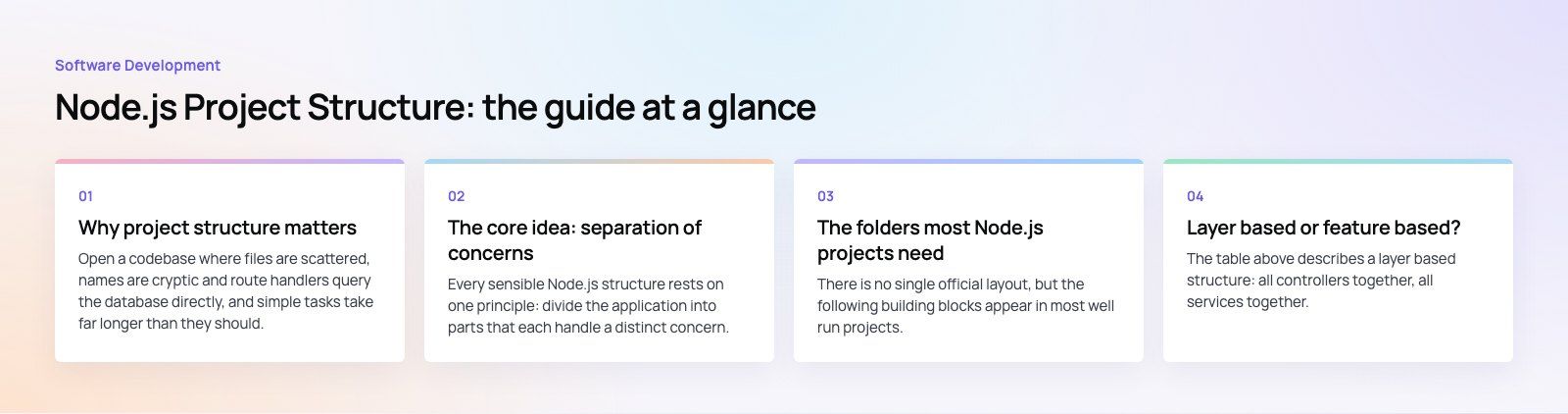
Why project structure matters
Open a codebase where files are scattered, names are cryptic and route handlers query the database directly, and simple tasks take far longer than they should. Debugging means tracing logic through unrelated files. Onboarding a new developer takes weeks instead of days.
A clear structure fixes that in three ways:
- Clarity. A predictable hierarchy tells a newcomer where things live, so they can contribute sooner.
- Easier growth. New features slot into existing patterns rather than piling up in one large file.
- Fewer bugs. When each module has one responsibility, changes stay contained and tests stay focused.
Structure does not replace good code, but it makes good code easier to write and bad code easier to spot.
The core idea: separation of concerns
Every sensible Node.js structure rests on one principle: divide the application into parts that each handle a distinct concern. Database access, request handling, business rules and presentation should not be tangled together.
That separation gives you three practical benefits:
- Modules are easier to understand, change and test in isolation, which matters most when several developers work in the same codebase.
- Well designed modules can be reused in other parts of the application, or in another project, without copying code.
- When a bug appears, you can focus on the module responsible instead of reading through unrelated logic.
The folders most Node.js projects need
There is no single official layout, but the following building blocks appear in most well run projects.
| Folder or file | What it holds | Why it is separate |
|---|---|---|
| config | Settings loaded from environment variables: ports, database URLs, feature flags | Lets the same code run in development, staging and production |
| .env and .env.example | Real secrets locally, placeholder values in the example file | The real file stays out of version control; the example documents what is required |
| routes | URL and HTTP method mappings | Keeps the public API surface easy to scan |
| controllers | Request handling: read input, call a service, shape the response | Keeps HTTP details out of business logic |
| services | Business rules and workflows | Can be tested and reused without a web server |
| models or repositories | Data structures and database queries | One place to change when the database or ORM changes |
| middleware | Authentication, validation, logging, error handling | Cross cutting logic applied consistently |
| utils or lib | Small shared helpers | Avoids duplicated code; keep it small and focused |
| tests | Unit and integration tests | Keeps test code organized and out of production bundles |
| package.json and lockfile | Dependencies and scripts | Makes installs reproducible across machines |
The node_modules folder holds installed packages. It is generated by npm, pnpm or yarn, never edited by hand and never committed.
Layer based or feature based?
The table above describes a layer based structure: all controllers together, all services together. It is easy to understand and works well for small and medium APIs.
As a codebase grows, many teams switch to a feature based structure, sometimes called organizing by component. Each feature, such as users, orders or payments, gets its own folder containing its routes, controller, service, data access and tests. Everything about orders lives in one place.
| Approach | Works best for | Trade off |
|---|---|---|
| Layer based | Small to medium APIs, small teams, early projects | Changing one feature means touching several folders |
| Feature based | Larger codebases, several teams, products that may split into services later | Needs discipline so shared code does not get duplicated across features |
A feature based layout also makes it far easier to extract a feature into its own service later, because its boundaries are already clear.
Design patterns that help
Model, view, controller
The classic MVC pattern splits an application into models that represent data, views that present it, and controllers that sit between them. In a JSON API the view is often just the response format, but the separation still keeps request handling apart from data logic.
A service layer
A service layer sits between controllers and data access. Services hold the business rules, for example how an order total is calculated or what happens when a payment fails. Controllers stay thin, and the same service can be called from an HTTP route, a background job or a command line script.
Dependency injection
Dependency injection means passing a module the things it depends on rather than having it create or import them directly. A service receives its database client as a parameter instead of requiring a specific one. In tests you pass a fake; in production you pass the real client. This can be as simple as factory functions, or handled by a framework such as NestJS that has injection built in.
Best practices for a clean structure
Name things for what they do
A file called user-repository.js tells you its purpose; dataStuff.js does not. Pick one convention for file names, such as kebab case, and apply it everywhere. Keep names short but specific.
Automate formatting and linting
Use Prettier for formatting and ESLint for code rules, and run both automatically before commits and in CI. Consistent code is easier to read and review.
Choose one module system
Node.js supports both CommonJS and ECMAScript modules, as its ECMAScript modules documentation explains. New projects generally use ES modules with import and export. Whichever you choose, use it consistently, and set it in package.json so tools agree.
Centralize configuration
Read environment variables in one config module, validate them on startup and fail fast if something required is missing. The rest of the code imports settings from that module and never reads process.env directly.
Centralize error handling
Define custom error classes for cases such as not found or validation failed, throw them from services, and convert them into HTTP responses in one error handling middleware. That keeps responses consistent and removes repeated try and catch logic from controllers.
Keep tests close to the code they cover
Some teams use a top level tests folder; others place each test file next to the module it covers. Either works if it is consistent. Unit tests should cover services without a server; integration tests should exercise routes against a test database. Writing tests before the code, as in test driven development, works especially well for business rules in services.
Use version control well
Commit a .gitignore that excludes node_modules, real .env files, logs and build output. A clean folder structure also makes pull requests easier to review, because changes to one feature stay in one area.
Common structure mistakes
- Fat route files. Validation, business rules and SQL all inside the route handler. Move logic into services and data access modules.
- A giant utils folder. When everything shared lands in utils, it becomes a second, unstructured codebase. Move helpers into the feature that uses them unless they are truly shared.
- Circular imports. Two modules that import each other usually signal a missing layer. Extract the shared part.
- Secrets in config files. Configuration files should read secrets from the environment, never contain them.
- Structure that never changes. A layout that suited ten files may not suit five hundred. Plan small refactors as the codebase grows.
Scaling the structure over time
Start simple. A small API with a layer based layout is perfectly fine. As features and contributors increase, move toward feature folders, keep services independent of the web framework, and watch for modules that change together, since they probably belong together.
When a feature needs to scale or deploy independently, a feature based structure with clean boundaries makes extracting it into a separate service a contained piece of work rather than a rewrite. Some teams adopt a monorepo at this point, with shared packages for types and utilities and separate packages for each service.
If your Node.js codebase has outgrown its structure, a codebase review maps what to reorganize first without stopping feature work. Codeeo's custom software and web development teams structure Node.js APIs for products like Runvse, and our dedicated developers can join your team to carry out a restructure alongside your roadmap.
Frequently asked questions
No.
Node.js does not enforce a layout, and the right one depends on the size of the application and the team. Most good structures share the same principles: configuration separate from code, thin route handlers, business logic in services, data access in its own layer and tests organized consistently. Start with a simple layer based layout and move to feature folders as the project grows.
Software DevelopmentSQL vs NoSQL Databases: Differences and How to ChooseHow SQL and NoSQL databases differ in data model, schema, scaling and consistency, where each one fits, and five questions to choose for your project. Software DevelopmentOpen Source Apps: Examples, Licenses and How to Build Your OwnWhat makes an app open source, well known examples, the steps to build your own, how to pick MIT, Apache or GPL, and when to customize instead.
 Software DevelopmentHow an Online HR Portal Improves Employee ExperienceWhat an online HR portal does, how self service improves employee experience, which features matter, and whether to buy, configure or build one.
Tell us what the business needs. We will tell you what to build first.
Schedule a free consultation and get a written recommendation, with costs, before you commit to anything.
Get in touchPROVEN RESULTS
4.7 / 5verified reviews on Google